4.19
Section 4
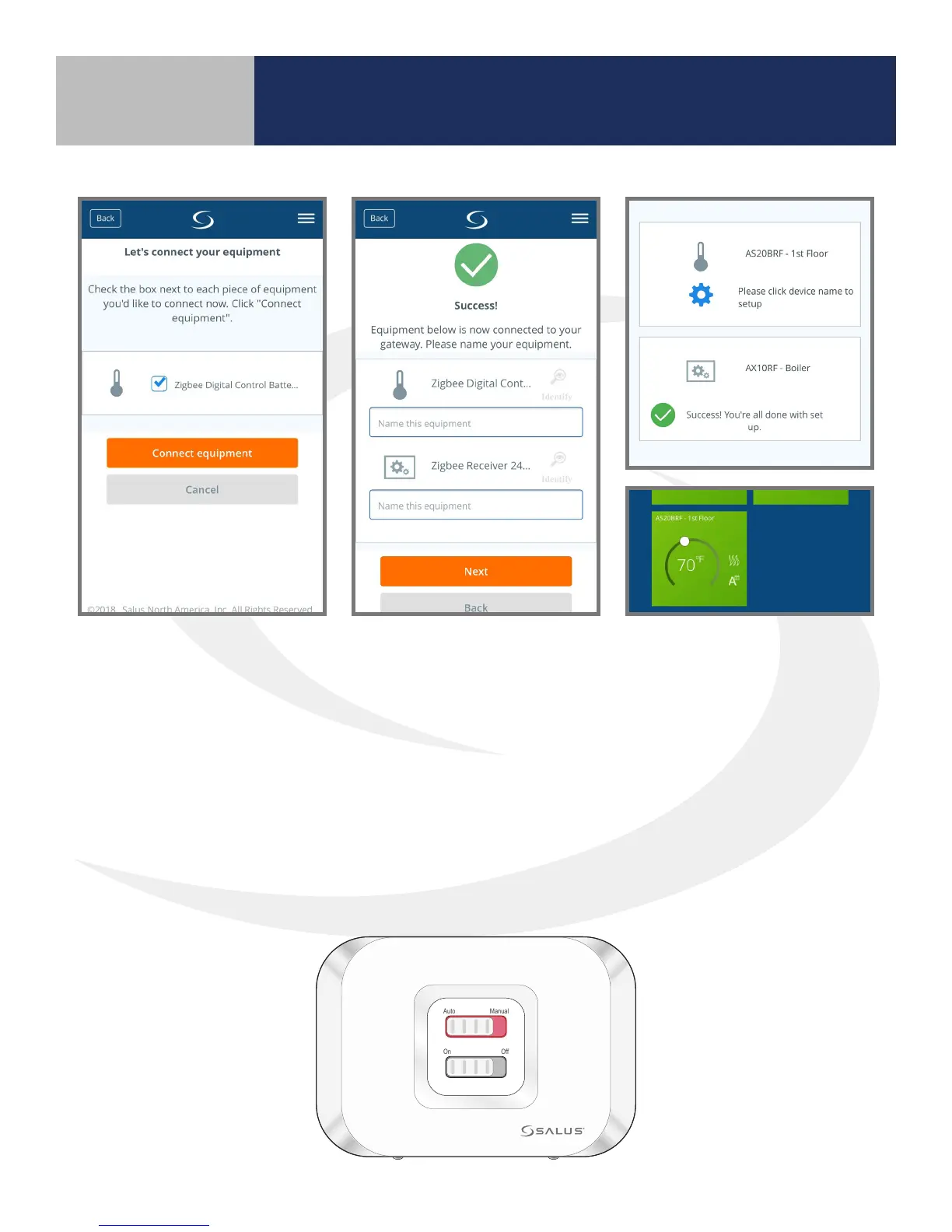
6. On the SALUS Smart Home
application, check the
boxes for both the AX10RF
Receiver and the AS20WRF/
BRF Thermostat. Press
the “Connect equipment”
button.
9. Once the display shows the current temperature, conrm that the LED back light on the Auto/Manual
switch is a constant red. The AX10RF Receiver is now paired.
7. Enter a name for both
devices. Remember to name
similar devices appropriately
to prevent confusion when
accessing them remotely.
Digital Thermostats should
describe the space that they
are servicing.
8. Press Finish to complete
the pairing operation.
The AS20BRF Thermostat
description will appear on
your SALUS Smart Home
home screen.
Auto Manual
On Off
Device Pairing & Setup
with Internet Connection



 To Next Page