7.13
AS20WRF/BRF Thermostat –
Schedule Setup with Internet Connection
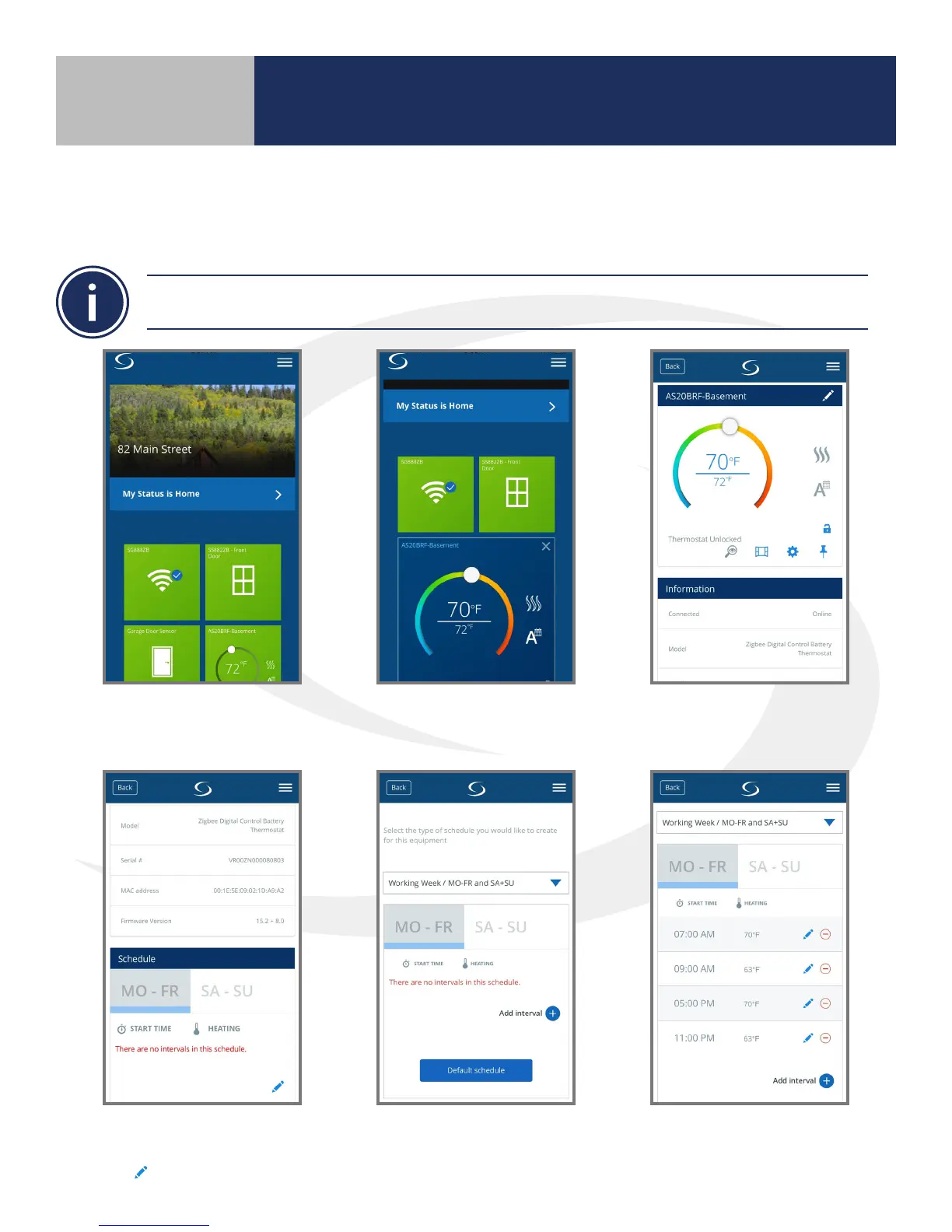
The following instructions are provided to set up the thermostat temperature schedule using the
SALUS Smart Home Application.
1. Select the thermostat icon
on the screen.
2. Press the thermostat name
in the top left corner.
3. Press the settings “gear” icon
to access parameters.
4. Scroll down to nd the
Schedule section. Choose
the icon to edit.
5. Scroll down and choose
“Default schedule”.
6. Review default schedule and
edit as necessary.
Section 7
Setting Device Parameters



 To Next Page