7.10
AS20WRF/BRF Thermostat –
Parameter Setup with Internet Connection
If the SG888ZB Gateway is used and is connected to the internet, the SALUS Smart Home application
can be used to set up the parameters. Alternatively, the parameters can be entered directly on the
AS20WRF/BRF Thermostat. In either case, changes may take several minutes to take eect
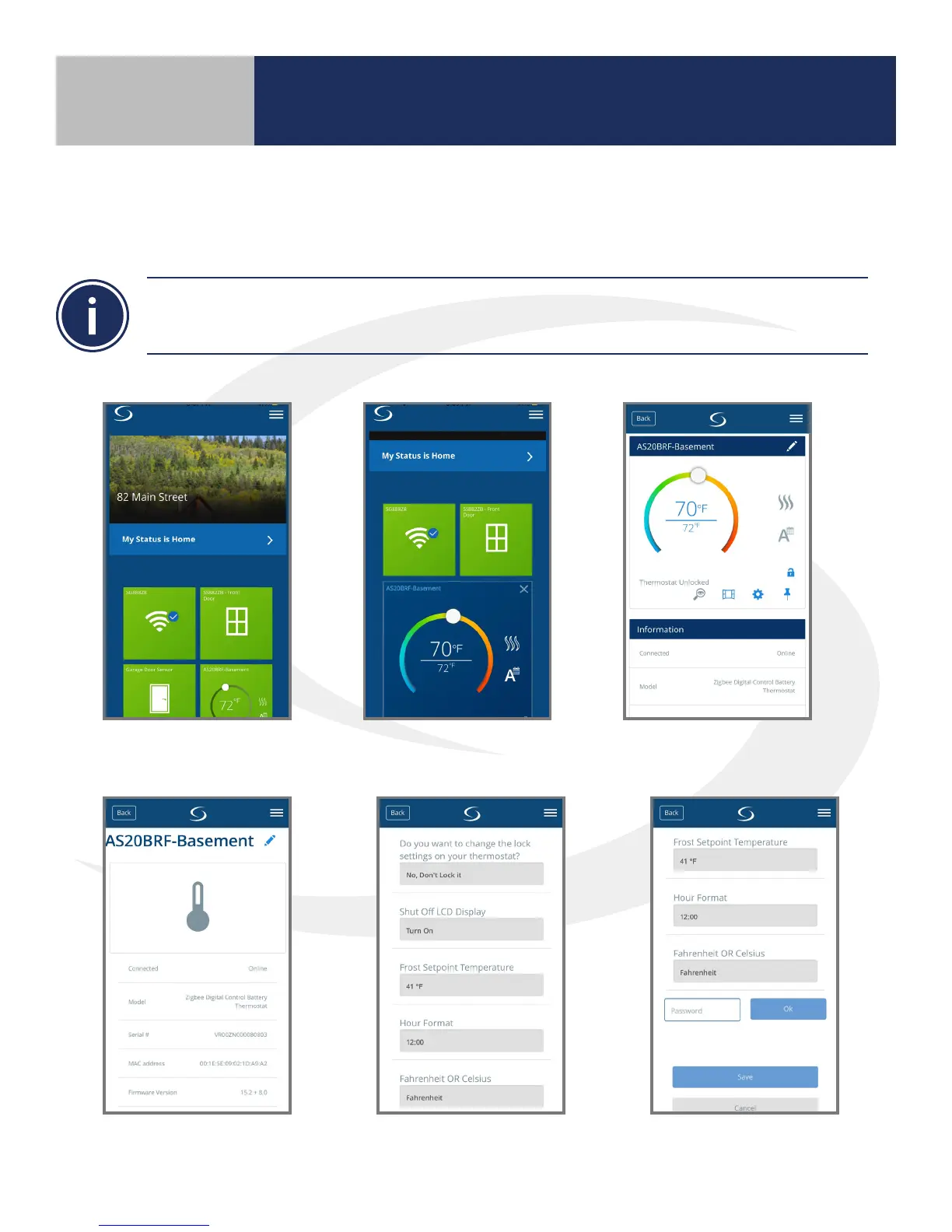
1. Select the thermostat icon
on the screen.
2. Press the thermostat name
in the top left corner.
3. Press the settings “gear” icon
to access parameters.
To access the AS20WRF/BRF parameters from the SALUS Smart Home Application, follow the steps below.
4. Scroll down to access
parameters.
5. Enter desired parameters see
table below for more info.
6. When parameters are set,
scroll down and press, “Save”.
Section 7
Setting Device Parameters



 To Next Page