7.9
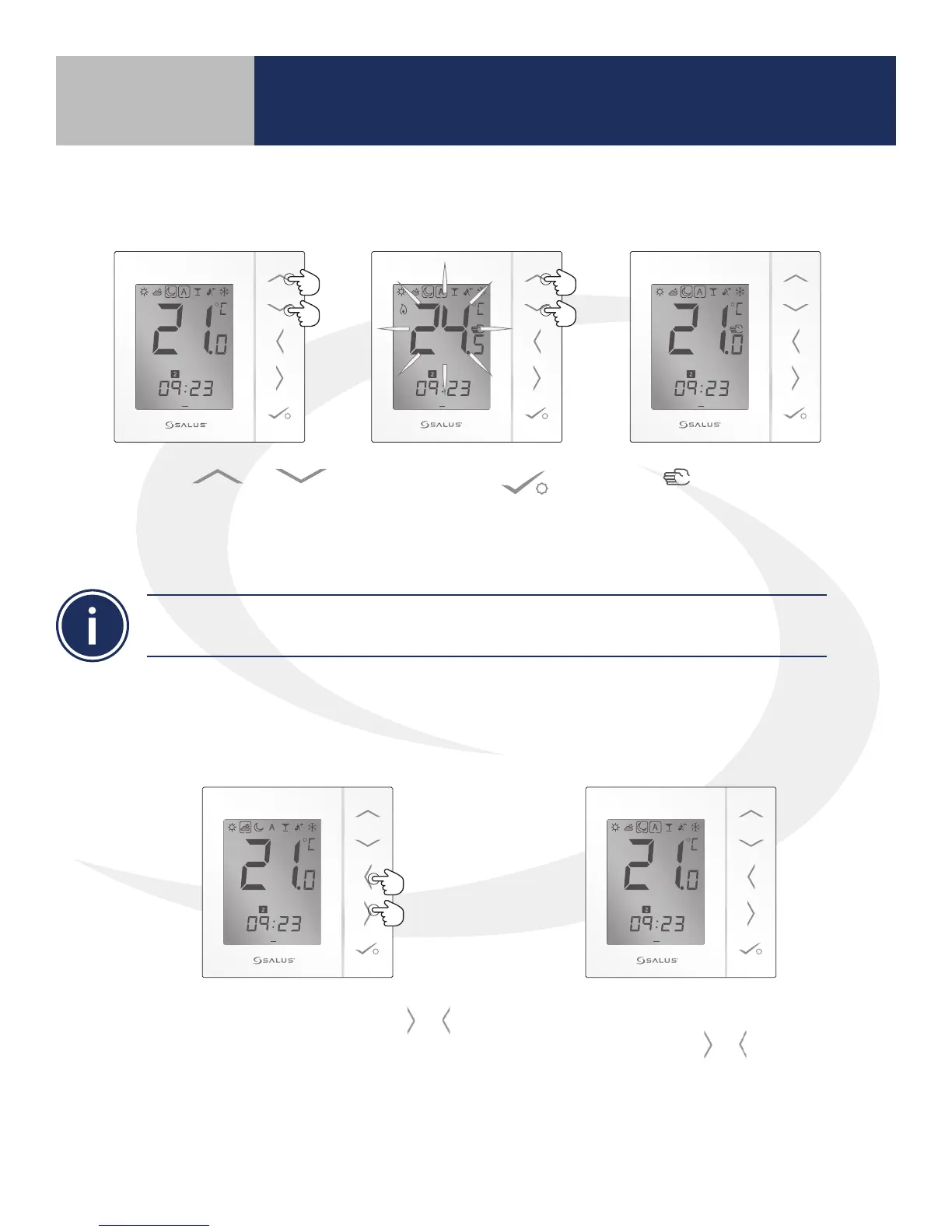
AS20WRF/BRF Thermostat – Temporary Override
1 2 3 4 5 6 7
PM
1 2 3 4 5 6 7
PM
1 2 3 4 5 6 7
PM
1. Use the &
keys to set the temperature
to the desired value.
2. Press conrm to
conrm selection.
The icon will show next
to the current temperature
until the next program
interval.
AS20WRF/BRF Thermostat –
Permanent Temperature Hold
1 2 3 4 5 6 7
PM
1 2 3 4 5 6 7
PM
1. To enter permanent hold, use the &
keys to choose the desired permanent heat
mode: Low (moon), Med (clouds), High (sun).
The target temperature will remain at the
temperature designated for that heat mode
until it is set back to automatic mode (A).
2. To switch back to the automatic
program, use the & keys to move
the selection box to automatic (A).
The target temperature will again
change as programmed.
Section 7
Setting Device Parameters
Pressing the > or < key will cancel the temporary program override returning to the temperature
programmed for the current interval.



 To Next Page