7.8
Section 7
Setting Device Parameters
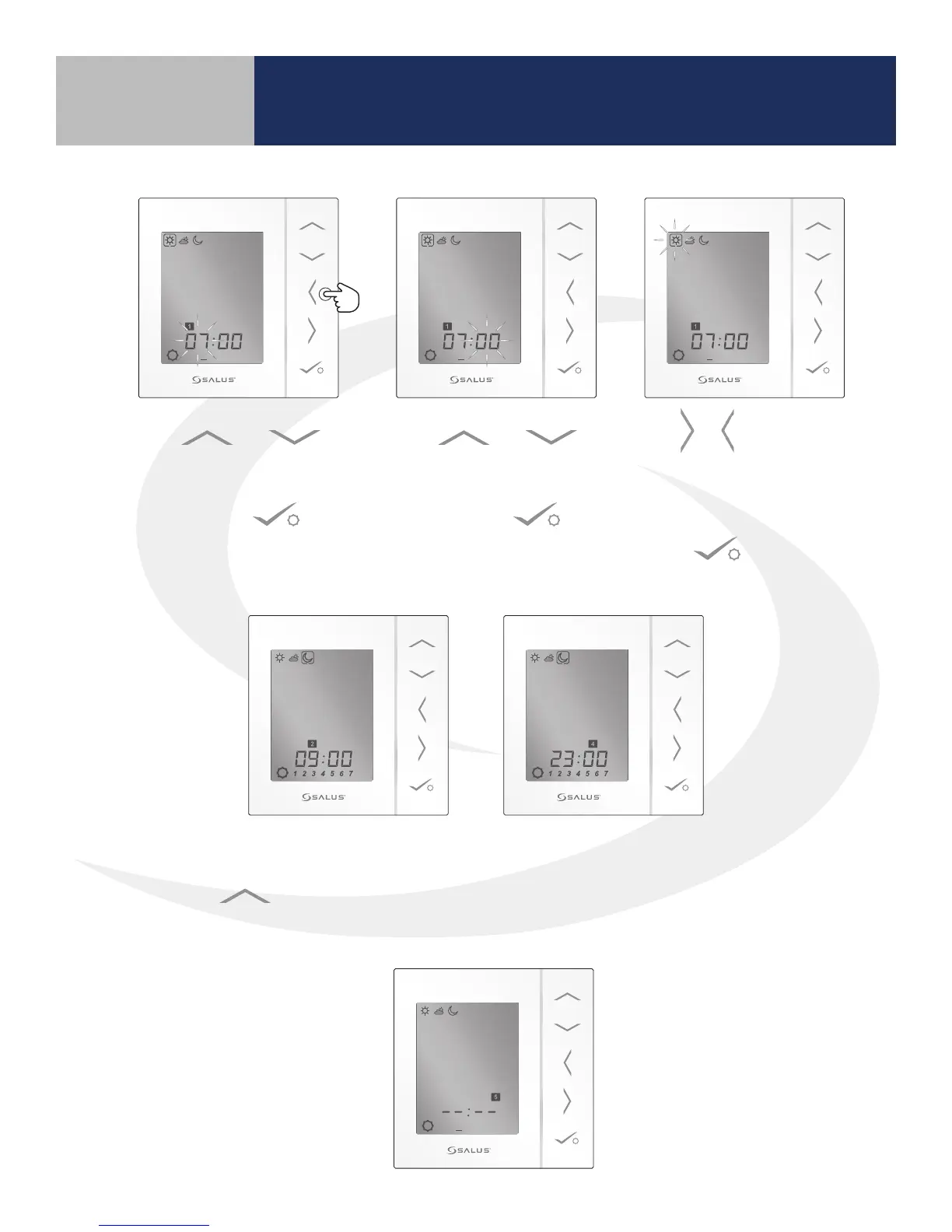
8. Set all desired intervals,
leaving blanks for times
when no change is desired.
1 2 3 4 5 6 7
6. Use & to choose
the icon corresponding to
the heating mode (hi-sun,
med-cloud, low-moon).
Press key to
conrm selection.
1 2 3 4 5 6 7
7. After conrming the heating mode for the rst interval, the next interval is displayed, follow
the same procedures to set the start time for each remaining interval. To skip an interval,
press the key until the “_ _” appear for the hour and the minutes. The heating mode
from the previous interval will be maintained until the next interval setting.
5. Use &
to set the minutes for the
time that the rst interval
begins. Press key
to conrm selection.
1 2 3 4 5 6 7
4. Use &
to set the hour for the
time that the rst interval
begins. Press key
to conrm selection.
1 2 3 4 5 6 7



 To Next Page