5.1
Section 5
System Configuration without Internet
Connection using AC10RF Coordinator
Before beginning system conguration without an internet connection, be
sure that the AC10RF Coordinator is powered and the LED is solid red.
Prior to pairing, the AS20WRF/BRF Thermostat should be set to the desired conguration. The
default conguration for the thermostat is programmable (Pr o9) but it can also be congured
as non-programmable (nP r9). Note that earlier rmware may display (dI 9t) for the non-
programmable conguration. The non-programmable option is used for thermostats intended
to be a member of a thermostat group.
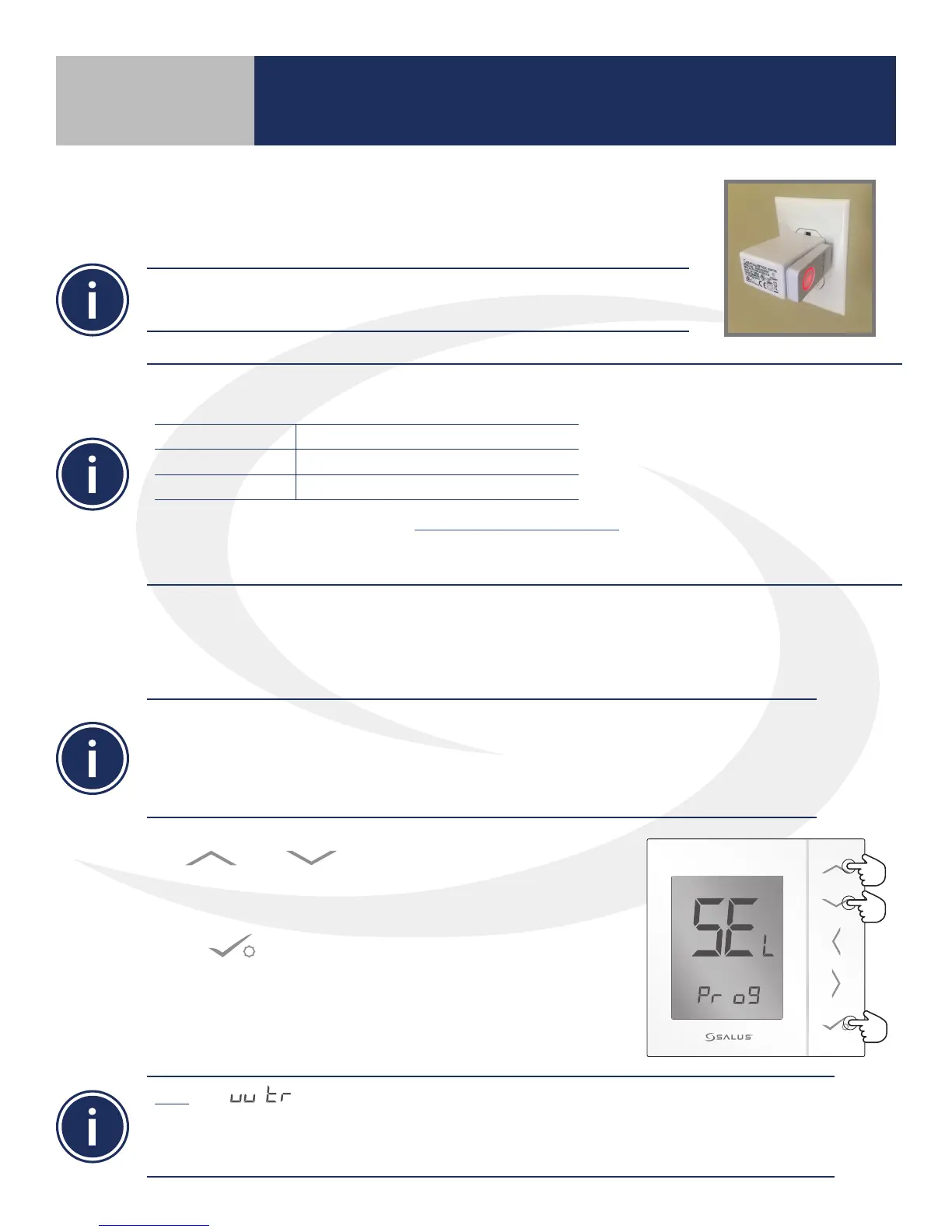
AS20WRF/BRF Thermostat Configuration
1. Use or keys to select between Pr o9
(programmable) and nP r9 (non-programmable thermostat
congurations..
2. Press to conrm selection.
Once the AS20WRF/BRF Thermostat is properly congured, pairing
with other devices may proceed.
Note: The conguration is not used and should not be selected. The AS20WRF/BRF
Thermostat cannot be congured as a digital thermostat after pairing without resetting it to
factory defaults and starting over. DO NOT PROCEED with pairing until the thermostat is in the
desired conguration.
Device Pairing & Setup without Internet
Prior to using the AC10RF Coordinator with an AKL01/04/06PRF Wiring Center, update the rmware version as follows:
1.Use a computer with an internet connection that meets the following requirements:
COMPUTER PC Mac
OPERATING SYSTEM Windows 8 or later OSX 10.10 or later
USB PORT Type A Type A
2. Connect to the SALUS Update Tool (www.salusinc.com/tools.html)
3.Download and run the Update Tool by following the onscreen prompts
4. Insert the AC10RF Coordinator into a USB port on the computer when prompted to do so



 To Next Page