6.3
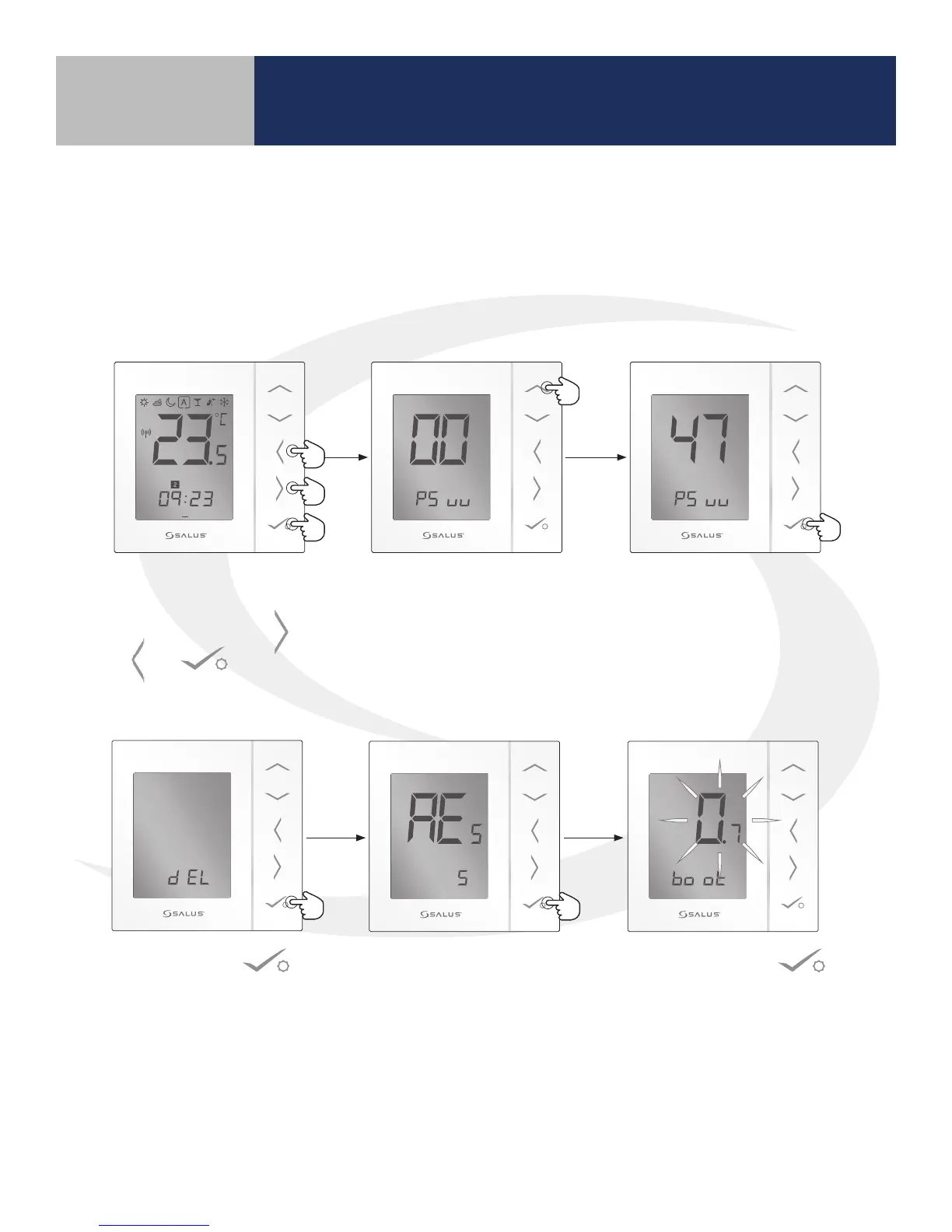
Resetting the AS20WRF/BRF Thermostat
without Internet Connection
1 2 3 4 5 6 7
PM
1. To reset the AS20WRF/BRF
Thermostat, Simultaneously,
press and hold the ,
& buttons.
2. When the screen showing PS
uu at the bottom appears,
press the up arrow to
increase the number to 47
3. When the number 47 is
shown on the LCD screen,
press conrm ( ). “dE L” then
shows on the screen.”
4. Press conrm
again to reset
the Thermostat.
5. Once “AE
5
” appears on the screen, press conrm
once more to go through the boot sequence.
Resetting Factory Defaults
Section 6



 To Next Page