5.9
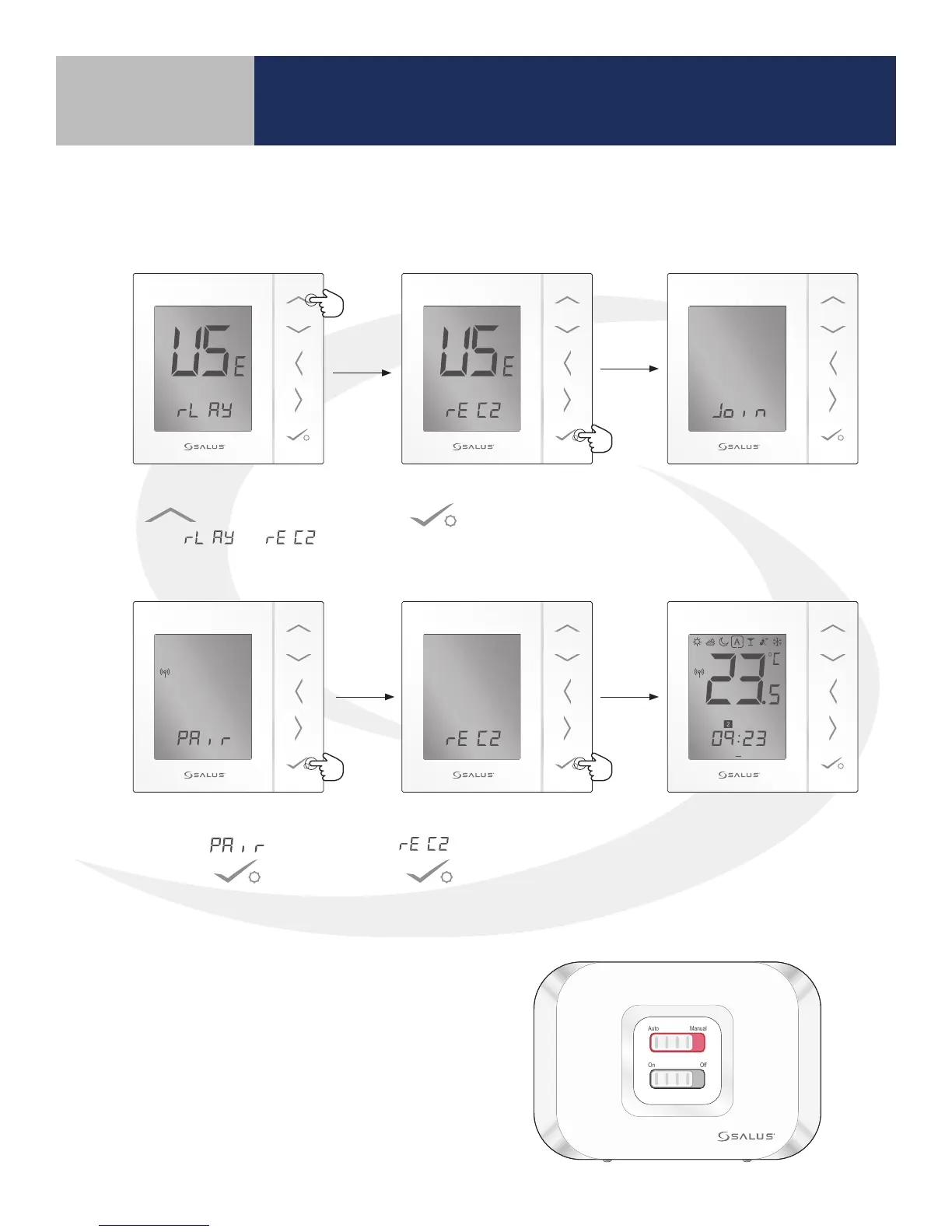
2. Use the Up arrow
to change to
from to .
3. Then press conrm
.
The AS20WRF/BRF
Thermostat join the
wireless system.
1 2 3 4 5 6 7
PM
4. When Thermostat
displays , press
conrm .
5. When the display shows
, press conrm
.
The AS20WRF/BRF Thermostat
will display the current
temperature and an icon
showing the temperature mode.
1. Press and hold the lighted red button on the AC10RF Coordinator for 5 seconds, until the LED
begins ashing, to begin pairing.
6. Once the display shows the current
temperature, conrm that the LED back light
on the Auto/Manual switch is a constant red.
The AX10RF Receiver is now paired.
Auto Manual
On Off
Section 5
Device Pairing & Setup without Internet



 To Next Page