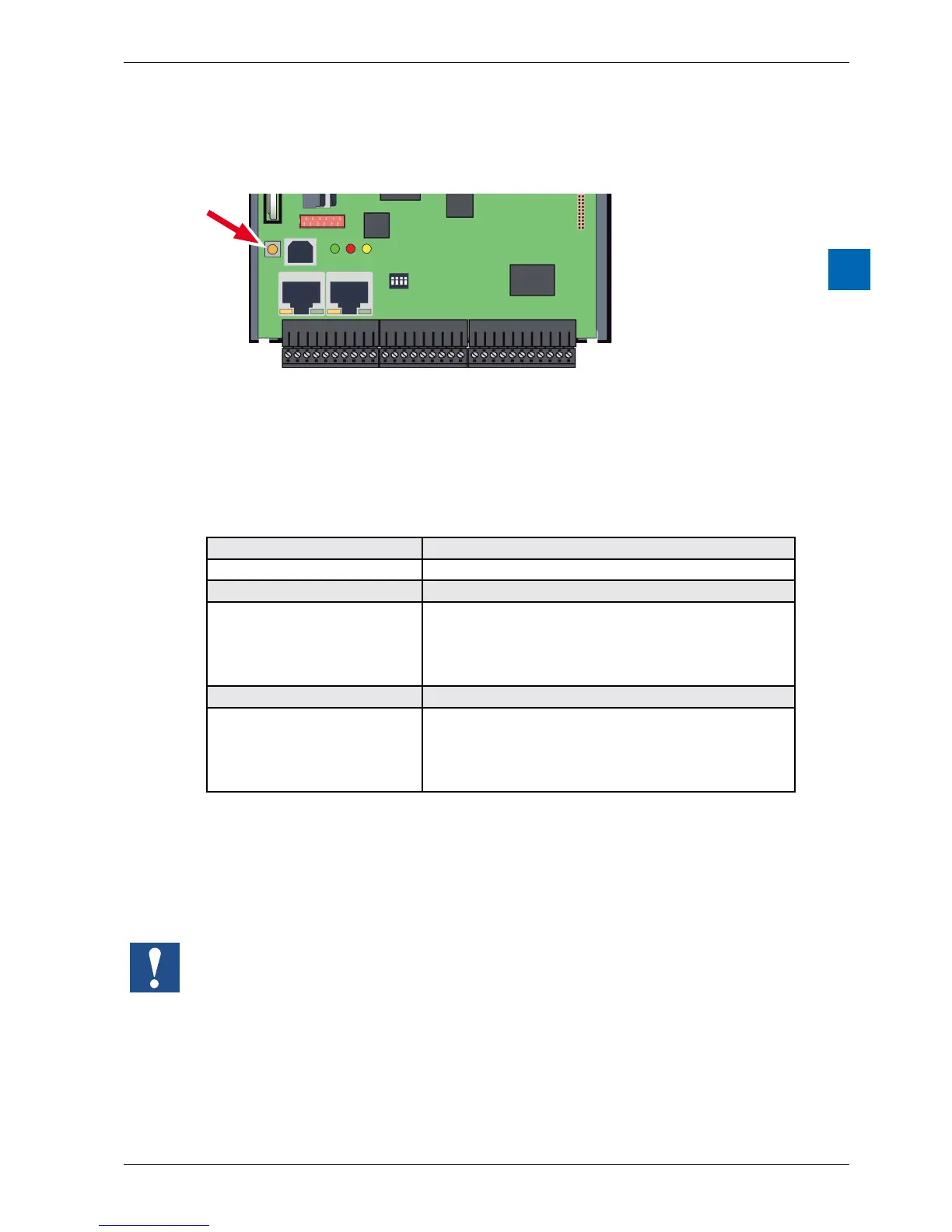
3.8 Run/StopButton
The operating mode can be changed during operation or during power-up:
Duringpower-up
If the Run/Stop button is pressed during power-up of the PCD and then released
during one of the sequences describe below, one of the following actions can be
triggered:
LED sequence Action
Orange none
Green, blinking (1 Hz) Switches to “Boot” status and waits for FW download.
Red, blinking fast (4 Hz);
FW > V01.08.45
The system starts in the same manner as for an empty
SuperCap or empty or absent battery. In the process,
media/resources(ash,registers,ags,etc.),userprogram
and hardware settings are deleted. The time is set to 00:00:00
01/01/1990.Thebackupoftheon-boardashisNOTdeleted.
Red, blinking slowly (2 Hz) The PCD does not start up and switches to “Stop” mode.
Red/Green, blinking (2 Hz) Saveddataisdeleted,whichmeansmedia/resources(ash,
registers,ags,etc.),userprogram,hardwaresettings
andthebackupontheon-boardash.Ifaplug-inashcard
(see chapter “3.5 System Memory Structure”) was used,
itsprogramisnotcopiedtotheon-boardash.
Duringoperation:
If the button is pressed in Run mode for longer than ½ second and less than 3
seconds, the controller switches to Stop mode and vice versa.
If the button is pressed for longer than 3 seconds, the last saved user program
isloadedfromtheashmemory.



 To Next Page