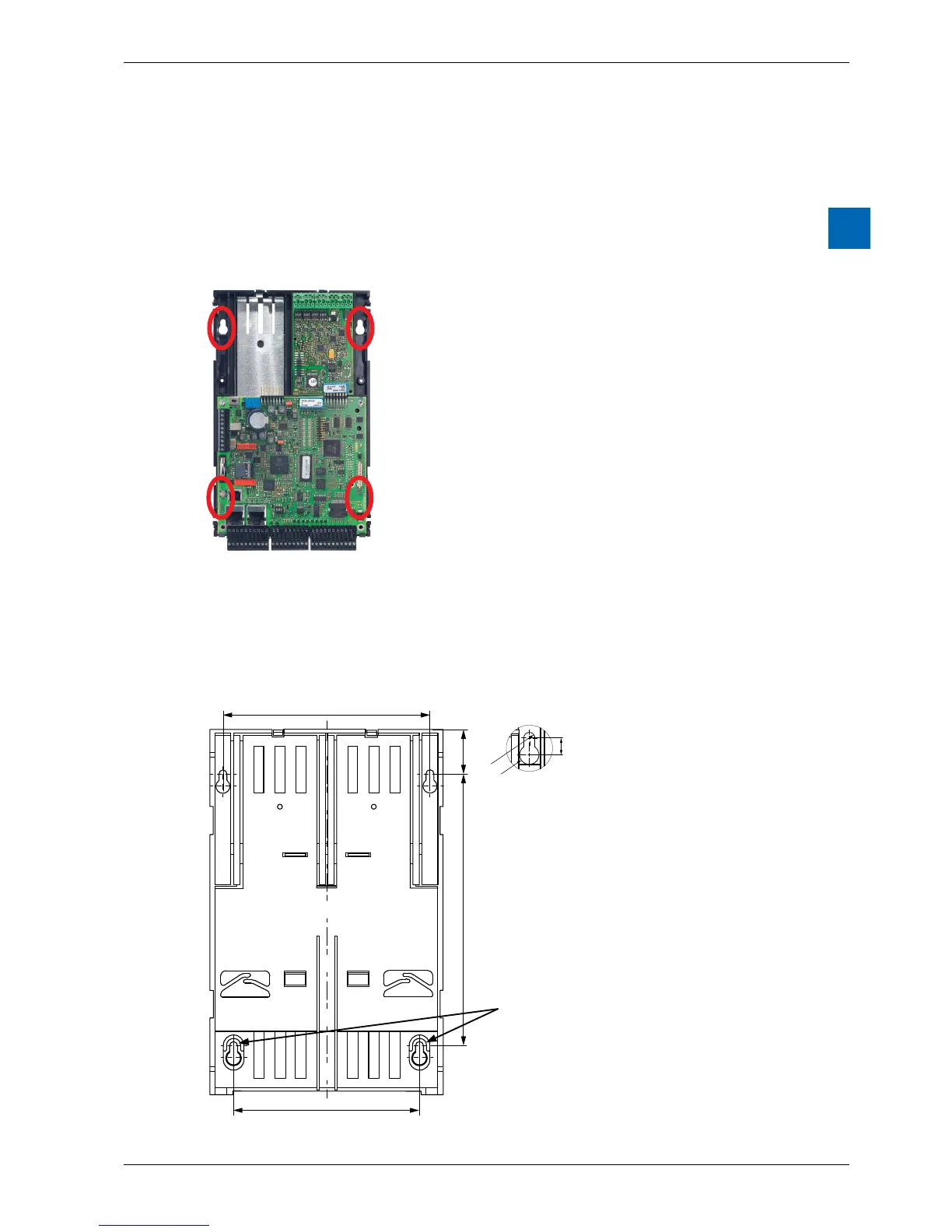
2.2.6 Mountingaatsurface
Mountingonaatsurfaceisanadditionalvariantusingfourscrews.Inthe
following photograph, the two upper holes are used for fastening the housing and
the two lower holes serve as guides.
The following mounting instructions assume that the PCD is to be mounted
on a wall in front of the person performing the installation.
Two holes in the base plate for fastening
the controller..
Two holes in the base plate for two
additional guide screws.
Screwmounting:
The two lower screws must be tighten up to almost the thickness of the base plate.
This allows a correct mounting of the PCD.
155
106
25
Ø 4,9
Ø 8
7
118
These screws cannot be tighten, they are
covered by the print (see picture above).



 To Next Page