3.11 ProgramDownloadandBackup
3.11.1 UserProgramDownloadtoPCD1withSaiaPG5
®
1 Creatingandcompilingtheuserprogram
After successfully compiling the project without
errors,thelewithextension“.pcd”containsthe
following information:
- User program (FUPLA, IL, etc.)
- Congurationles(BACnet,LON,etc.)
- Datafortheinitialisationofresourcesfortherst
time
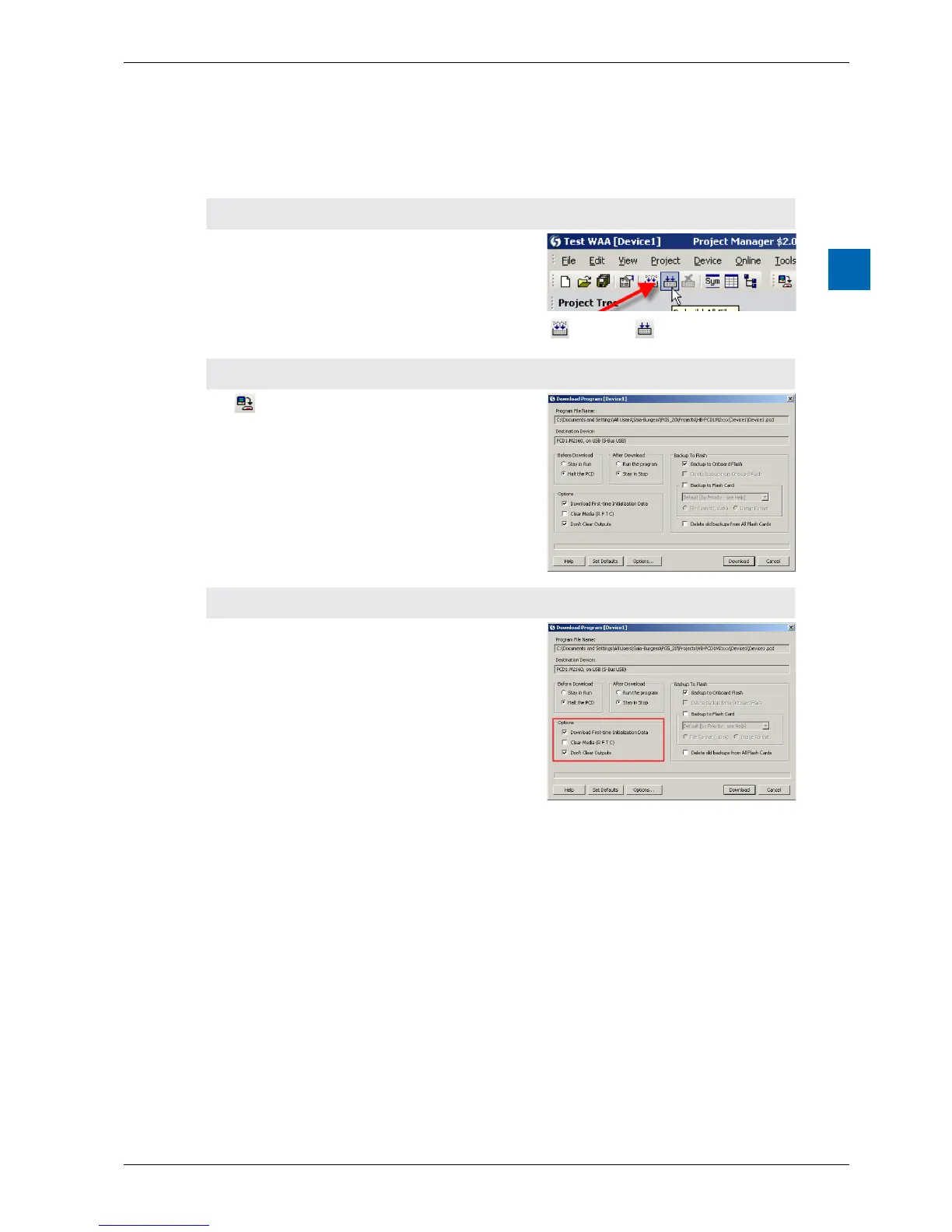
«Build» or «Rebuild All»
2 Programdownload
“Download” in the SPM opens the window
opposite. If all settings are as desired (see below),
the user program is loaded into the PLC with the
“Download” button.
3 “Options”area
Download First-time
Initialisation Data
Initialisation of media
(registers,ags,etc.)for
thersttime
Clear Media
(R, F, T, C)
Allmedia,suchasags
and registers are set
to zero. Including all media
for media mapping.
Don´t Clear Outputs Physical outputs with or
without media mapping
save their values while
the new program
is transmitted to the
execution memory.



 To Next Page