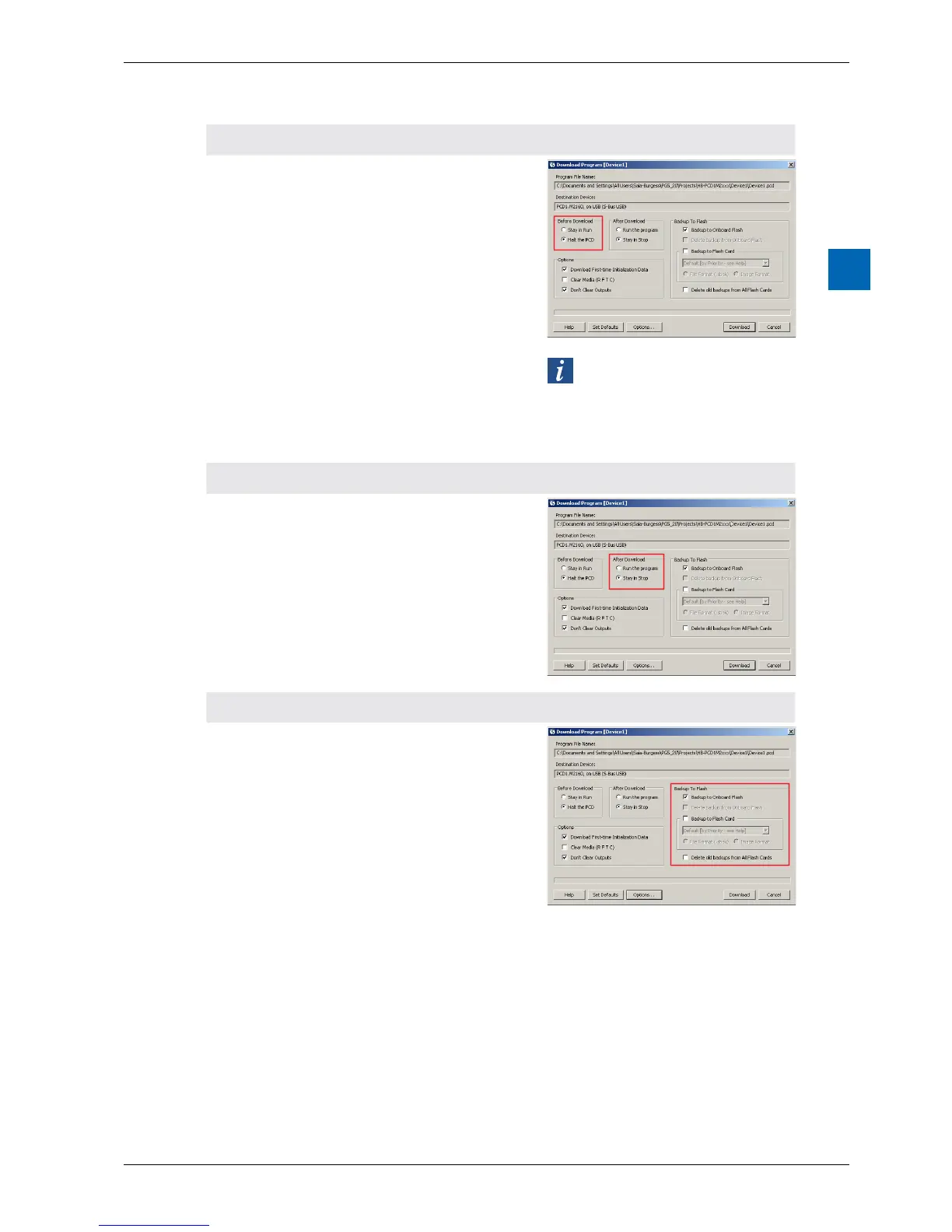
4 “Beforedownload”area
Two options are available before the downloading
oftheuserprogramle:
Stay in Run RemaininRunThele
isdownloadedtothele
system while the PLC
isinRUN.ThePLCrst
stops the successful
download,parsesthele
and performs a restart.
Stop in PCD First the PLC stops, then
theleisdownloaded
tothelesystem.After
the successful download,
thePLCparsesthele
and performs a restart.
The PLC switches to STOP for
theparsingofthenewle.Thisstep
takes 2 to 5 seconds, depending
on the size of the user program.
5 “Afterdownload”area
Run the program Sets the PLC to RUN,
once the download is
successfully completed
Stay in Stop After the download, PLC
remains in STOP
6 “BackuptoFlash”area
Backup to on-board
ash
Physical outputs with
or without media
mapping save their
values while the new
program is transmitted
to the execution memory.
Delete backup from
On-Board Flash
Allmedia,suchasags
and registers are set
to zero. Including all media
for media mapping.
Backup to Flash Card Savetoashcard
Delete old backups
from All Flash Cards
Deletes old saved
programsfromallash
cards



 To Next Page