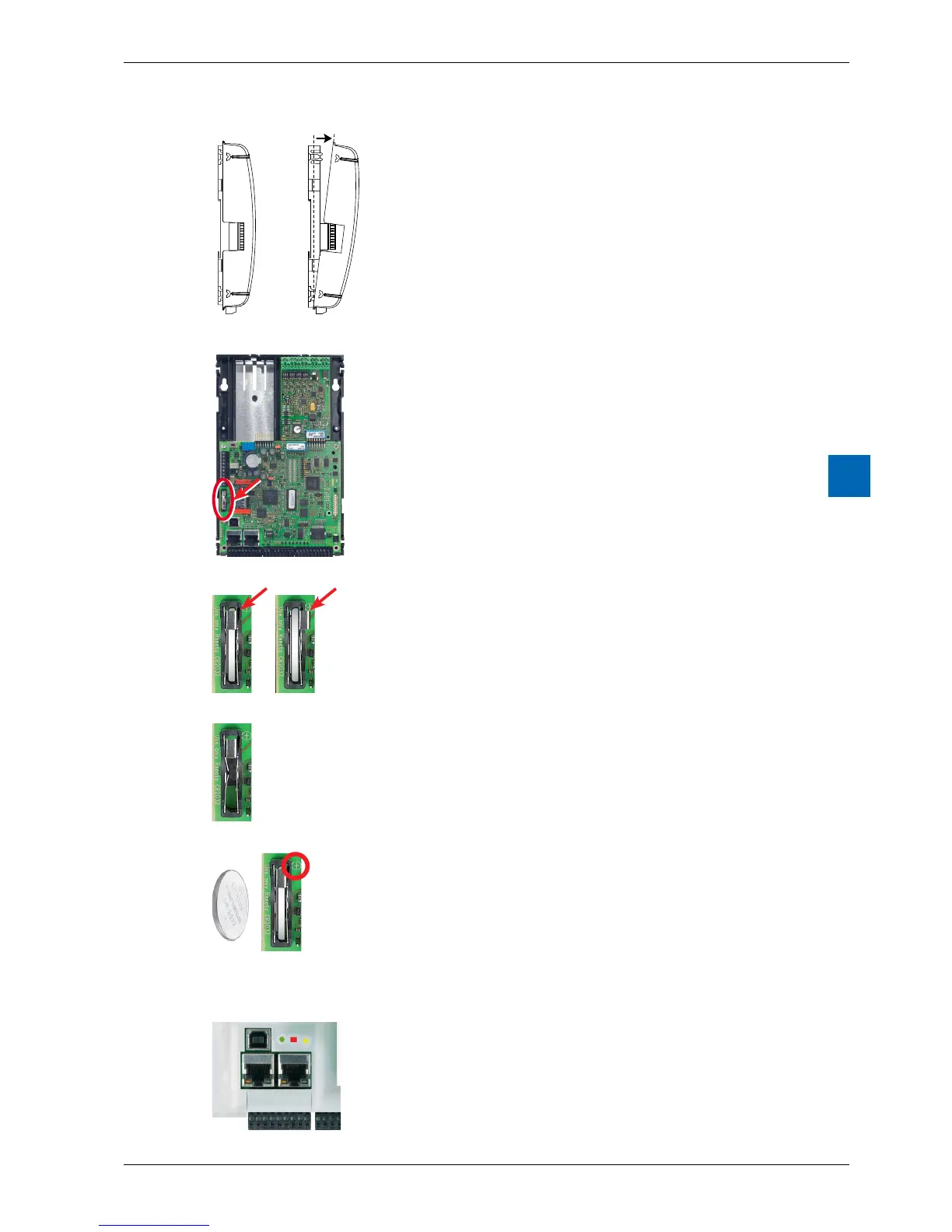
Remove the cover of the controller.
(see chapter 2.2.6 RemovingtheCover)
Locate the battery
Gently press the battery retaining clip to the right
Remove the battery
Insert the Renata CR 2032 button battery with the label
side (+ pole) up, slightly pushing the battery retaining
clip to the side.
The + symbol can also be seen on the circuit board.
----- Fit the housing cover.
Check the battery display (red LED dark)
Battery o.k. = yellow, triangular LED dark
Batteryfailer = yellow, triangular LED blinking



 To Next Page