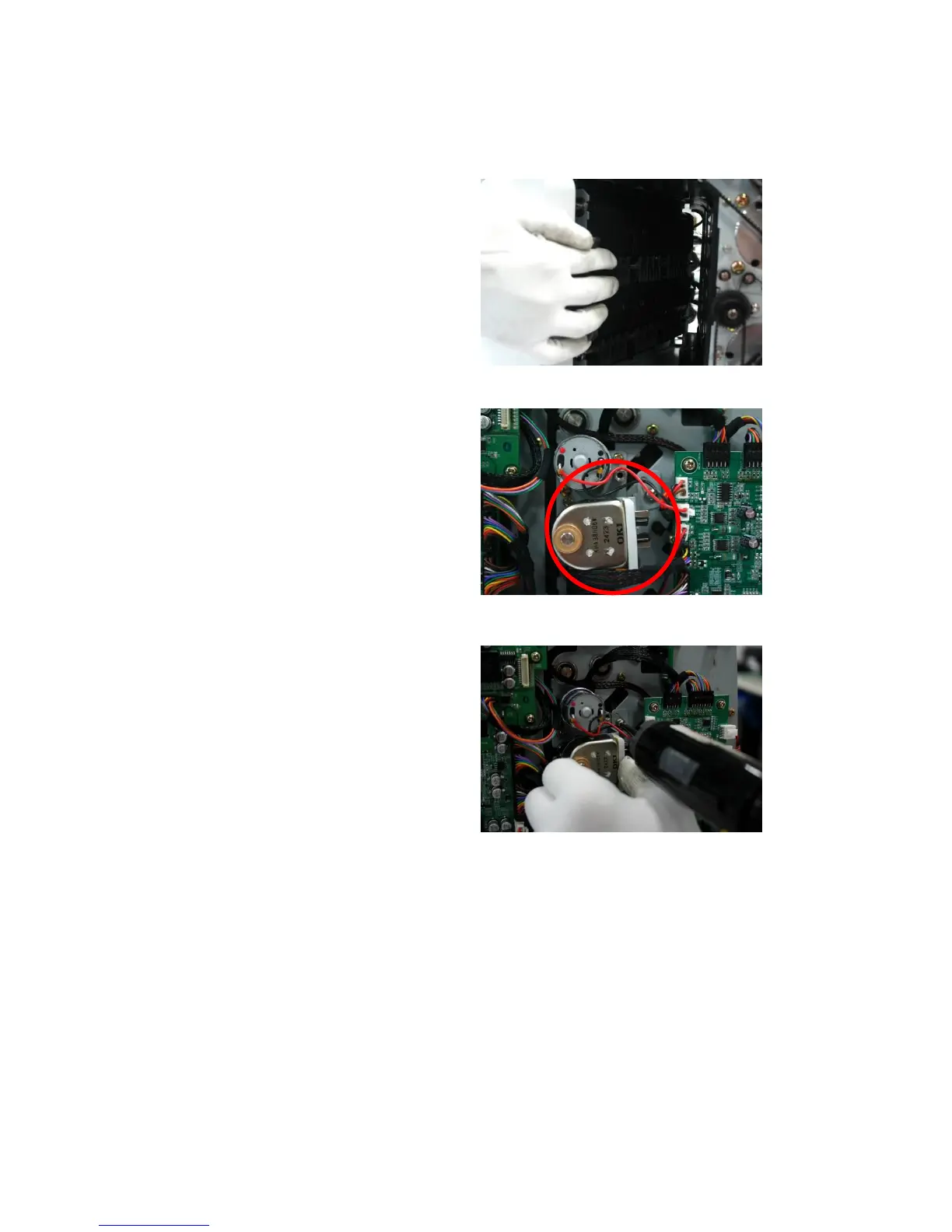
[How to adjust Gap of Selector]
[1] Loosen SCREW slightly of SOLENOID
[2] Open the Front Door. And put your hand the
inside of the machine and lift up guide selector as
below image
[3] Be careful with the tip of Selector Guide so that
notes are not jammed in the Selector while the
notes
are transferred.
[4] Tighten SCREW (A)
[5] After adjustment is done, check if SOLONEID normally works in Test Selector movement in POCKET
TEST (SEVICE MENU_Machine management_Machine test_Pocket test)
Right Side
Left Side



 To Next Page