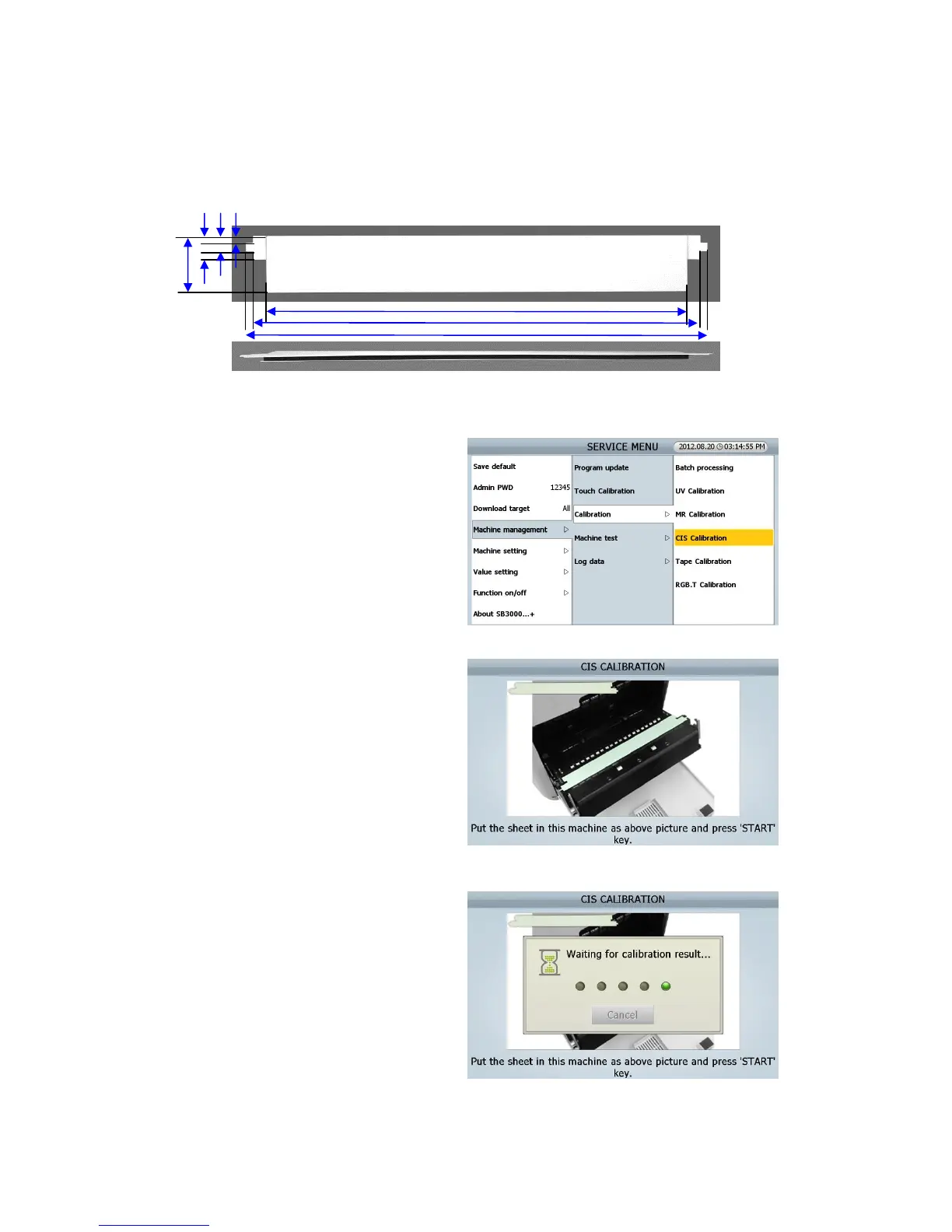
9.1.0 CIS Calibration (IMAGE Calibration)
This CIS Calibration is for CIS Sensors.
CIS Calibration Sheet (opaque)
[Procedure]
[1] Touch on CIS Calibration MENU
[SEVICE MENU _ Machine management/
Calibration/ CIS calibration]
[2] Open the REAR DOOR B, and Open the
REAR MIDDLE COVER
[3] Put the sheet in this machine as right picture
[4] Close the REAR MIDDLE COVER and Close
the REAR DOOR B
[5] Press [START/STOP] Key
(FIG 9-10)



 To Next Page