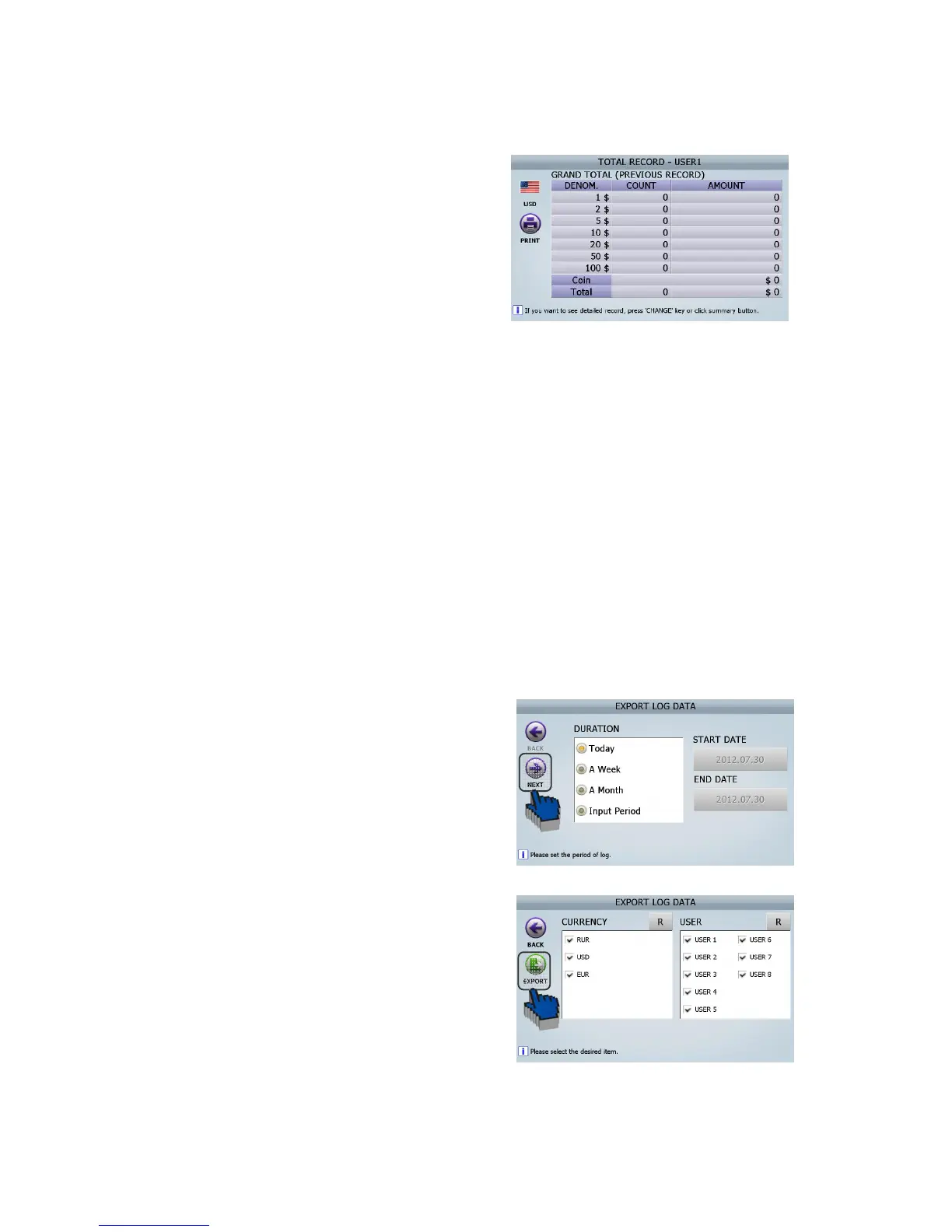
If the section (④ ⓓ) of the above screen is
touched, the screen of ‘Grand total
(Previous record)’ will be changed.
[3] In every screen, can print out the result by using [PRINT] button and [PRINT] ICON.
[4] In every screen, can delete the result by using [CLEAR].
Log data
This mode supplies all Log DATA ( Count Detail in Currency / Count Detail in User / Error Number /
Upgrade Number / Calibration Number / ETC ) and provide exporting function to EXCEL file.
The procedure of Log Data Exporting is here below,
① Insert USB Memory Stick into the USB Port of SB-3000.
② Select ‘Export log data’ in this menu
(ADIMN MENU _ Log Data/ Export log Data)
Select the Range of the Period. ③
Touch on [Next] ICON. ④
Select Currency and USER and Touch [Expo⑤ rt]
ICON.
(FIG 7-24)



 To Next Page