● Pocket Arrange designation
Can classify and designate previously set [Stacker 1] and [Stacker 2] by pressing [CHANGE] button in
FITNESS Mode. (Referring to page 22)
■ COUNT MODE
One function is called Mixed mode that can
detect and count the value of mixed
denominations, another function is called Single
mode that can detect and count the value of
designated denomination only.
In order to use single mode function, select single denomination in Pocket Arrange screen, and in order to
use mixed mode, select all denominations in Pocket Arrange screen. In addition, the pockets of SB-3000
can be set up separately by user’s classification.
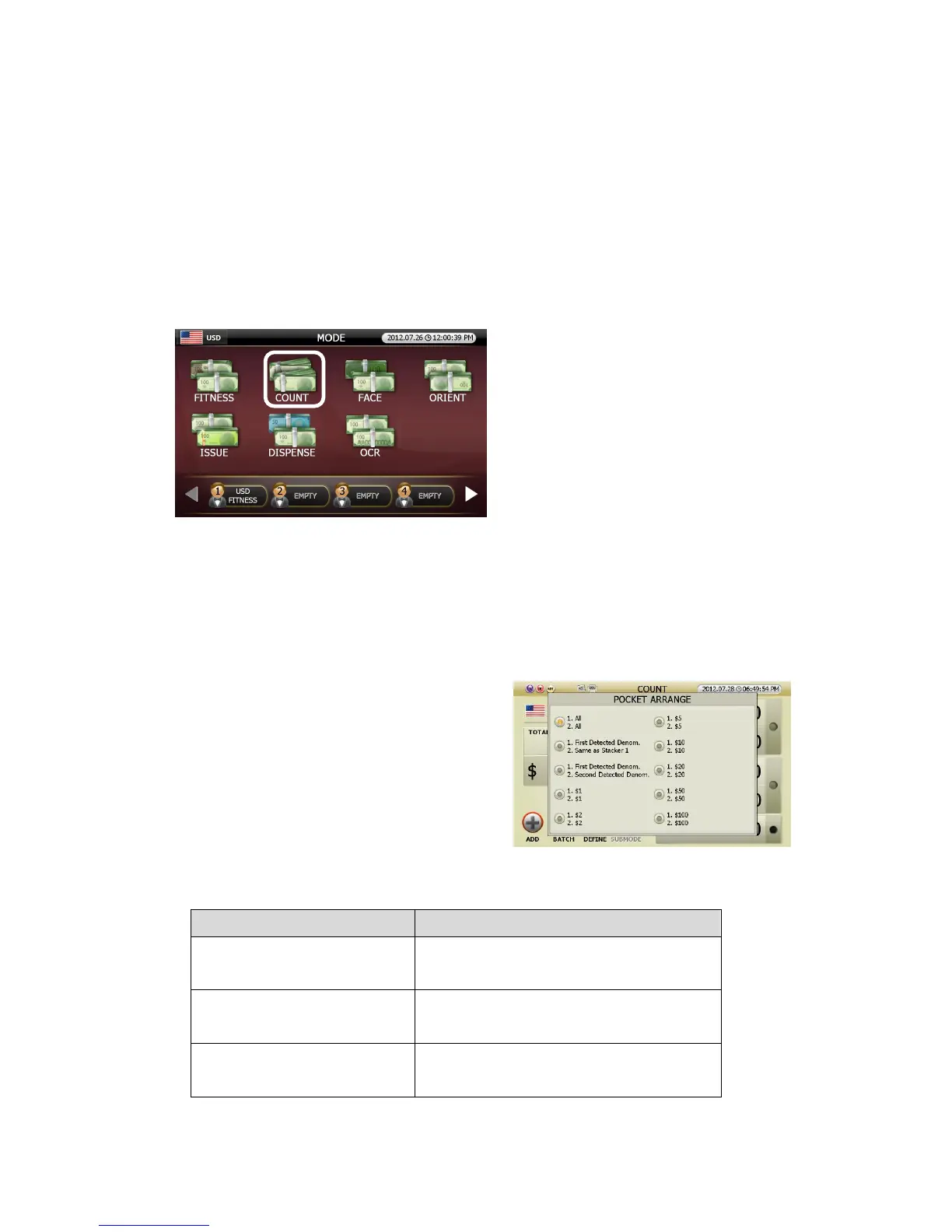
● Pocket Arrange designation:
Can classify and designate previously set [Stacker 1] and
[Stacker 2] by pressing [CHANGE] button in COUNT
Mode.
Below is description of the designated pocket (Referring to page 22)
Pocket Arrange Display Earmarked banknote in Stacker 1, Stacker 2
1. All
2. All
Stacker 1: All denomination
Stacker 2: All denomination
1. First Detected Denom.
2. Same as Stacker 1
Stacker 1: The first detected denomination
Stacker 2: Same denomination as Stacker 1
1. First Detected Denom.
2. Second Detected Denom.
Stacker 1: The first detected denomination
Stacker 2: The second detected denomination.
(FIG 5-30)



 To Next Page