5.1.6 Print
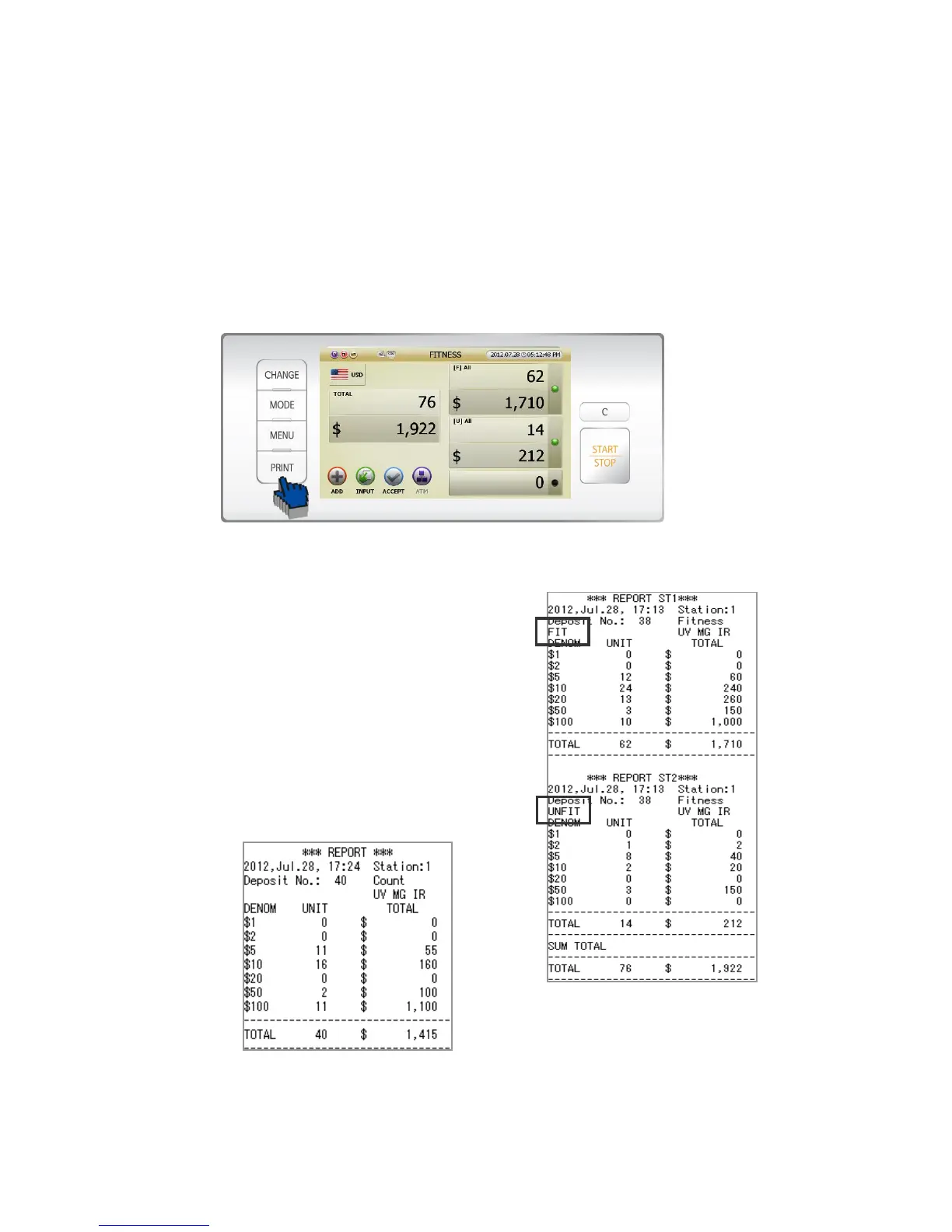
SB-3000 can print out below 3 results.
Present count result /GRAND TOTAL per user/GRAND TOTAL of SB-3000
Present Count Result Printing
Press [Print] Key after counting, and can print out as below.
* Caution) In order to print out, notes in Reject Pocket must be removed.
[1] If Stacker 1 and Stacker 2 are set as [Fit] and [Unfit] under
Fitness mode, the print report will show the result of Stacker1
[Fit] and Stacker 2 [Unfit] like right picture.
[2] If Stacker 1 and Stacker 2 are set as all [Fit], the print report
will show the sum of counting.
[3] If it is not under Fitness mode, the print report will show
the sum of counting.
(FIG 5-22)



 To Next Page