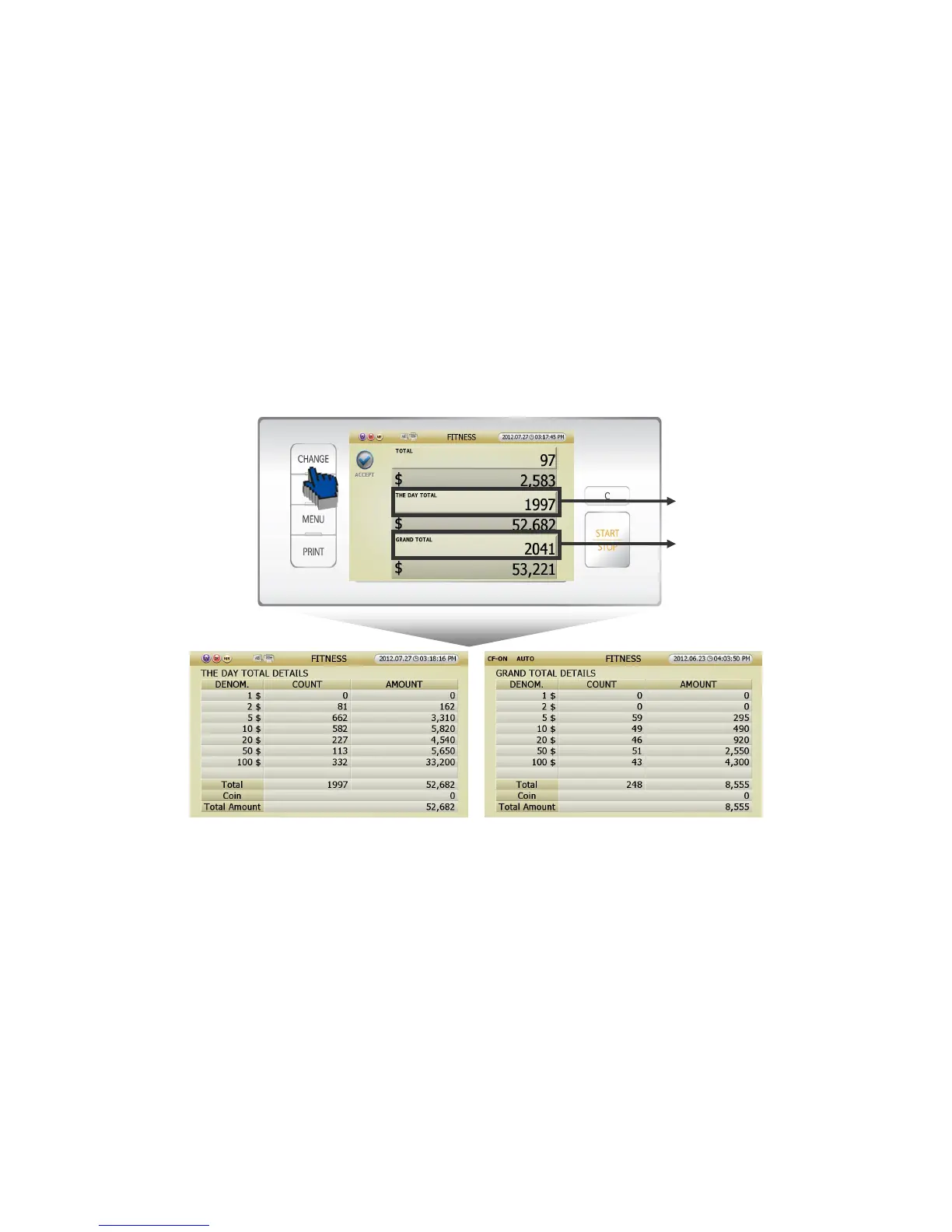
1. There are 2 ways how to calculate Grand Total (Referring to page 23).
[1] Can touch [ACCEPT] icon in counting result screen (FIG 5-04),
[2] Or if you touch ‘total’ area in counting result screen (FIG 5-04), can see GRAND TOTAL screen (FIG 5-
16). After you check the screen, touch the [ACCEPT] icon. Then the counting result will be added to
GRAND TOTAL.
2. Can check THE DAY TOTAL DETAILS and GRAND TOTLA DETAILS by touching the section in Grand
Total Screen (FIG 5-17).
[1] Press [CHANGE] button, and can see THE DAY TOTAL DETAIL screen (FIG 5-18) and GRAND TOTAL
DETAIL screen (FIG 5-19).
[2] Touch the screen section in GRAND TOTAL screen (FIG 5-17), can enter detail stages.
① If you touch the section (ⓐ) in Stacker 1, can enter THE DAY TOTAL DETAILS screen (FIG 5-18).
② If your touch the section (ⓑ)
in
Stacker 2, can enter GRAND TOTAL DETAILS screen (FIG 5-19).
3. Can control [Grand Total] at ADMIN. MENU. (Referring to page 53)
(FIG 5-18)



 To Next Page