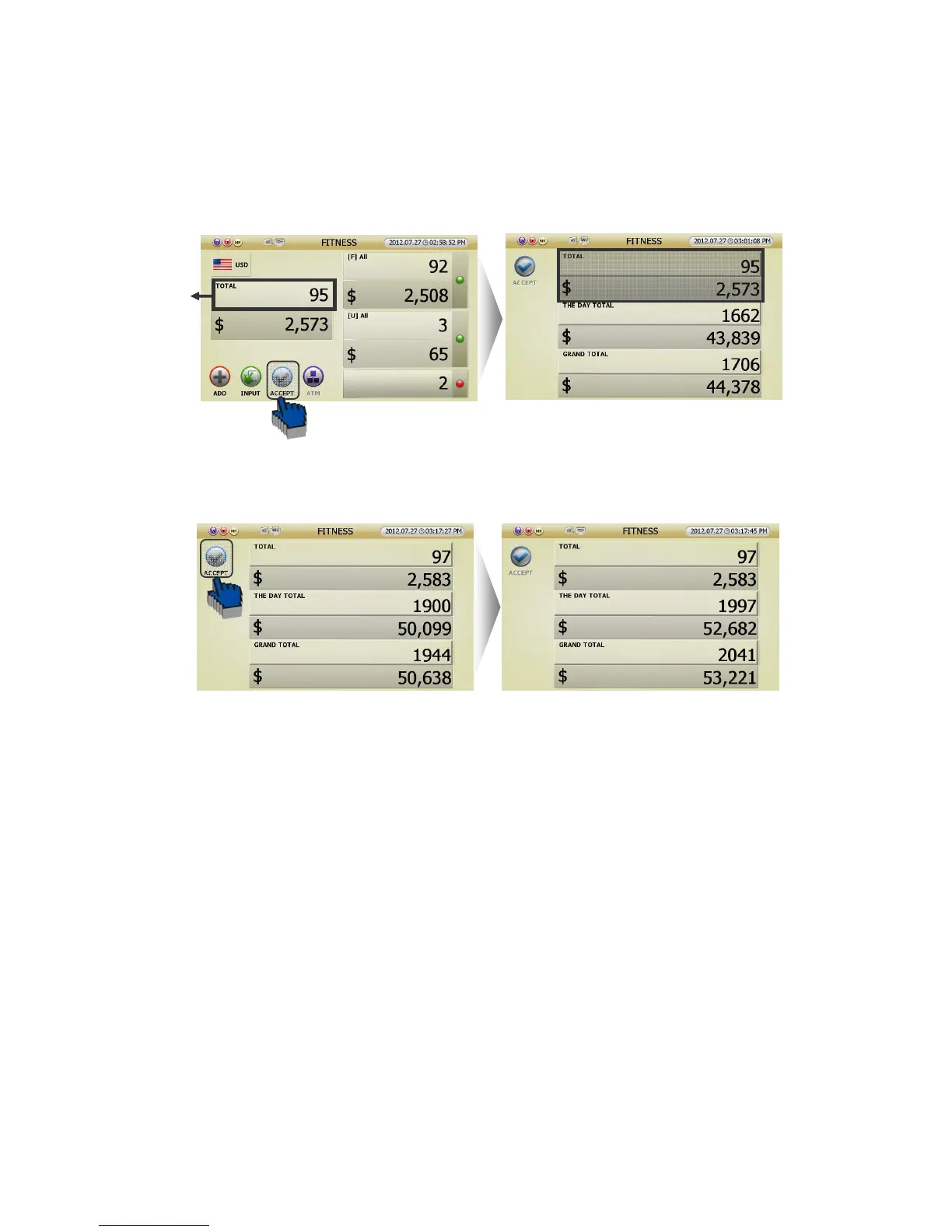
3 [ACCEPT] function means that user can add the counting result to Grand Total.
This is how to use [ACCEPT] function.
[1] If user touch [ACCEPT] icon in counting result screen,
[2] Or If you touch ⓓ section in counting result screen, can see the GRAND TOTAL Screen (FIG 5-16).
After you check the screen, touch the [ACCEPT] icon. Then the counting result will be added to GRAND
TOTAL.
Caution) The counting result can be [Accepted] only in [ADD] function-Off after taken off the notes
in the Pockets or Hopper
[3] Auto Accept
If you want, can set ‘Auto Accept.’ (Refering to page 44)
But, though it is set [Auto Accept], it is switched manually when Reject occurs on the counting
5.1.5 Grand Total (GT)
Grand Total means the accumulation of counted notes that user accepted. Namely, if you touch [ACCEPT]
icon after counting, the result will be added to GRAND TOTAL.
SB-3000 can show 3 kinds of count result. One is present ‘Total,’ another is the ‘Day Total,’ and the other is
‘Grand Total.’
(FIG 5-15)



 To Next Page