A/S call number Check service call number.
In order to move on lower menu section, it’s available with “Touch Screen” or [CHANGE] key,
[START/STOP] key, and [C] key.
Language: Set up the language for Menu.
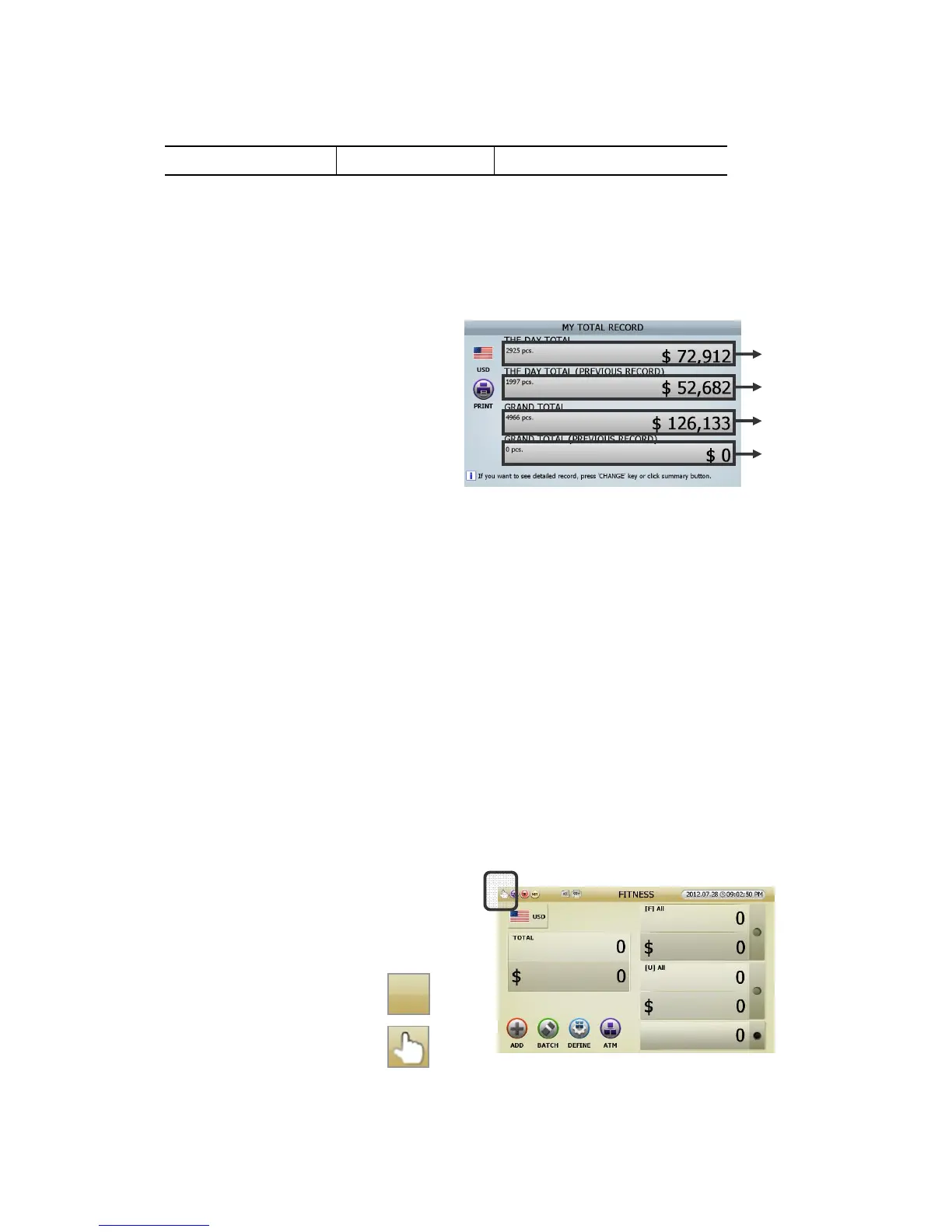
My grand total: Instructing “The Day Total & Grand Total” of current user.
[1] MY TOTAL RECORD (FIG 6-02)
[2] At “MY TOTAL RECORD”, pressing [CHAGNE] Key consecutively, or touching each section of “total
result , user can change 4 types of display.
Touching “THE DAY TOTAL” section (①
ⓐ
), then moving onto
“MY TOTAL RECORD _ THE DAY TOTAL”
Touching “THE DAY TOTAL (PREVIOUS RECORD)” section (②
ⓑ
), then moving onto
“MY TOTAL RECORD _ THE DAY TOTAL (PREVIOUS RECORD)”
Touching “GRAND TOTAL” section (③
ⓒ
), then moving onto
“MY TOTAL RECORD _ GRAND TOTAL”
Touching “ GRAND TOTAL (PREVIOUS RECORD)” section(④
ⓓ
), then moving onto
“MY TOTAL RECORD _ GRAND TOTAL (PREVIOUS RECORD)”
[3] Can print out with pressing [PRINT]key or touching [PRINT] icon at each screen
(Refering to page 25)
Count Interface
1. How to start counting: User can set up the start
manual or automatic.
Default is Automatic Counting Start
1) Automatic Counting Start:
(none)
2) Manual Counting Start:
(FIG 6-02)



 To Next Page