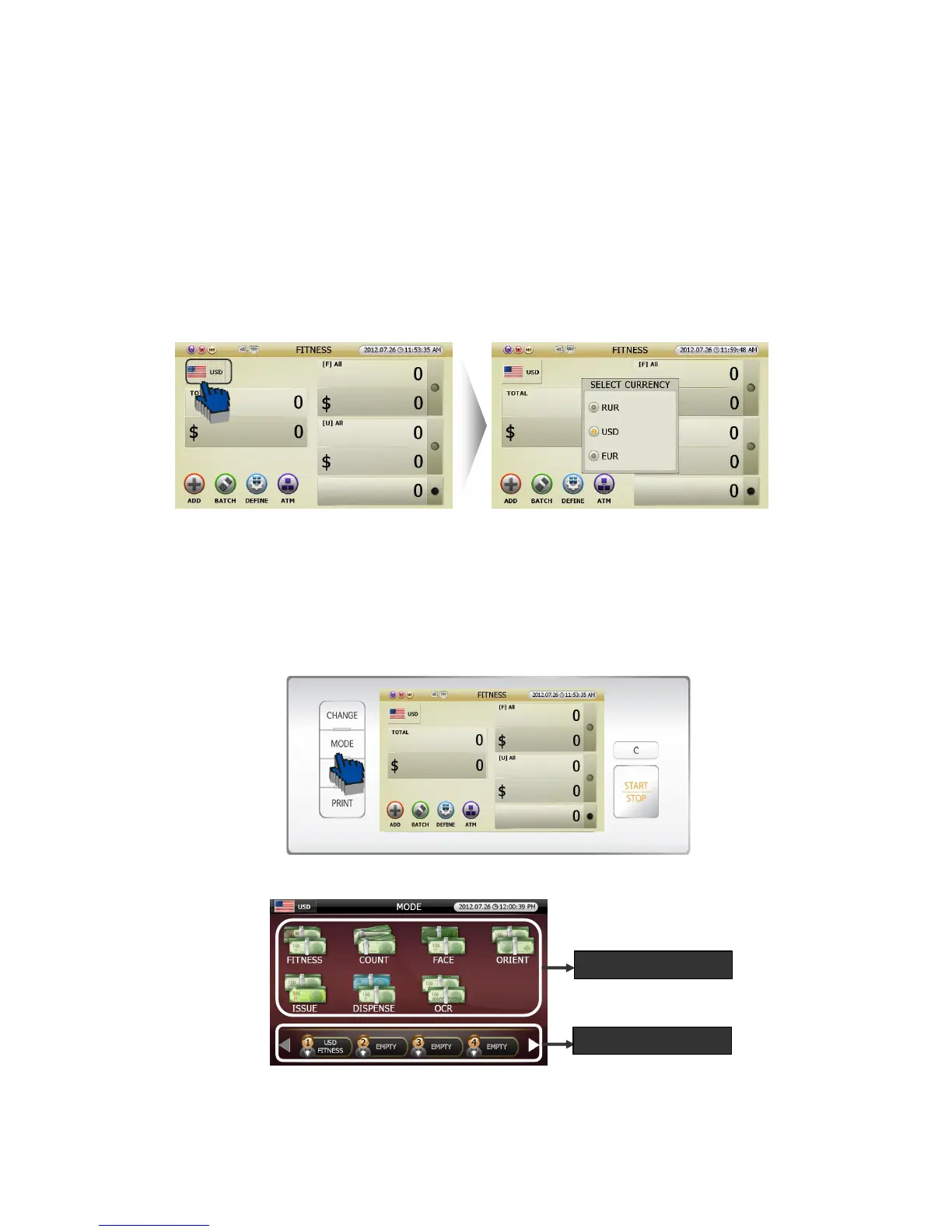
5.1.2. Currency Selection
In order to change the Currency, touch [CURRENCY] icon.
If you need to purchase more software to handle different currencies, PLESASE CONSULT WITH
YOUR DEALER.
5.1.3. Working Mode Setting
Can set working mode as below.
[1] Pressing [MODE] button in initial screen (FIG 5-01), the screen will change Mode screen like below
(FIG 5-03).
[2] MODE selection screen displays 2 windows like below (FIG 5-03).
(FIG 5-01)



 To Next Page