11.0.0 S/W Upgrade
11.1.0. S/W VERSIOIN AND CURRENCY CHECK
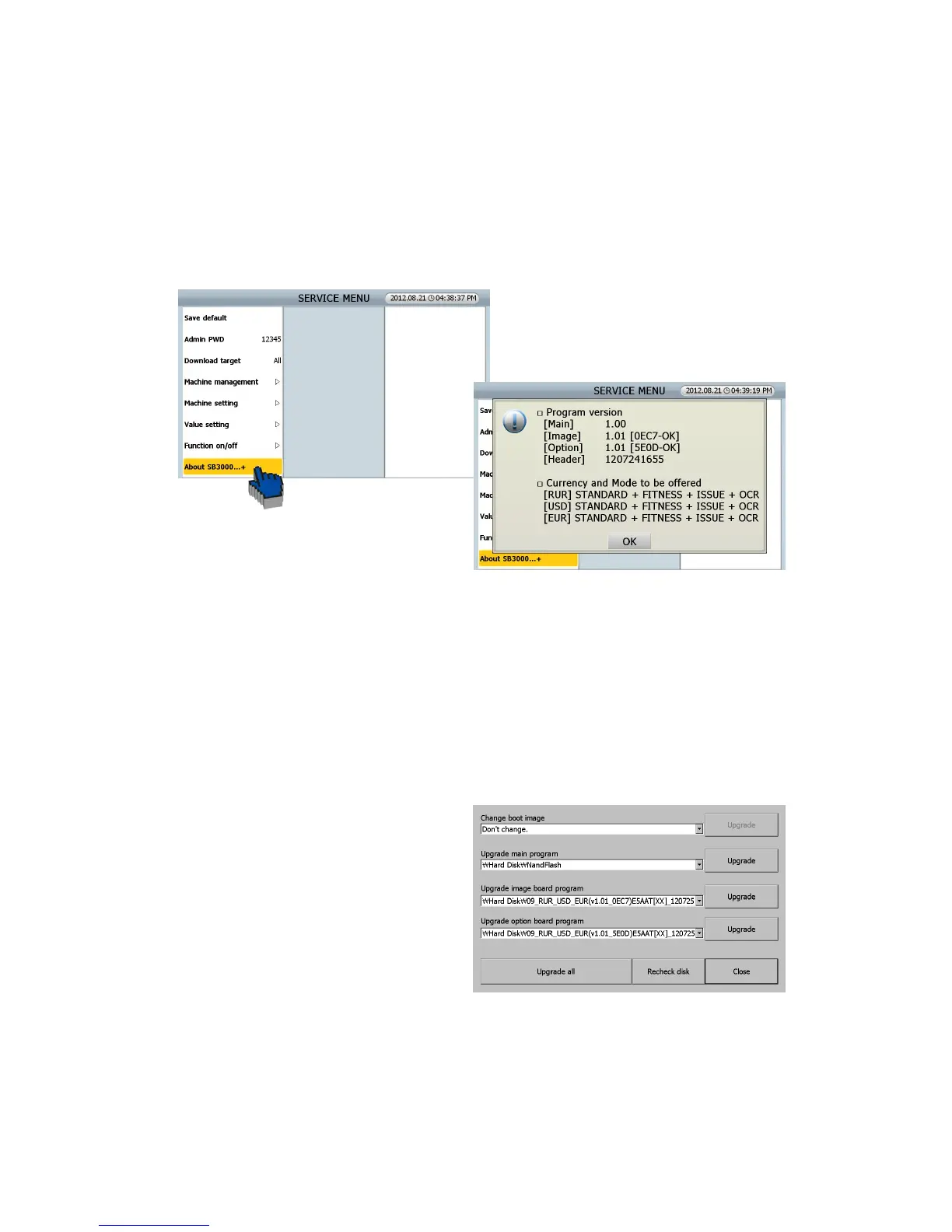
In SEVICE MENU, you can check the SW version and currencies in [ABOUT SB 3000] menu
11.2.0. UPGRADE BY USB MEMORY STCK
In [Program update] menu, user can simply install new software for upgrade by USB Memory Stick.
The steps for update are as follows.
[1] With the machine on, insert USB Memory which has the file provided from service provider to
the USB B port in the machine.
[2] Chick this menu [SERVICE MENU _ Machine management/ Program update]
[3] The machine will recognize the programs
automatically.
[4] User can choose the program for update
[5] Machine will be powered off and on automatically after update is done.
[6] Regarding the formatted type of USB memory, ‘FAT32’ is recommended under the Windows
environment.



 To Next Page