11.3.0. UPGRADE BY VOL PROGRAM
You can update program of SB-3000 with the connection of USB.
Follow the procedure.
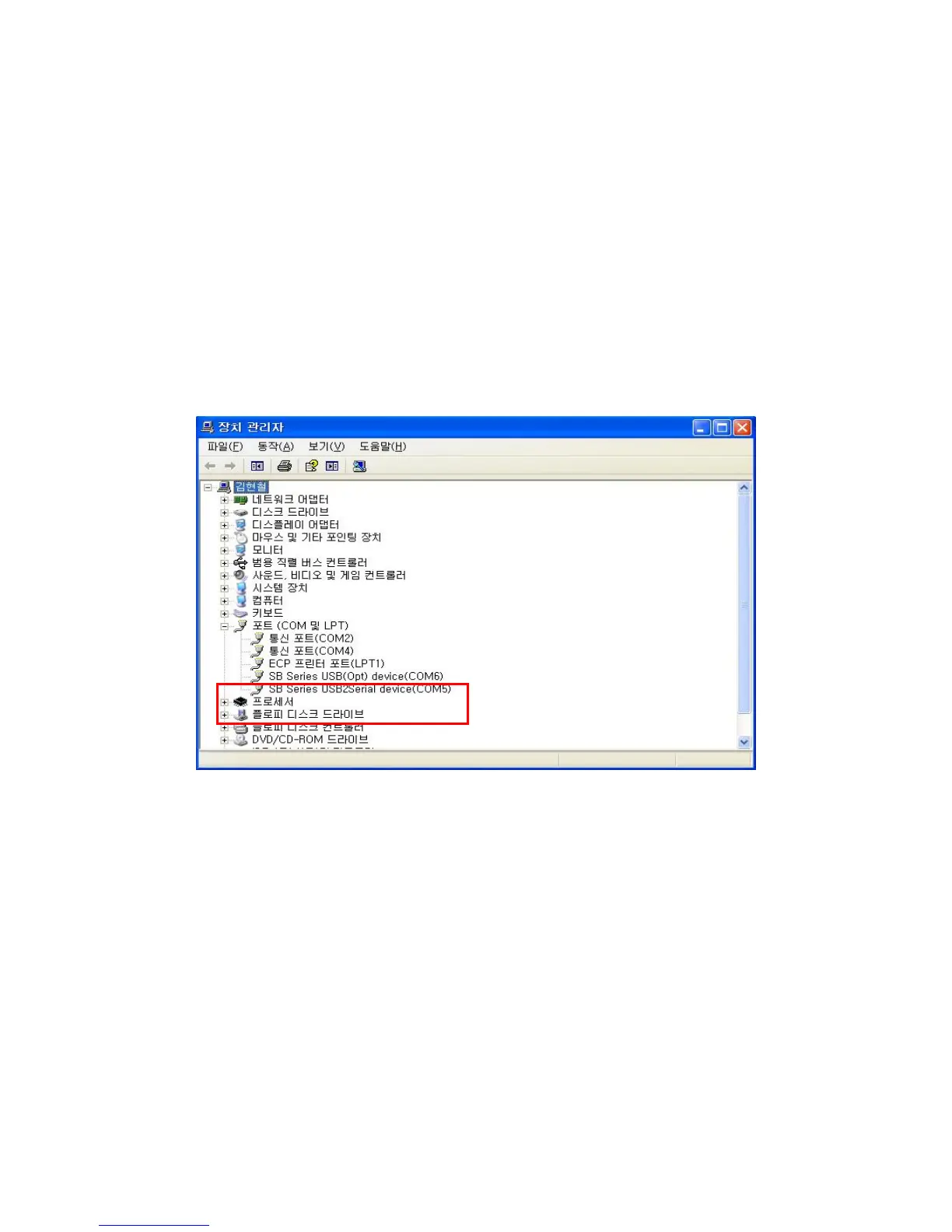
1. Check USB PORT
1) Verify which COM is allocated to USB port in your PC
SB-3000 will be allocated 2 COMs of option and image.
① SB Series USB2Serial device – Image B’d
② SB Series USB(Opt) device – Option B’d.
2) Prepare USB Cable.
* The cables provided by SBM are recommended to use.
3) Connect between the machine and your PC port with a prepared cable
2. Execute vol_SB3000_V3.0.exe and select Com Port.
1) Execute the Vol_SB3000_V3.0
2) If the connection is proper, you can see 2 ports on clicking the low left.



 To Next Page