13.0.0. Troubleshooting
This chapter shows how to solve errors when the messages are on the operational window.
Initializing Running Error
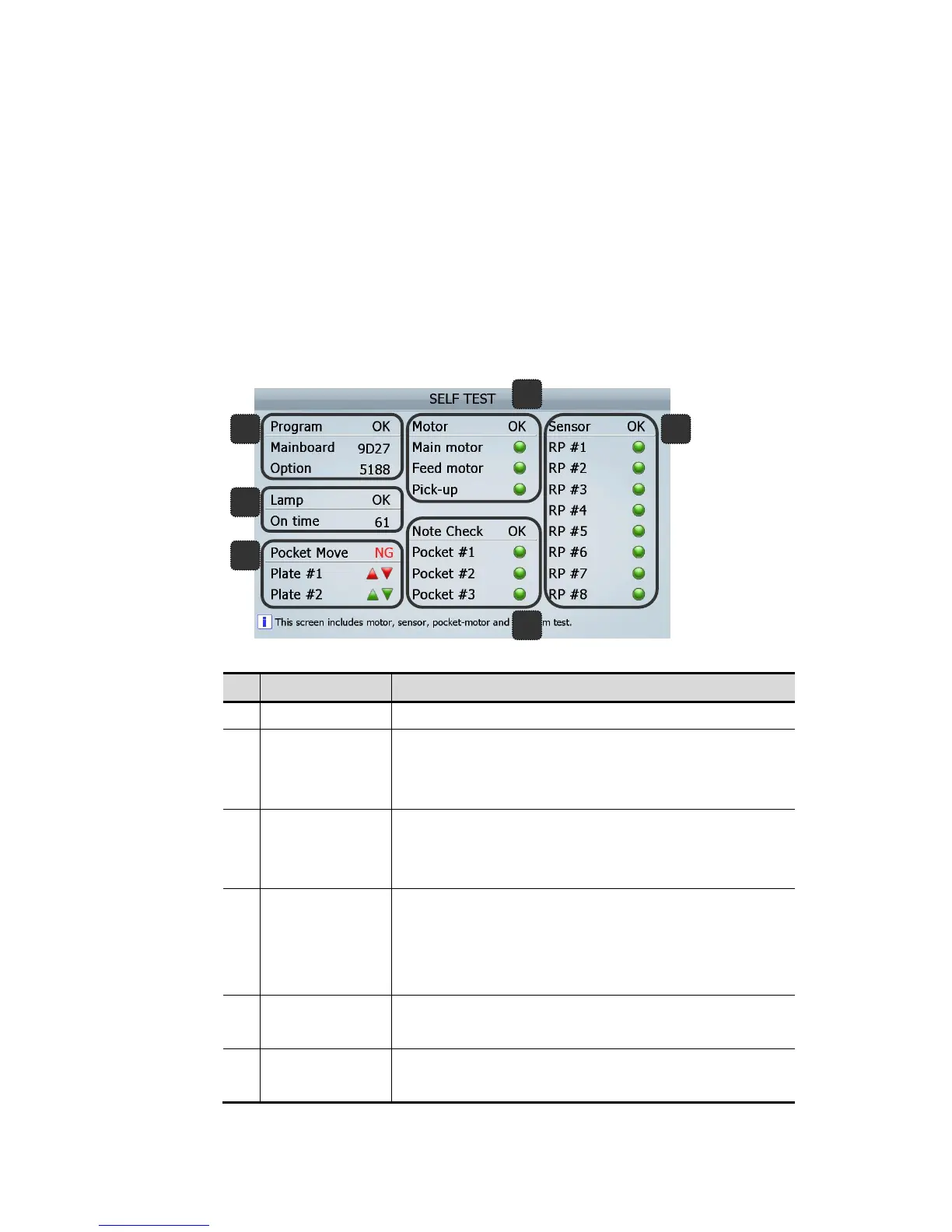
When SB-3000 Power On, if there is any trouble at the sensors, pocket plates, motors and stackers
and so on, it shows below figure [MACHINE STATUS INFOMRATION]. Green means “OK”, Red
Means trouble or suspect then required check sensors described following table.
No.
Error Messages Action to be taken
1 Program NG Contact to Dealer
2 Lamp NG
1. Check Rear (Top, Middle, and Bottom) Cover.
2. Check CIS(s) and its vicinity.
3. Facing continuous trouble, contact to Dealer
3 Pocket Plate NG
1. Check whether or not something is in the pockets
2. Check the Pocket Plates is down
3. Facing continuous trouble, contact to Dealer
4 Motor NG
1. Check whether opened or not Rear(Top, Middle, Bottom) Cover
2. Check amongst Rollers whether note(s) not
3. In case of “Feed Motor” NG, check whether note(s) or foreign
substance on the Hopper Sensor
5 Note Check NG
1. Check whether note(s) not.
2. Cleaning required, in case of covering dust.
6 Sensor NG
1. Check the cover is open at the instructing point(s)
2. Check each RP sensor with opening its door.
(FIG 7-01)



 To Next Page