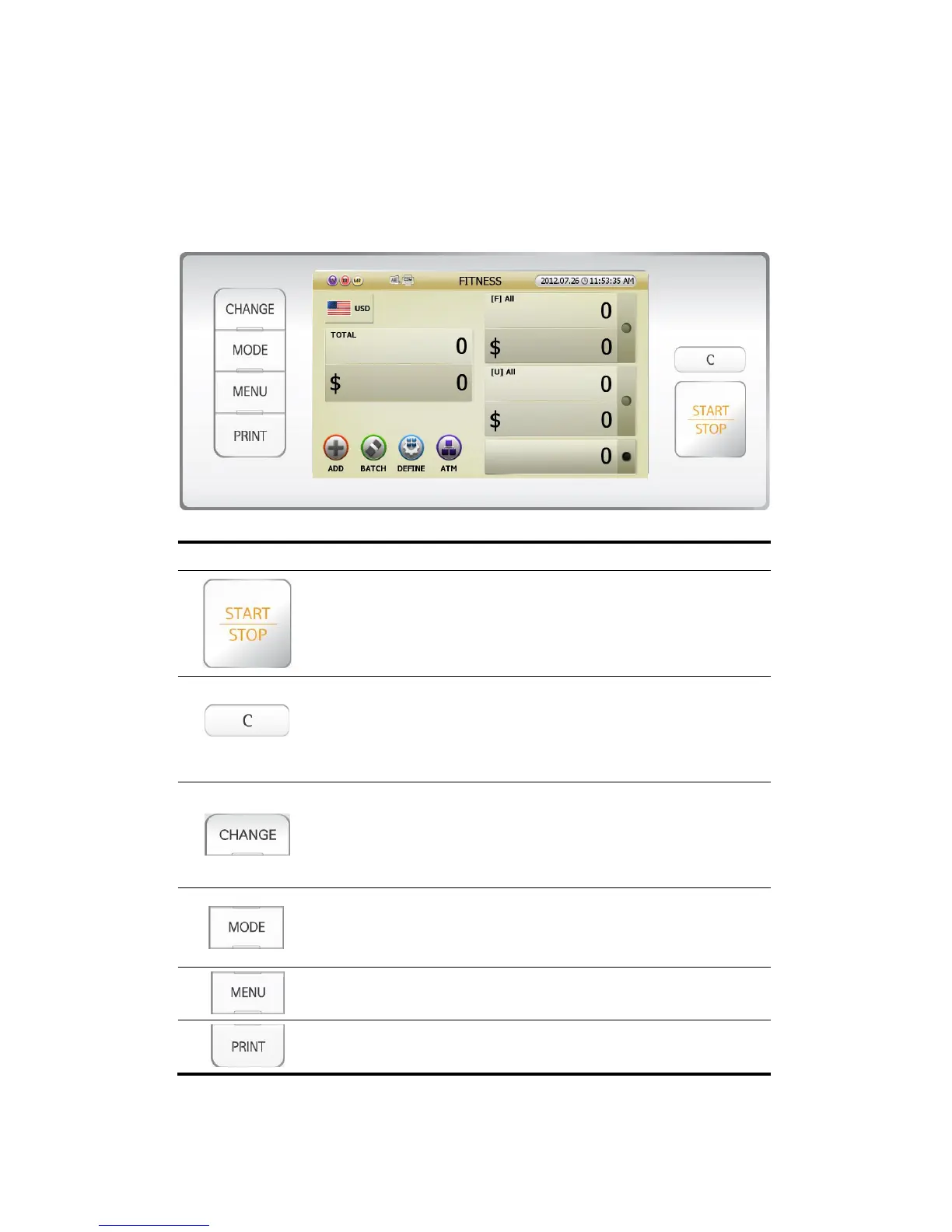
3.0.0. OVERALL OF CONTROL
3.1.0. OVERALL OF CONTROL PANEL
Indication Description
- Manually START (when manual starting is set)
- Emergency STOP & START while counting.
- Save or set the mode
- This key means ‘OK’ and ‘YES.’
- CLEAR the count result or go back to previous stage.
- CANCEL the present setting.
- User can remove the jammed notes.
- This key means ‘Cancel’, ‘Close’ and ‘No.’
- To change the display form of count result.
- To change the activated icon one by one
- This key means CHANGE something.
(In case of using [CHANGE] key, will be referred at {Help} part)
- To change the WORKING MODE.
(FITNESS, COUNT, FACE, ORIENT, ISSUE, DISPENSE and OCR)
- User can enter ADMIN Menu from MENU.
- To enter Setting Menu (User can set various Parameters).
- To escape from Setting Menu.
- To print the counted result.
(FIG 3-03)



 To Next Page