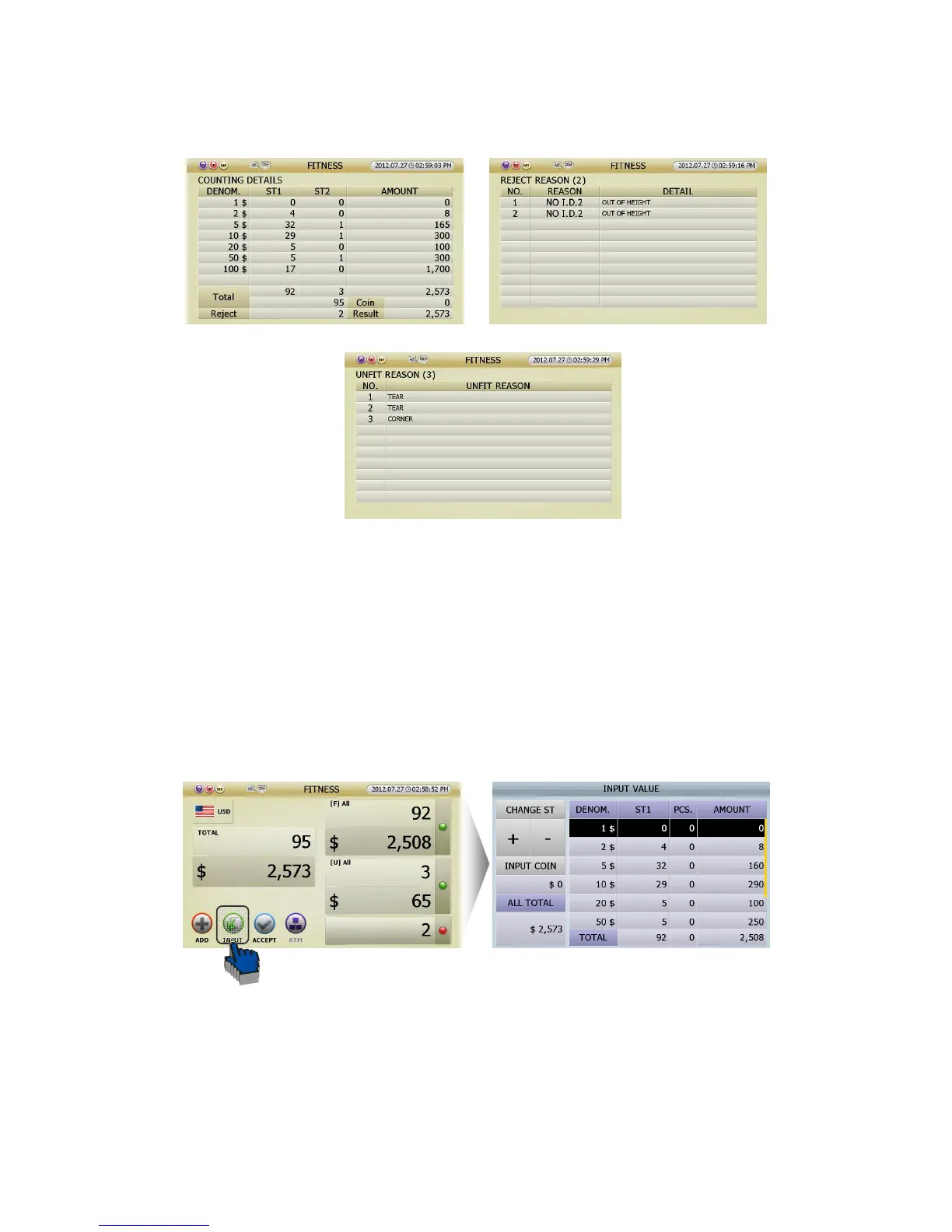
[2] If you touch the section of result in screen (fig 5-10), the screen will show specific results.
① If you touch the section (ⓐ) in Stacker 1, the screen will show the ‘COUNTING DETAILS’ (FIG 5-11).
② If your touch the section (ⓑ) in Stacker 2, the screen will show the ‘UNFIT REASON’ (FIG 5-13).
③ If your touch the section (ⓒ) in Reject, the screen will show the ‘Reject Reason’ (FIG 5-12).
2 [INPUT] function is designed to correct the counting result. You can add the amount of uncounted notes
(because of seriously damaged notes) or coins manually. If user touch [INPUT] icon in counting result
screen (FIG 5-10), You can see INPUT VALUE screen (FIG 5-14) and can correct the count result minutely.
(FIG 5-10)
(FIG 5-11)



 To Next Page