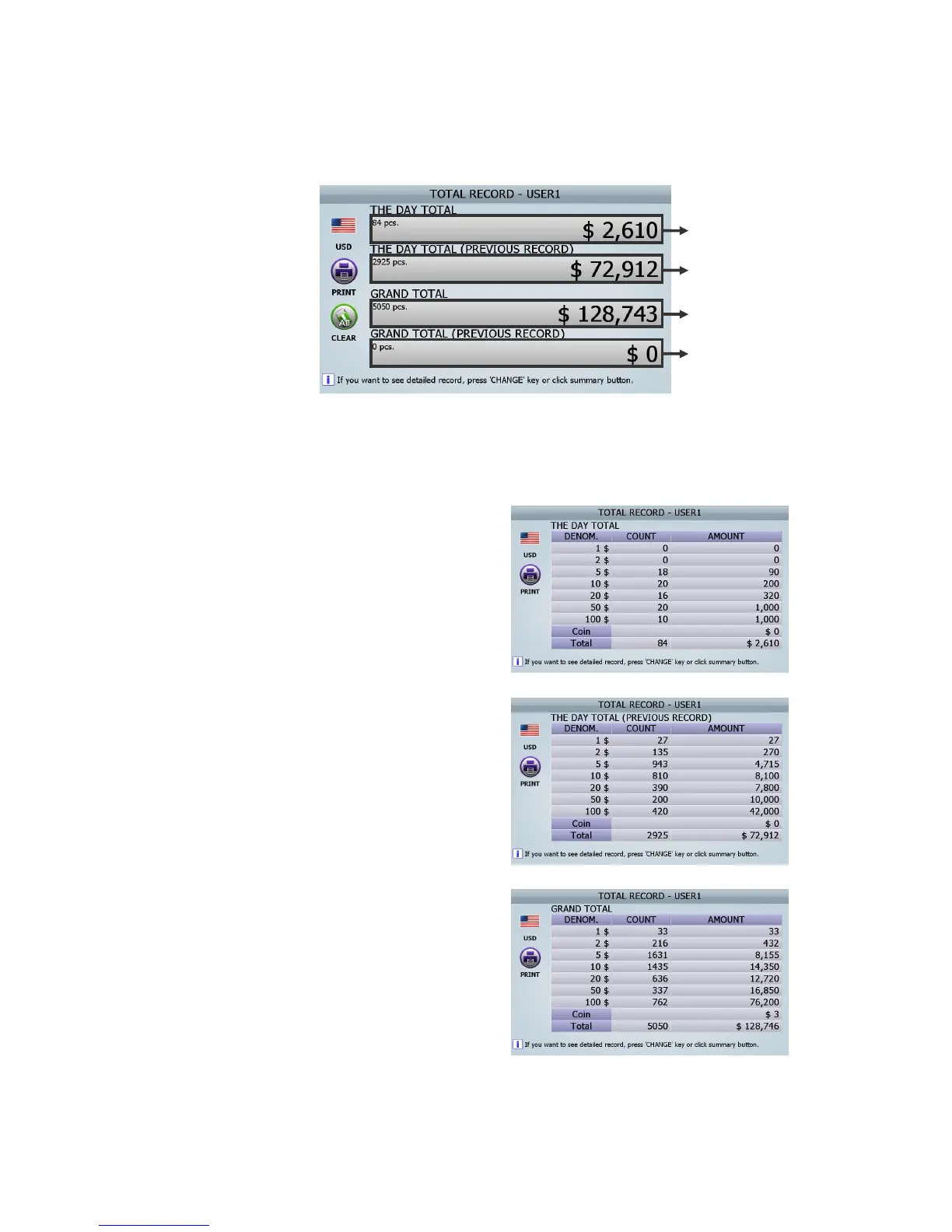
[1] the screen of TOTAL RECORD-USER1 DISPLAY is like below (FIG 6-25)
[2] If [CHANGE] button is pushed consecutively or if the section of the above screen is touched, the
above screen is changed to 4 DETAIL screens.
If the section (① ⓐ) of the above screen is
touched, the screen of ‘The Day Total’
screen as right will be changed.
If the section (② ⓑ) of the above screen is
touched, the screen of ‘The Day Total
(Previous record)’ as right will be changed.
If the section (③ ⓒ) of the above screen is
touched, the screen of ‘Grand total’ as right
will be changed.
ⓐ
ⓑ
ⓒ
ⓑ
(FIG 7-20)



 To Next Page