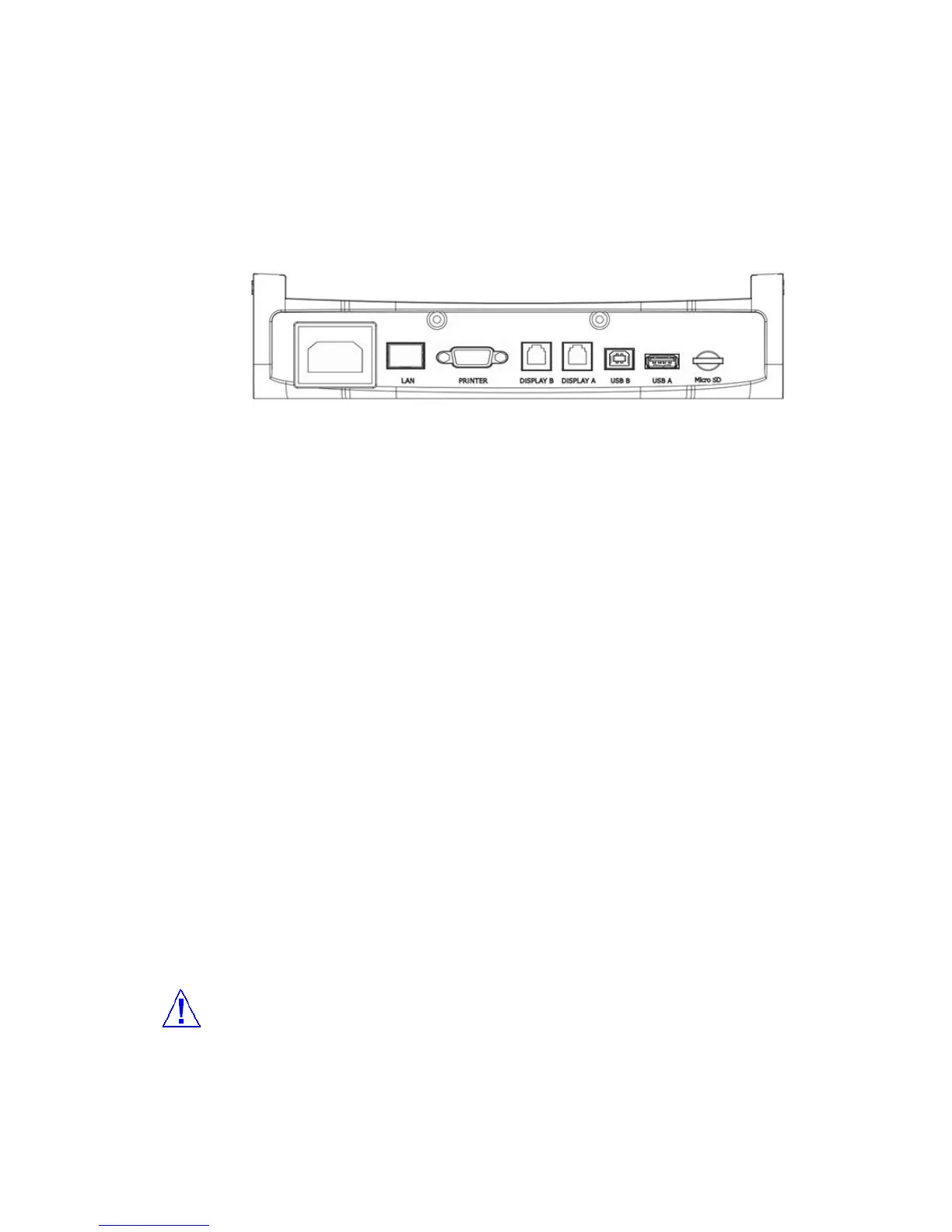
Connection
Plug one end of the cord into the back of the machine and the other end into a standard AC
power outlet.
Interface
[LAN]
1. The counting results is sent to PC though LAN
2. PC can control the set though LAN
3. The set can be upgrade through LAN
[Serial Pinter]
SB-3000 has a serial interface port, which allows you to connect your printer to print out counting
result. To connect your printer to the machine, follow the steps as below:
1. Make sure that both the SB-3000 and the printer are turned off.
2. Plug the cable of printer into the serial port of SB-3000.
3. Turn on the SB-3000 and set parameters referring to the Chapter 6 of this manual.
[Display A] & [Display B]
External Display [option] can be connected with these 2 ports
1 or 2 user can make the counting result display using these ports.
[USB A]
The set can be upgraded the firmware with USB Memory Stick.
[USB B]
The set can connect SB-3000 to PC with USB B. this port is for Service
1. The massive data will be sent to PC with high speed.
2. If there are problems in USB A, USB B will be the alternative port
[Micro SD]
Optional
[Warning]
If user inserts USB B into [Display A] or [Display B] port, electrical short can be happened. Please,
check the right port before inserting.
(FIG 2-02)



 To Next Page