-. [NO]: Apply only to current Fitness Sub-mode
-. [CANCEL]: Do not apply
② [ALL]: Decide if the data below is also applied or not to another denomination.
-. Fitness Levels & On/Off set
-. Fitness Levels
-. Fitness On/Off set
③ [SAVE]: Save current setting (Currency, Fitness Sub-mode, Denomination)
[CURRENCY]: The current currency’s displayed and if this is touched, another currency is set.④
[Fitness Sub⑤ -Mode]: The currency Fitness Sub-Mode is displayed and if this is touched, another Fitness
Sub-Mode is set.
[Denomin⑥ ation]: The currency denomination is displayed and if this is touched another denomination is
set.
⑦ [Setting value]: Setting On or Off on each condition,
If it is off, that condition doesn’t apply to other denominations.
⑧ [Fitness Sorting]: Items for fitness are displayed
[Default]: The default of each item is displayed. ⑨
⑩ [Current value]: The current value for each item is displayed/
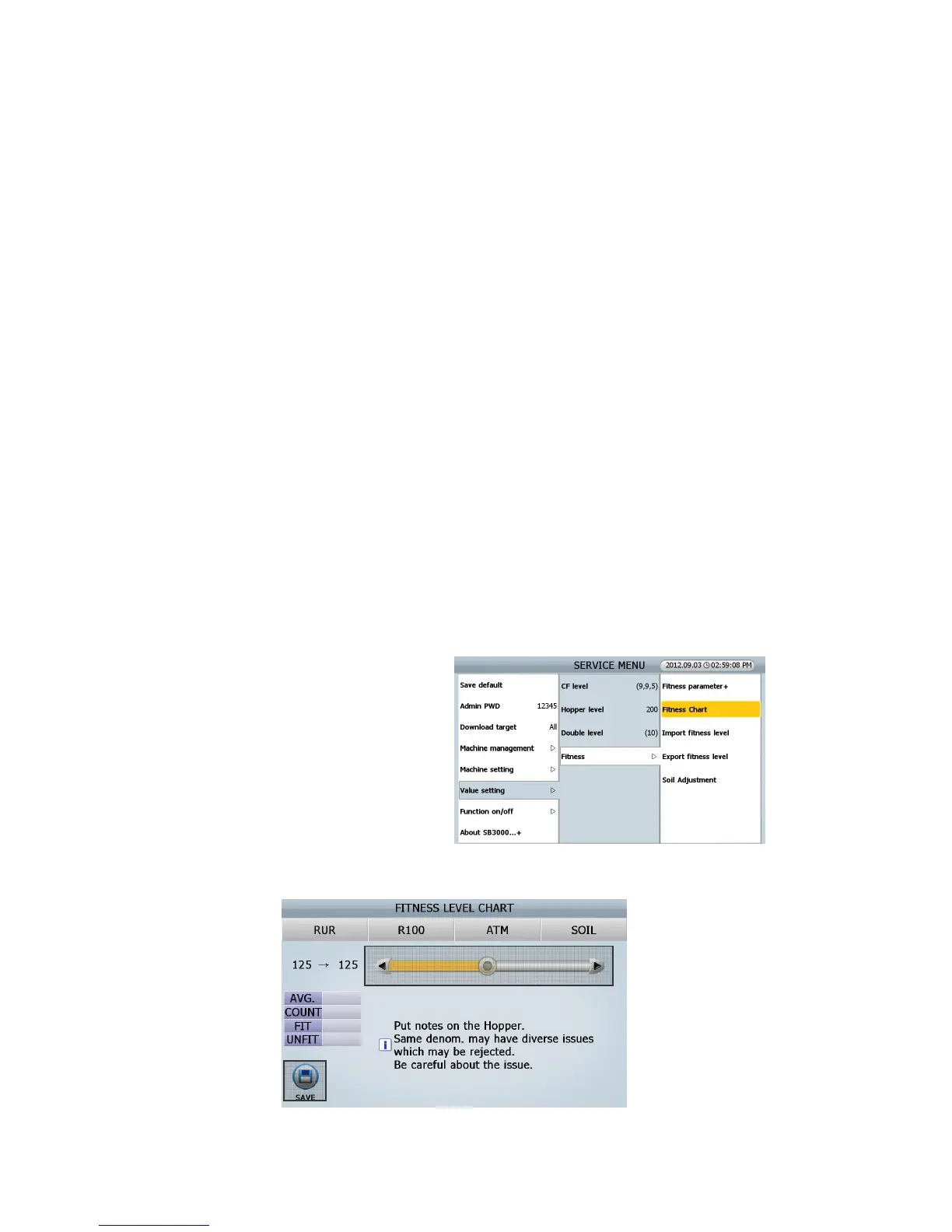
■ Fitness chart
You can check and set the portion of Fit & Unfit
notes distribution by the items.
How to set FITNESS LEVEL CHART
④
⑤
②① ③
⑥
(FIG 8-18)



 To Next Page