Page 148
STAT
IM
2000/2000S Service Guide
96-106775 Rev 5.0
7. Electrical and Electronic Components
STATIM 5000/5000S/5000 G4 Service Guide
Removing and Replacing the STAT
IM
5000 G4 Ethernet Port
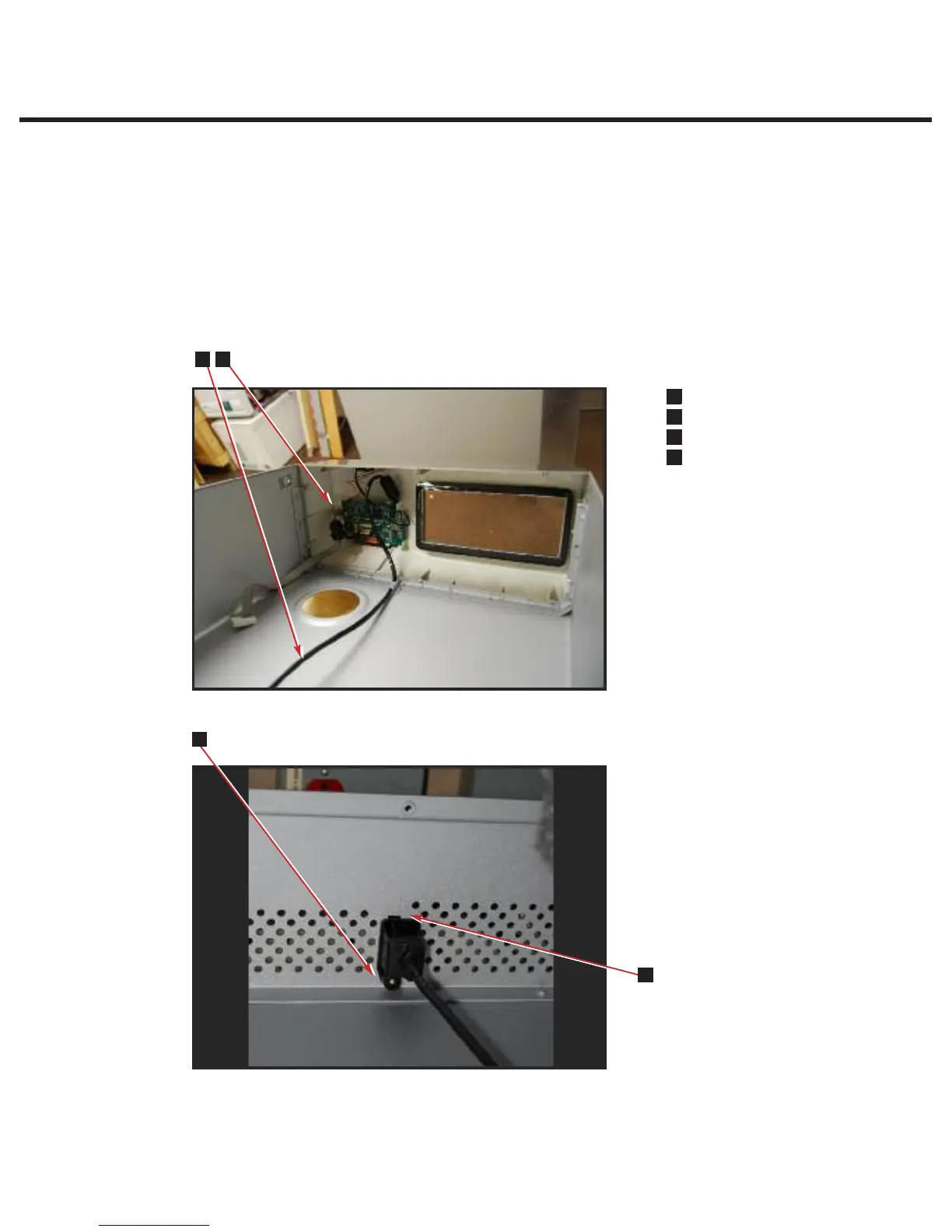
To remove the Ethernet port, first remove the cover and place it upside down on a
worksurface. Remove the LCD controller. Then follow these steps (see Figure 14):
1. Disconnect the Ethernet port cable (1) from the LCD controller board (2).
2. On the inside rear of the cover, remove the fastening screw (3) holding the Ethernet port
assembly in place.
3. Unhook the Ethernet port assembly tab (4) from the rear of the cover and remove cable by
cutting the cable tie.
To replace, reverse the removal instructions.
Removing and Replacing the Ethernet port
To remove the Ethernet port, first remove the cover and place it upside down on a
worksurface. Remove the LCD controller. Then follow these steps (see Figure 7):
1. Disconnect the Ethernet port cable (1) from the LCD controller board (2).
2. On the inside rear of the cover, remove the fastening screw (3) holding the Ethernet port
assembly in place.
3. Unhook the Ethernet port assembly tab (4) from the rear of the cover and remove cable
by cutting the cable tie.
To replace, reverse the removal instructions.
Page 30
STATIM 5000 G4 Service Guide
Cover Assembly
n
1
Ethernet port cable
n
3
LCD controller board
n
3
Screw
n
3
Ethernet port assembly tab
1
2
3
4
Figure 7
3
1
4
2
Figure 14



 To Next Page