Page 172
STAT
IM
2000/2000S Service Guide
96-106775 Rev 5.0
8. Water Pumps, Reservoir, and Compressor
Testing the Fluid-O-Tech Pump Diode
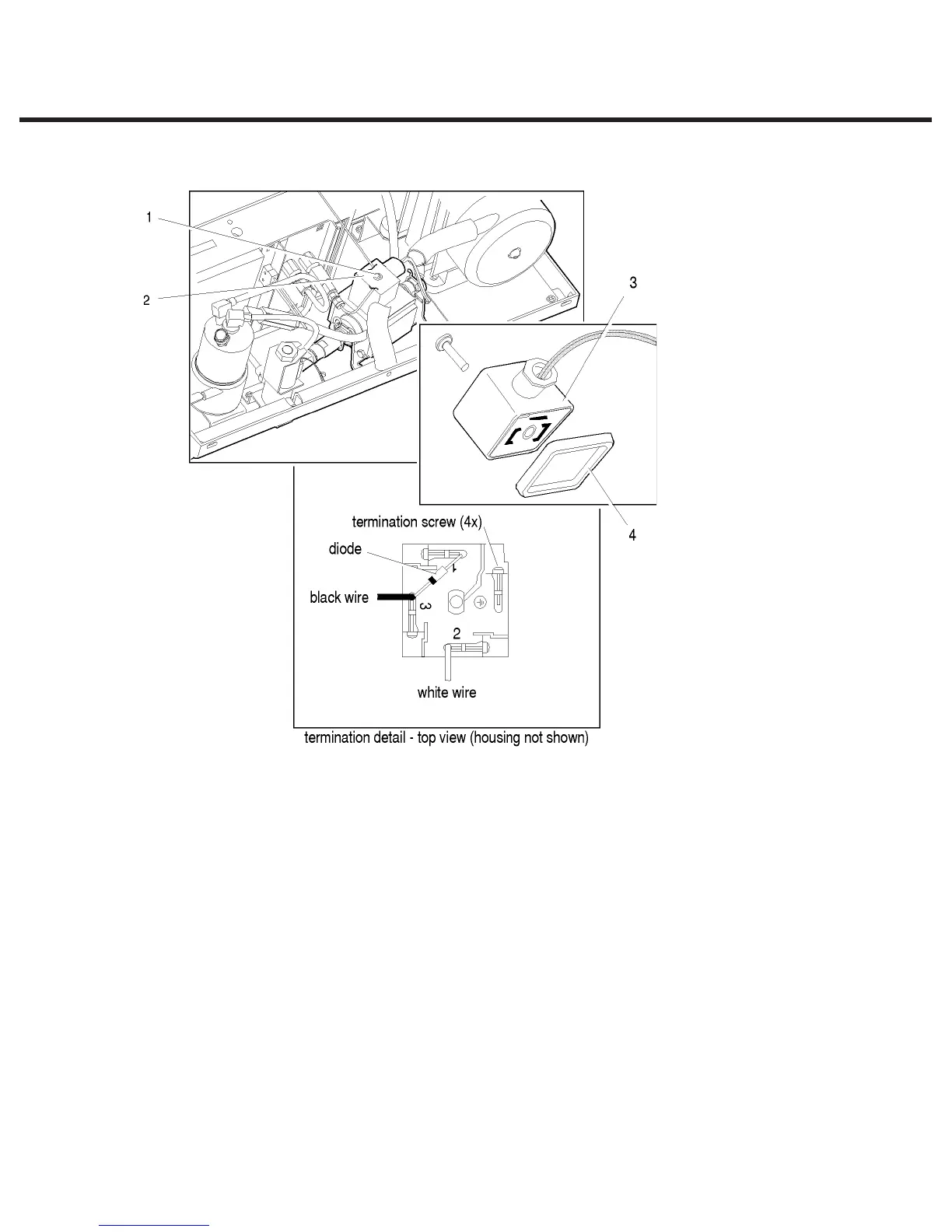
To test the pump diode, proceed as follows (see Figure 15):
If the pump has not been removed:
5. Remove the center screw (1) from the diode plug (2), and retain for reassembly.
6. Detach the diode plug from the pump body.
If the pump has been removed, or after detaching the diode plug:
1. Remove the rubber boot (4) from the diode plug.
2. Using a small screwdriver or similar instrument, pry away the black cap (3) from the plug.
3. Test the diode using the diode test setting on a multimeter.
STATIM 5000/5000S/5000 G4 Service Guide
1. Center screw
2. Diode plug
3. Black cap
4. Rubber boot
Figure 15



 To Next Page