Mirra Manual for Windows Release 2.2 20
Configuring your Firewall
If you’re installing the Mirra software for the first time, you may have to configure
your firewall to detect your Personal Server. Most firewalls detect the Mirra Sync
and Share Personal Server during installation and prompt you for permission to
open the appropriate ports. If your firewall must be configured manually, you must
open port UDP 19430 in order for your computer to communicate with your
Personal Server. Refer to the Mirra Support Center at
http://support.mirra.com
for additional information.
XP Firewall (Internet Connection Firewall)
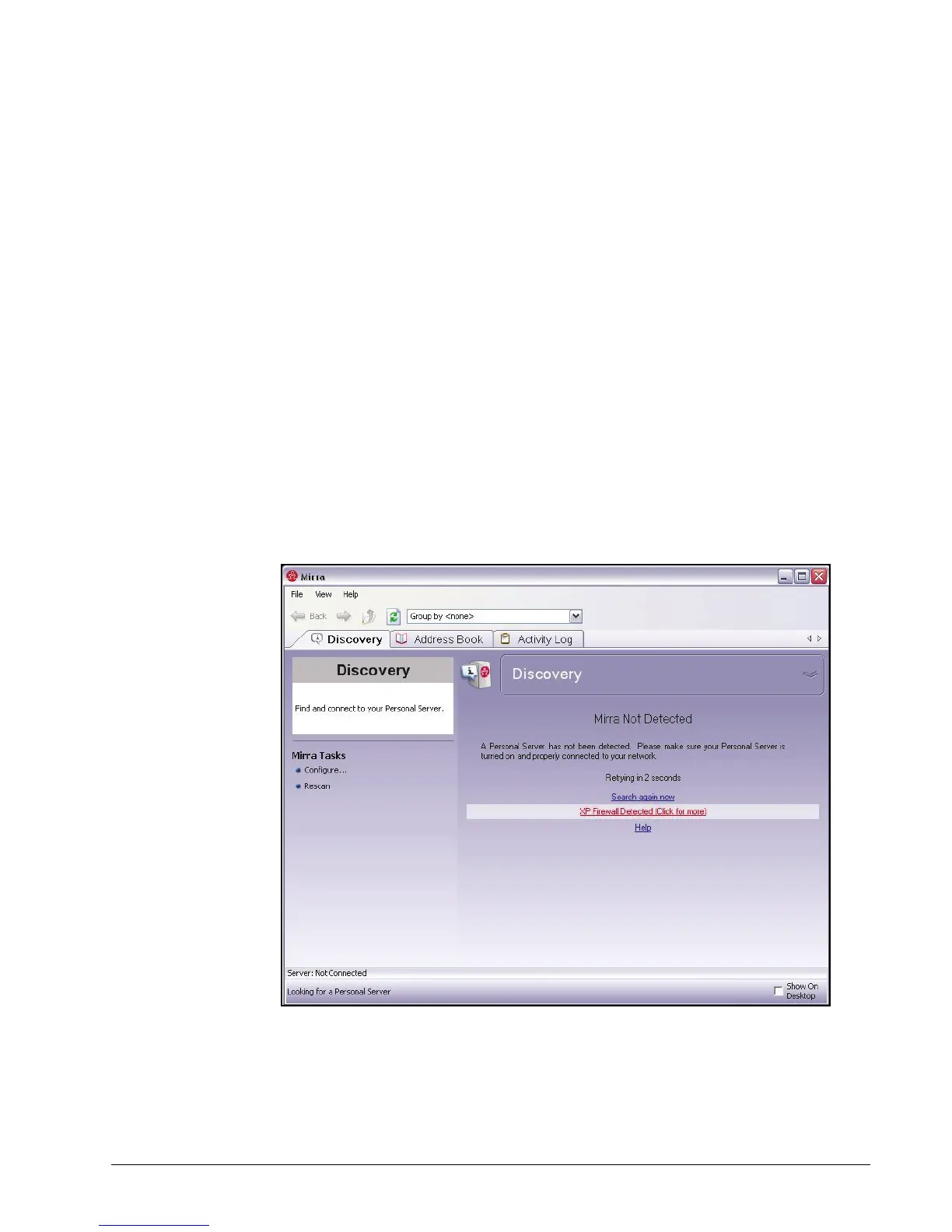
If the Mirra software detects the presence of an XP firewall, also known as an
Internet Connection Firewall (ICF), it displays a message on the Status screen
asking if you want it to adjust the firewall settings to accommodate the Mirra:
Figure 3~15 Windows XP Firewall Message
To enable the Mirra software to adjust your firewall settings,
Step 1: Click the XP Firewall Detected link.



 To Next Page