Mirra Manual for Windows Release 2.2 55
Chapter 4: Using the Status Screen
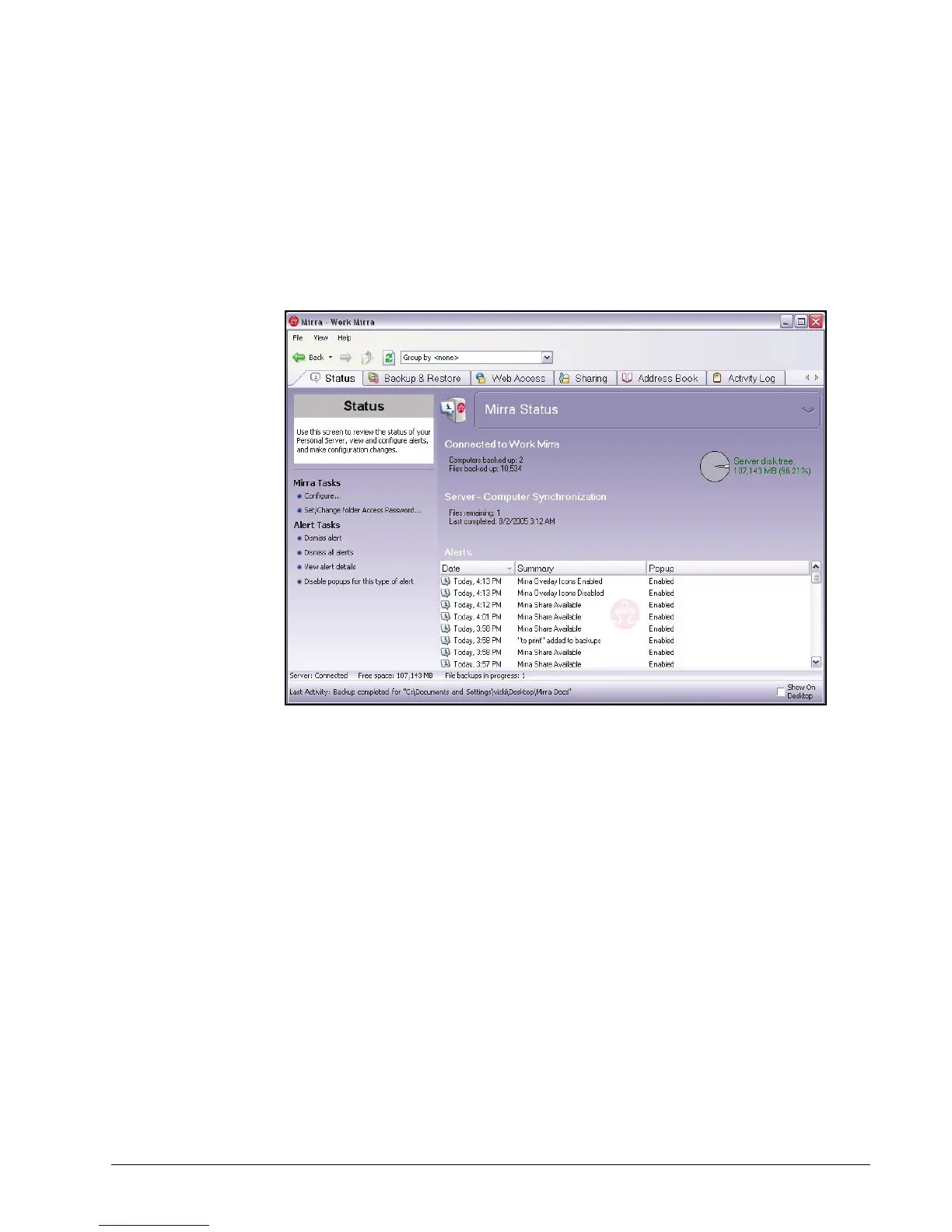
The Status screen provides you with information about your Personal Server:
Figure 4~1 Status Screen Fields
• The Connected to area tells you which Personal Server you are
communicating with, how many computers are backed up to it, and how many
files are backed up on it from all connected computers.
• The Server disk free indicator displays the amount of free disk space
remaining on the Personal Server.
• The Server - Computer Synchronization area tells you how many files are
currently out of sync (not yet backed up) and, if all files are currently
synchronized, the completion time of the last synchronization.
• The Alerts pane displays all notifications, such as license and account
verifications and backup and sharing confirmations. Provided are the date
and name of each alert and the status of popups (enabled or disabled) on
your computer.



 To Next Page