Mirra Manual for Windows Release 2.2 40
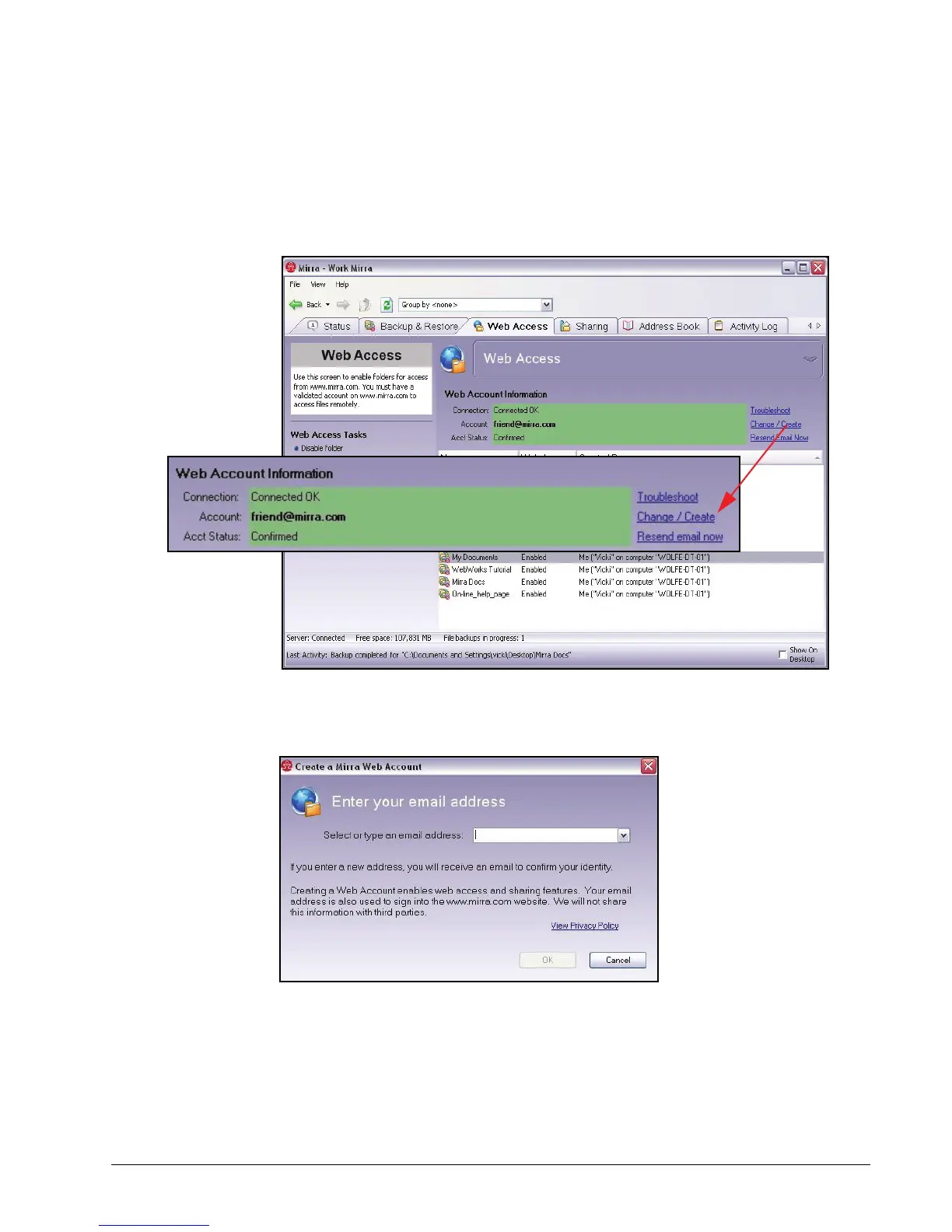
To change your email address,
Step 1: In the Web Account Information area of the Web Access screen, click
Change/Create next to your current email address:
Figure 3~38 Web Access Screen
The Create a Mirra Web Account window opens:
Figure 3~39 Create a Mirra Web Account Window
Step 2: Enter your new email address and click OK.



 To Next Page