© 2014 SeaStar Solutions Optimus Installation Manual, Rev. E
7-2
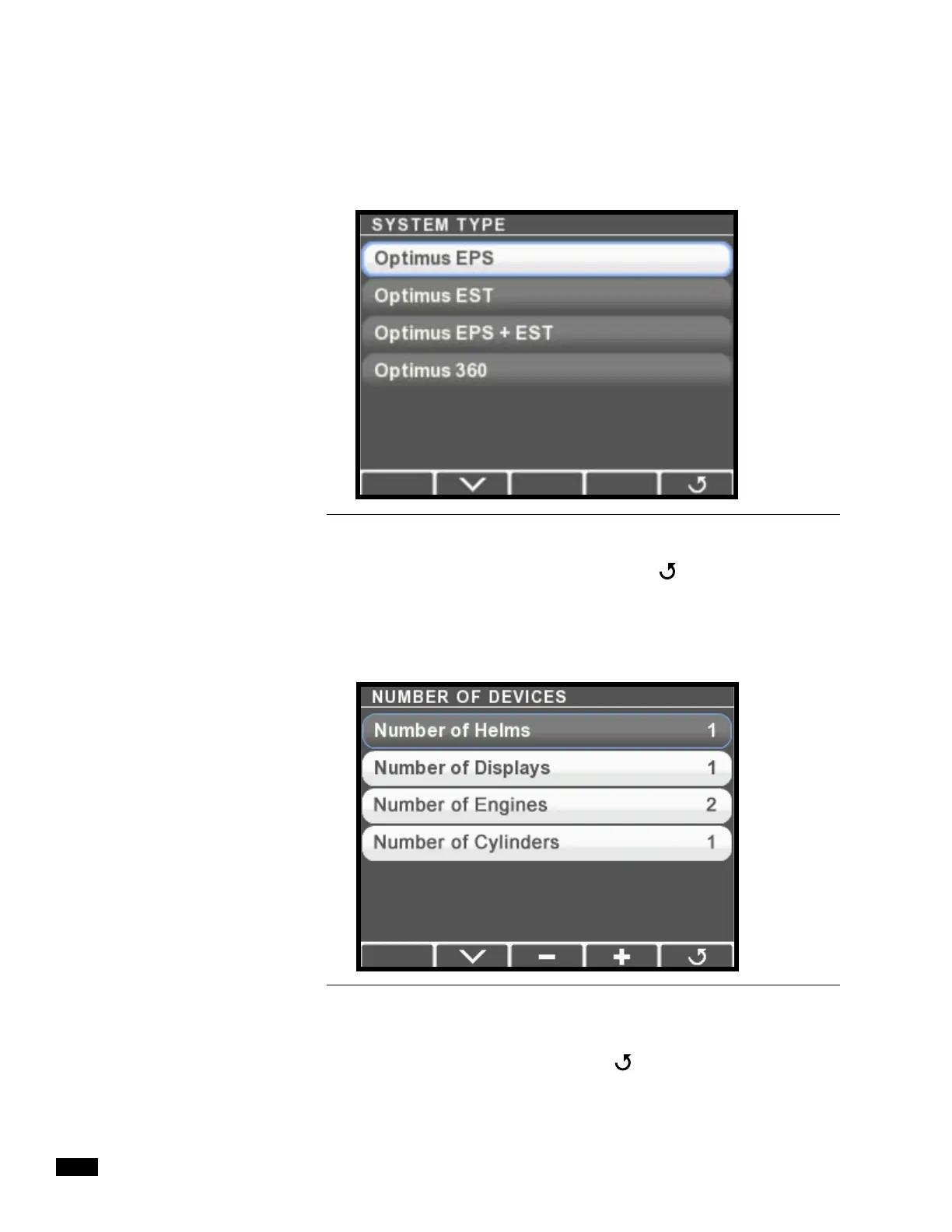
2. Press > to enter the System Type menu.
3. Select Optimus EPS then press Save or
to return to the
System Setup menu. When you set the system type the CANtrak
automatically configures the menus to show only items that
relate to your system.
4. Choose Select Number of Devices and press >.
5. Use the + and – buttons to change the number of devices to
match your system. Press Save or
when finished to return to
the System Setup menu.
Figure 7-2.
Figure 7-3.


 To Next Page