© 2014 SeaStar Solutions Optimus Installation Manual, Rev. E
7-3
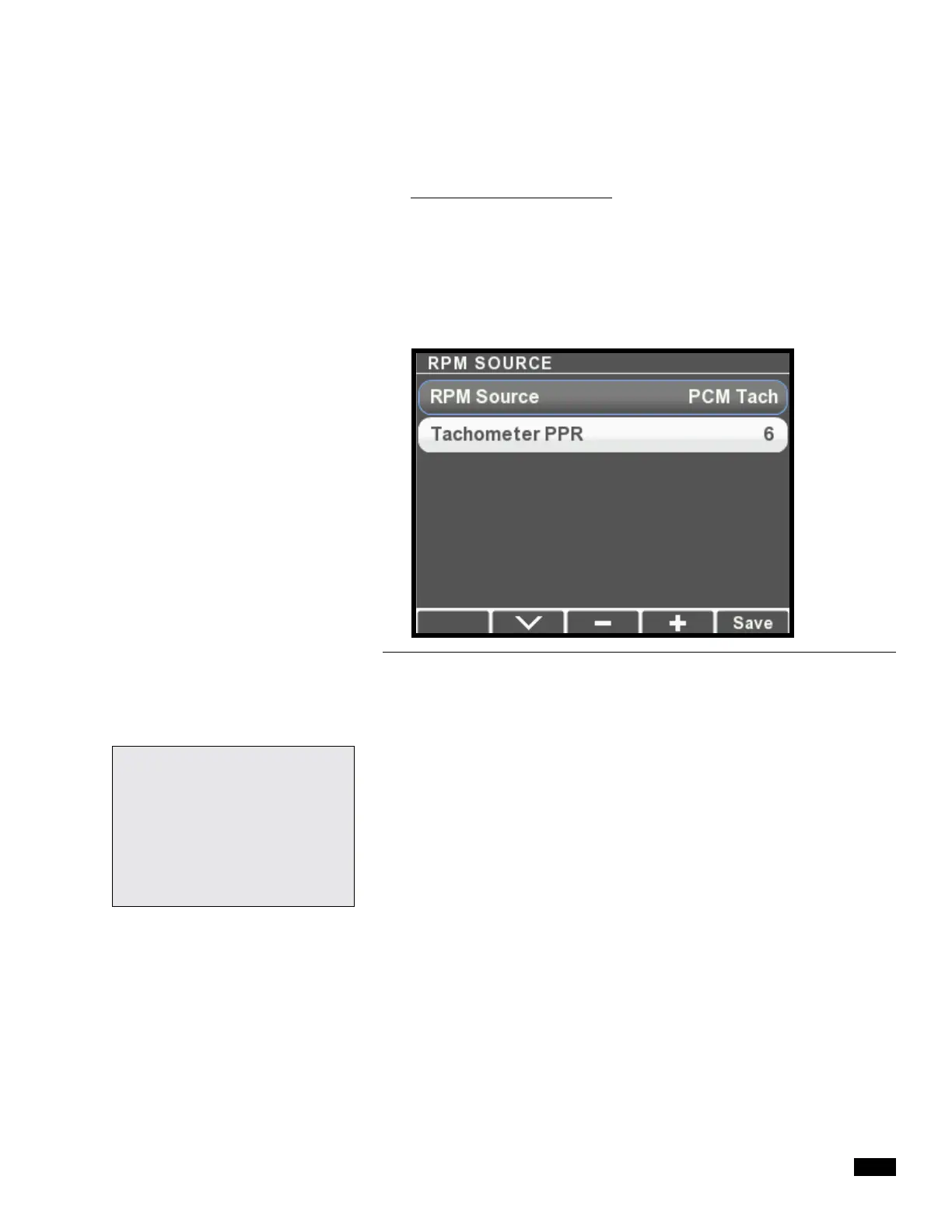
Figure 7-4.
6. Multiple helm stations only: choose Select Device Locations
from the System Setup menu and press >. The display will list
the installed components along with their serial numbers. Check
the serial numbers and use the + and – buttons to toggle the
components between Main and Second station. Press Save to
return to the System Setup menu.
7. Choose Select RPM Source from the System Setup menu and
press >.
8. Press + and – to scroll through the available options: PCM Tach,
NMEA2000, i7700 Tach, and Electronic Engines. Press Save
when you’ve selected your source.
9. If you chose PCM Tach as the source, you may need to adjust
the Tachometer PPR parameter. Select Tachometer PPR and
use the + and – buttons to adjust. Press Save to return.
10.
Review Appendix E and determine if your system software needs
to be updated.
You are now ready purge your steering system. Proceed to section 7.2.
For Datalink users: the number
of devices and RPM source
parameters are found on the
Configuration tab of the Color
Display interface. Helm instance
is found on the Configuration
tab of the Helm interface.


 To Next Page