NAME (Directory)66
Deleting individual directory entries
– Press the ⇒ page 9 function button.
– Select Find entry or Show list ⇒ page 65, fig. 81.
– Select the entry that you want to delete from the directory
⇒ page 65, fig. 82.
– Select Delete this entry.
– Confirm the message Are you sure that you want to delete this
entry? with Yes. The selected directory entry is deleted.
Deleting all directory entries
– Press the ⇒ page 9 function button.
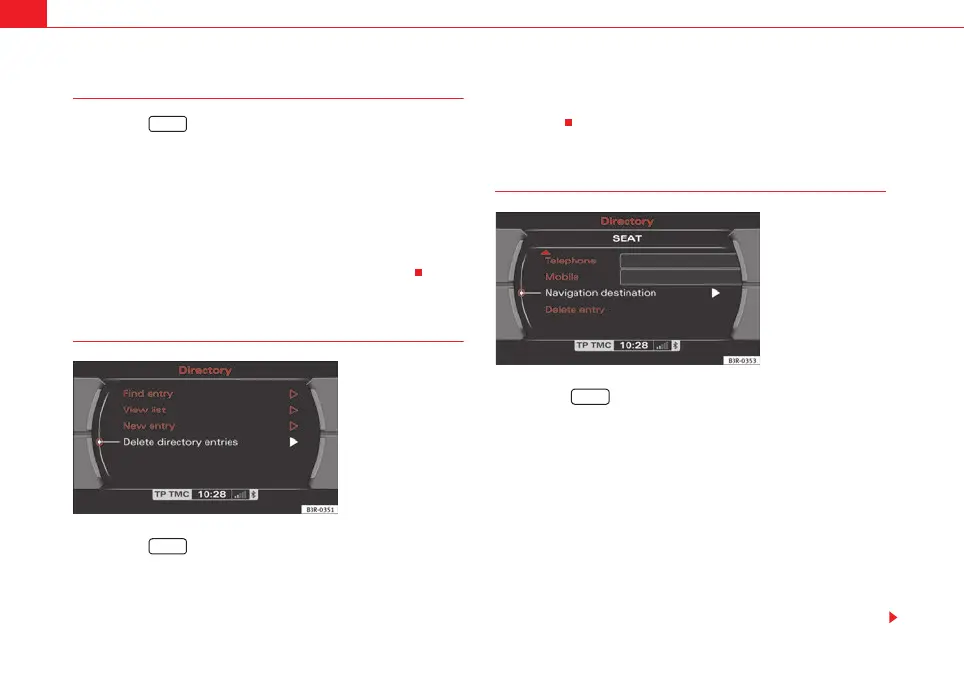
– Select Delete directory ⇒ fig. 83.
–Confirm the message Are you sure you want to delete all entries
from the directory? with Yes. All directory entries will be
deleted.
Setting a directory navigation destination
–Press the ⇒ page 9 function button.
– Select an entry ⇒ page 65 or create a new entry ⇒ page 64.
– Select, as required, business or private Category.
– Select Navigation destination ⇒ fig. 84.
– Enter the data for the navigation destination or
– Select Create from current position or Copy from last
destinations to import the destination data from one of the
previous navigation destinations.
– If desired, select Display as top destination to display the navi-
gation destination in a destination entry menu ⇒ page 115.
NAME
Fig. 83 Directory: Delete
all directory entries
NAME
Fig. 84 Directory: Enter
navigation destination for
an entry
NAME
media_systemE_EN.book Seite 66 Montag, 21. September 2009 1:48 13



 To Next Page