4.1. HOW TO CONFIGURE THE ASTERX-U FOR RTK
Step 2: Configure the cellular modem
Insert a SIM card into the front-panel slot of the AsteRx-U as shown in Figure 2-3 while the
unit is powered down.
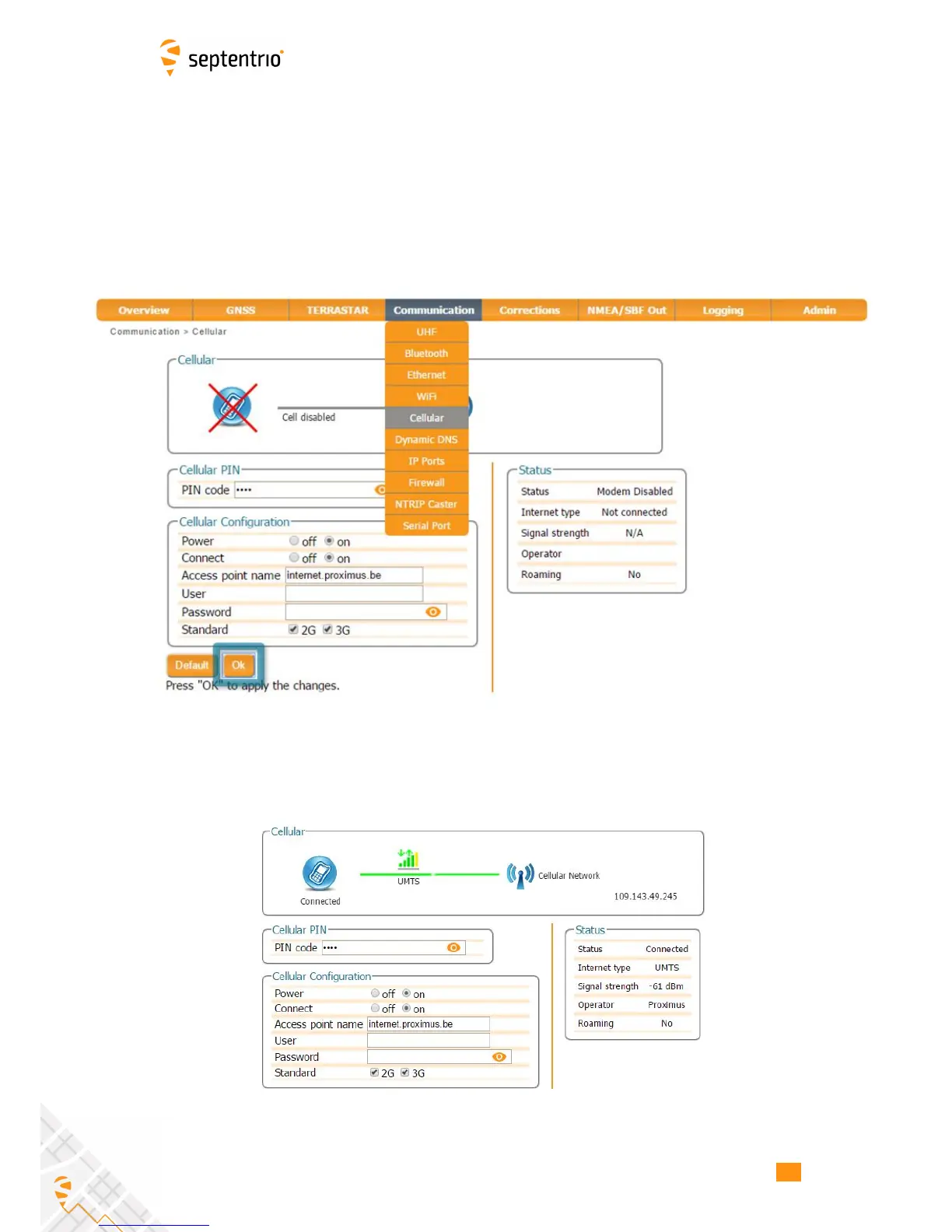
The on-board cellular modem of the AsteRx-U can be configured in the Communication,
Cellular window as shown in Figure 4-5. A PIN number may or may not be required
depending on the SIM configuration. In the Cellular Configuration field, the Access Point
Name (APN) should be inserted with other fields being optional.
Figure 4-5: Configuring the cellular modem
Click on Ok and if the settings are correct, the cellular graphic should appear as shown in
Figure 4-6. The connection type may appear as HSUPA, HSPA or in this example UMTS.
Figure 4-6: Correctly configured cellular modem
36



 To Next Page