4.1. HOW TO CONFIGURE THE ASTERX-U FOR RTK
Step 4: Verifying the configuration
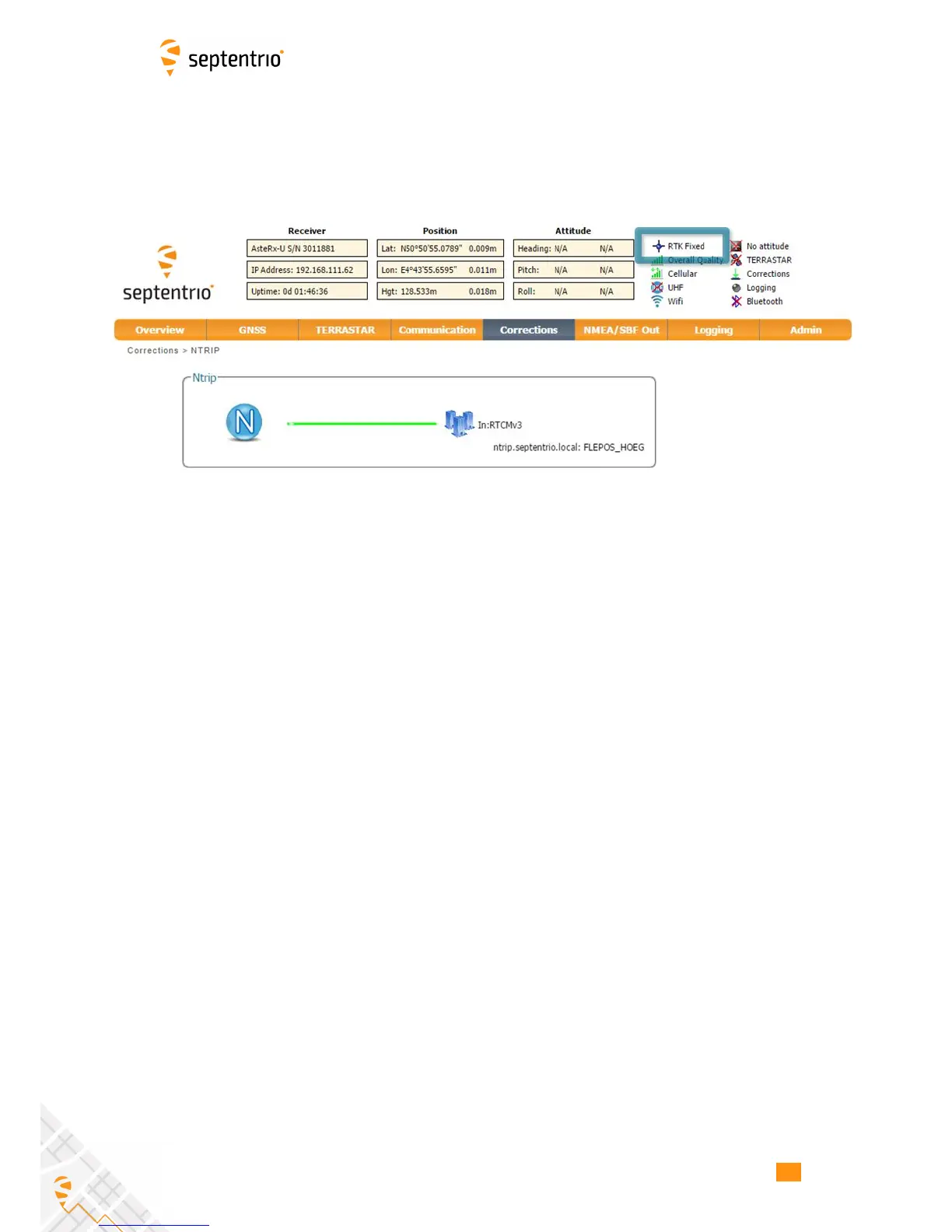
When both the cellular modem and NTRIP connection have been correctly configured, the
Ntrip figure in Corrections NTRIP window will indicate differential correction reception as
shown in Figure 4-9 with the positioning mode icon indicating RTK fixed.
Figure 4-9: Correctly configured NTRIP connection
38


 To Next Page