5.2. CONFIGURING THE ASTERX-U NTRIP CASTER
3 mount points can be defined each with a different name. You can also select the type of
Client authentication for the mount point: none - any client can connect without logging
in or, basic - clients have to login with a username and password.
To select a correction stream from the NTRIP server of the AsteRx-U, select ‘No’ in the ‘Allow
external server’ field
2
.
Click on the ‘Local Server ...’ button to enable the local NTRIP server of the AsteRx-U and
to select the individual messages you want to broadcast. By default, correction messages
necessary for RTK are pre-selected. Click Ok to apply the settings.
Step 2: Define a new user
If you selected basic client authentication when configuring the mount point in the previous
step, you will need to define at least one user. The user name and password are the
credentials needed for the NTRIP client (rover) to access the correction stream.
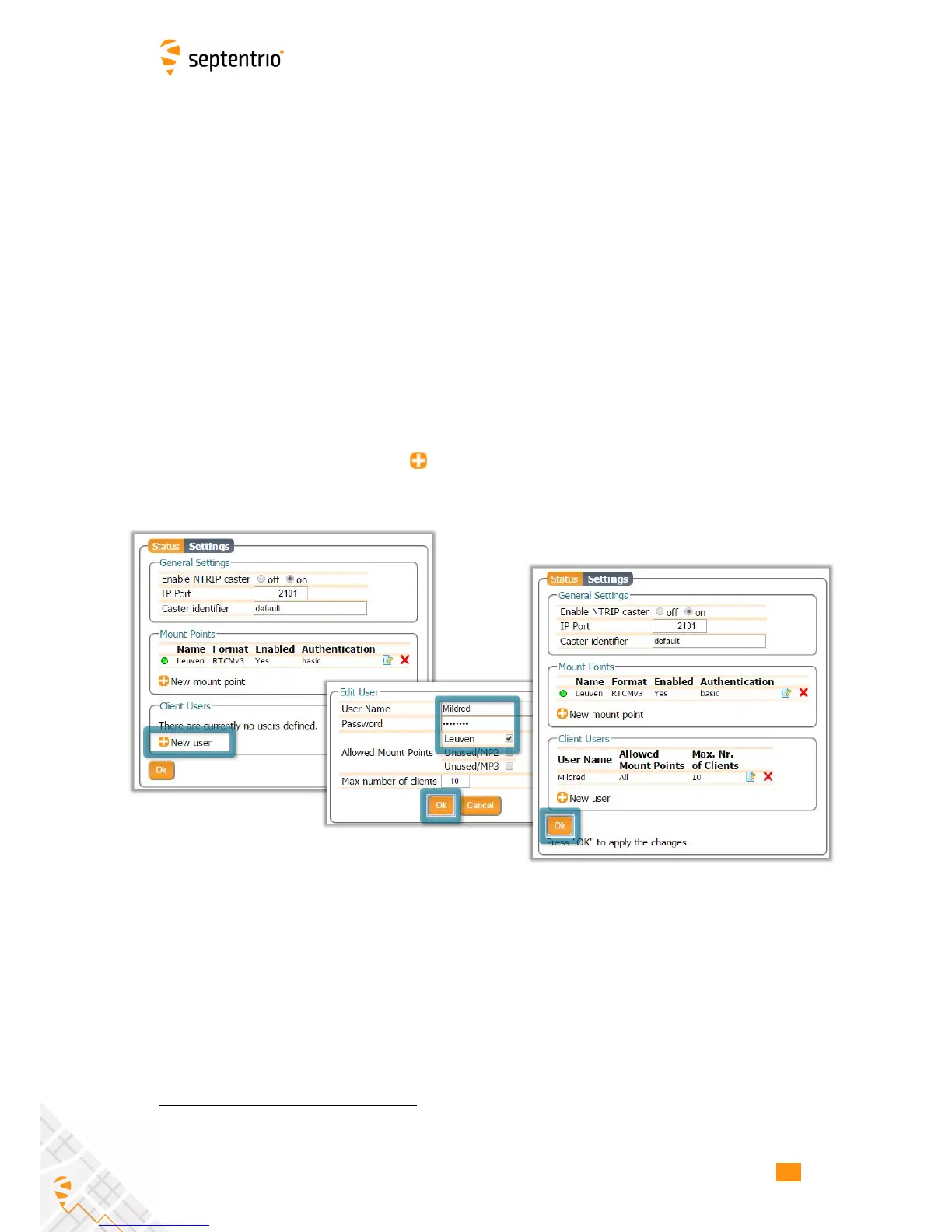
In the ‘Client Users’ section, click on New User as shown in Figure 5-7. Enter a User Name
and Password for the user and select the mount points that they will have access to. Up to
10 NTRIP clients can log in as a particular user. Click Ok to apply the settings.
Figure 5-7: Configuring the login credentials for a user
Step 3: Is the NTRIP Caster working?
In the ‘Status’ tab of the NTRIP Caster window, you can see a summary of the NTRIP Caster
to make sure that it has been properly configured. In the example shown in Figure 5-8, a
rover client is connected to the mount point named Leuven as user Mildred.
If the client rover receivers are configured to send a GGA message to the caster (as was the
case in Figure 5-9), then their position will also be visible.
2
By setting Allow external server to Yes the mount point can receive a stream from a remote NTRIP server
58



 To Next Page