Doc# E166703 5-22
5: Communicating with the Meter
Electro Industries/GaugeTech
The Leader In Power Monitoring and Smart Grid Solutions
Electro Industries/GaugeTech
The Leader In Power Monitoring and Smart Grid Solutions
Electro Industries/GaugeTech
The Leader In Power Monitoring and Smart Grid Solutions
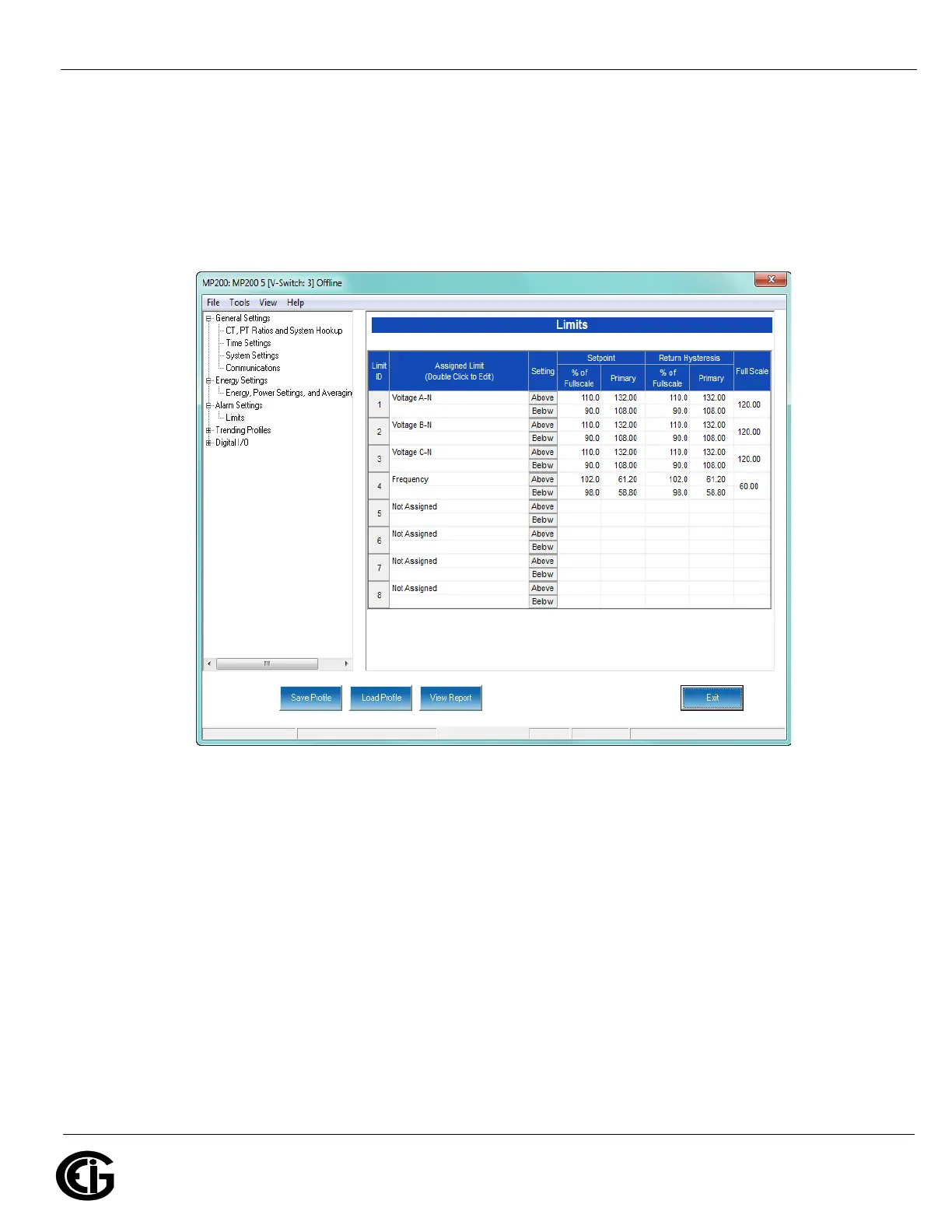
Limits
Limits are transition points used to separate acceptable and unacceptable measure-
ments. When a value goes above or below the limit, an out-of-limit condition occurs.
Once they are configured, you can view the out-of-limits (or alarm) conditions in the
Limits log or Limits polling screen. You can also use limits to trigger relays.
The current settings for limits are shown in the screen. You can set and configure up
to eight limits for the MP200 unit. To set up a limit:
1. Select a limit by double-clicking on the Assigned Channel field.



 To Next Page