Doc# E166703 5-25
5: Communicating with the Meter
Electro Industries/GaugeTech
The Leader In Power Monitoring and Smart Grid Solutions
Electro Industries/GaugeTech
The Leader In Power Monitoring and Smart Grid Solutions
Electro Industries/GaugeTech
The Leader In Power Monitoring and Smart Grid Solutions
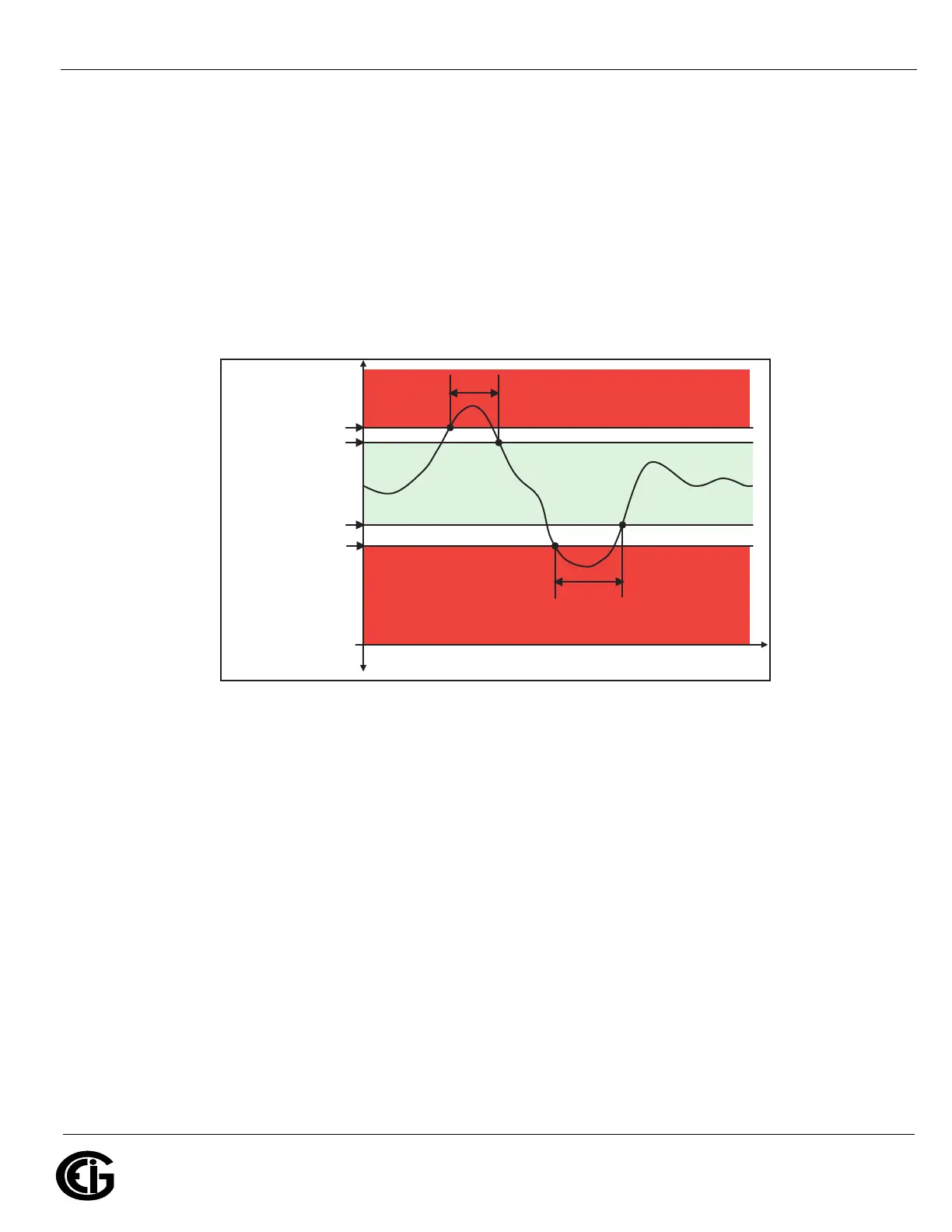
• Above and Below Return Hysteresis: the point at which the reading goes
back within limit (see figure below)
Examples:
Above Setpoint = 110%; Below Setpoint = 90%
(Out of Limit above 132V);(Out of Limit below 108V)
Above Return Hysteresis = 105%; Below Return Hysteresis = 95%
(Stay out of Limit until below 126V)(Stay out of Limit until above 114V)
• Primary Fields: These fields are display only. They show what the setpoint and
return hysteresis value are for each limit.
NOTES:
• If you are entering negative limits, be aware that the negative value affects the way
the above and below limits function, since negative numbers are processed as
signed values.
• If the Above Return Hysteresis is greater than the Above Setpoint, the Above Limit
is Disabled; if the Below Return Hysteresis is less than the Below Setpoint, the
Below Limit is Disabled. You may want to use this feature to disable either Above or
Below Limit conditions for a reading.
TIME
Above Limit
Below Limit
Above Limit Trigger poin
Return point from Above Limit condition
Below Limit Trigger poin
Return point from Below Limit condition
HYSTERESIS
HYSTERESIS
-
MEASURED VALUE
(if applicable)
+
MEASURED VALUE
0



 To Next Page