C4FM/Fusion® APRS®
You can set up the openSPOT4 to forward your C4FM/Fusion® transceiver's
location information to the APRS® network, so it will be visible on APRS® maps
like aprs.fi
Setting up the APRS® connection
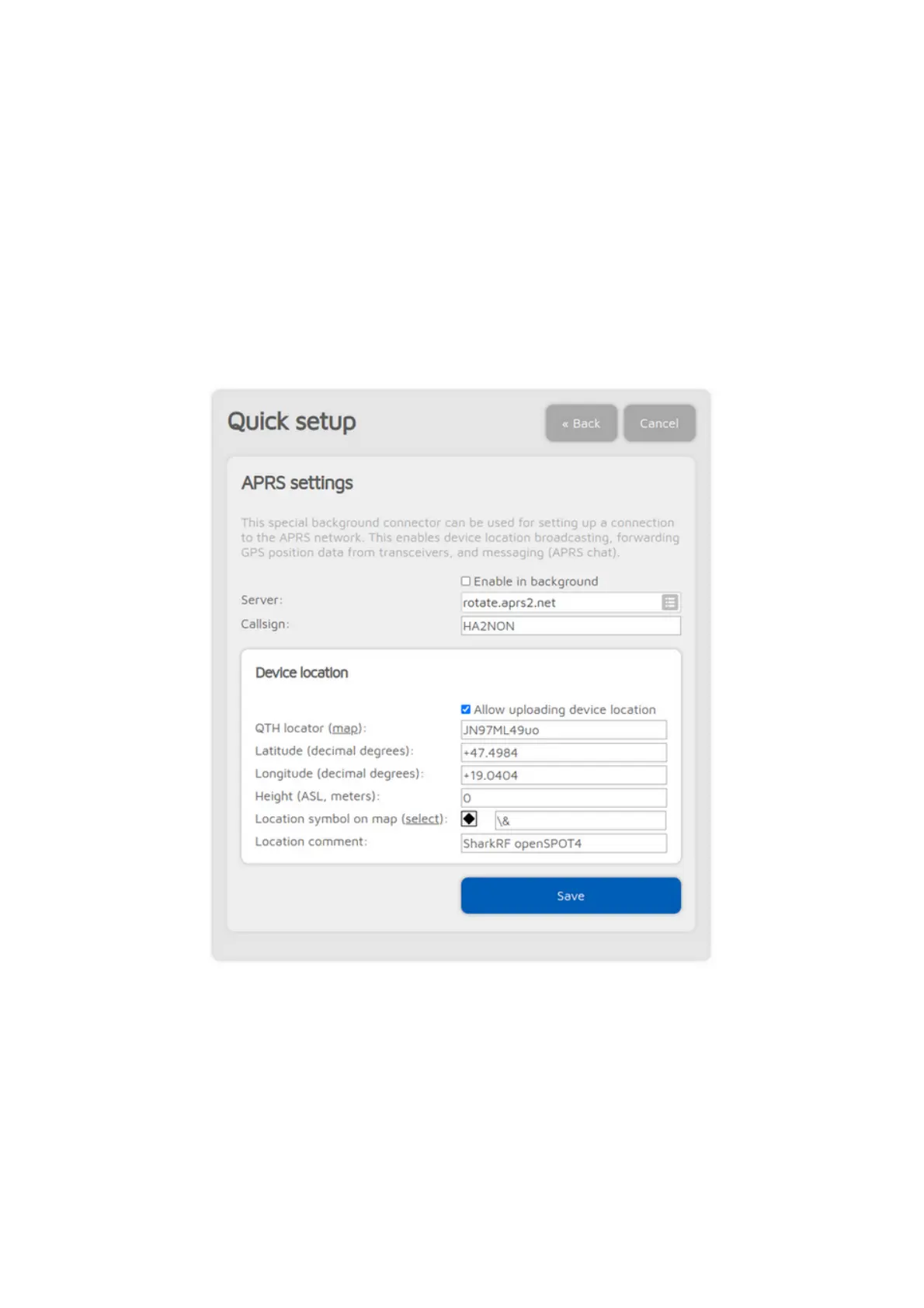
First you have to set up the APRS® special connector using the openSPOT4's
Quick Setup.
Make sure you check the Enable in background checkbox. You don't need to
check the Allow uploading device location checkbox for C4FM/Fusion®
location forwarding.
You can verify the APRS® connection status on the Status page.
Setting up your C4FM/Fusion® transceiver



 To Next Page