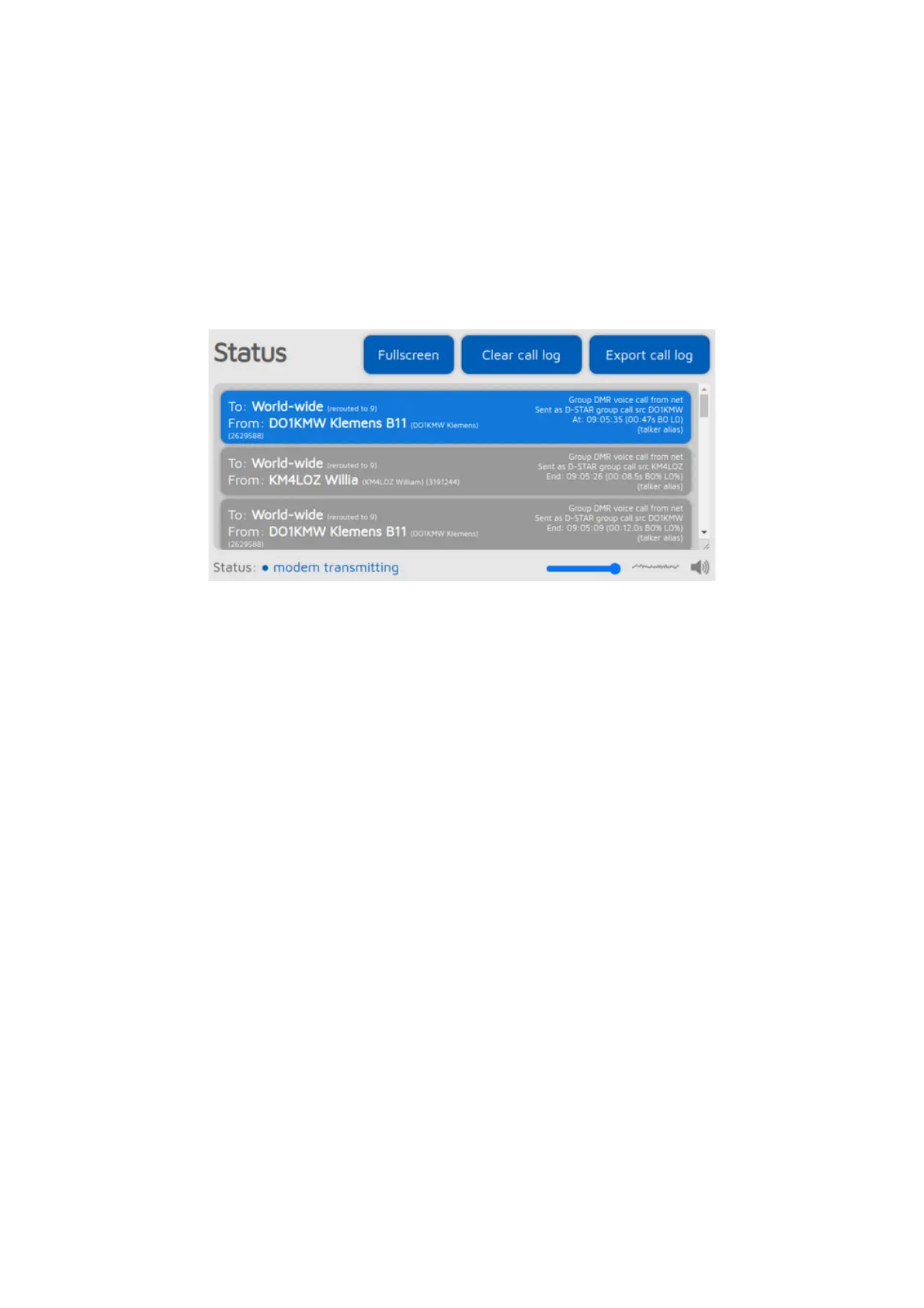
Status page
On the status page, you can see information about the openSPOT4, the ongoing
calls, the device's current status, log, and (in case the device is an openSPOT4
Pro) listen to call audio.
Call log
The call log displays all calls coming from the network, from the modem, or
from the openSPOT4 itself (voice announcements). In modes where IDs are
used as destination and source IDs (ex. DMR, NXDN®) the IDs are matched to
the ID database and replaced with callsigns. You can get more information about
an ID or callsign if you hover the mouse over it.
Each call log entry has information about the call at the top right corner of the
entry bubble. BER is displayed in percent after the letter B, packet loss (in case
of network calls) is displayed in percent after the letter L. The call duration is
also displayed after a call ends.
You can export all call log entries in CSV format by clicking on the Export call
log button.
If the Limit call log lines is checked (it's checked by default) then only a limited
number of call log entries are allowed to be in the call log. This is good for
limiting the web browser's CPU/memory use.
Call audio (openSPOT4 Pro only)



 To Next Page