This section is only available if
Advanced mode
is enabled.
If the modem is transmitting POCSAG messages then it will switch to the
POCSAG frequency. The TX delay in other modem modes setting specifies
how many seconds the openSPOT4 should wait after the last call has been
finished to switch to POCSAG mode and start transmitting the queued
messages.
There are 16 timeslots for POCSAG, these timeslot settings can be overridden by
the DAPNET server when the DAPNET connector is connected unless the Do
not allow DAPNET to override timeslots checkbox is checked. Each timeslot is
6.4 seconds long. The openSPOT4 will only start transmitting POCSAG
messages if the current timeslot is allowed.
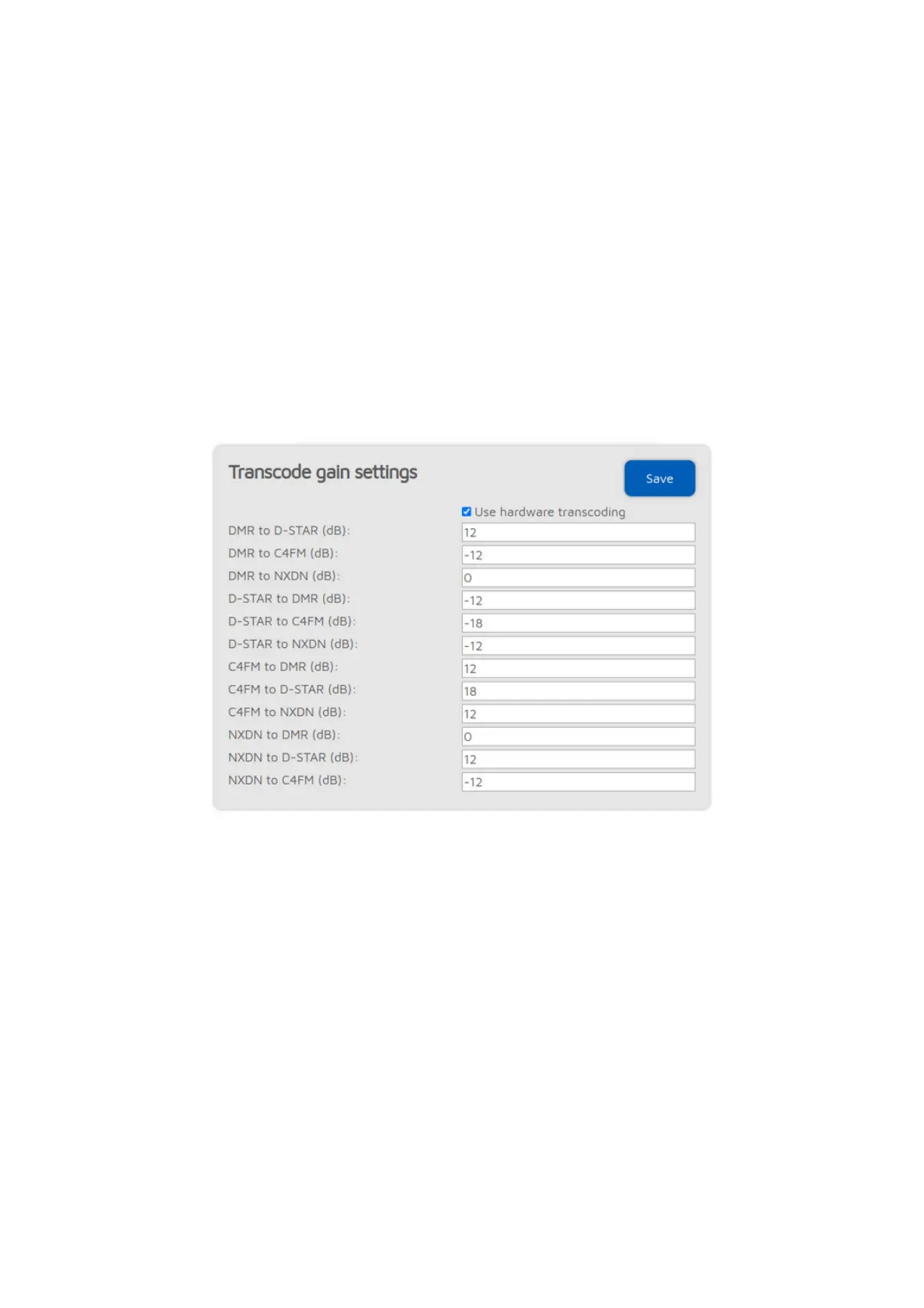
Transcode gain settings (openSPOT4 Pro only)
This section is only available if
Advanced mode
is enabled.
These settings allows you to adjust the gain used during transcoding to correct
the volume difference between systems.
If the
Use hardware transcoding
checkbox is unchecked, then the openSPOT4
Pro will use the software based transcoder, like the openSPOT4. Call audio
playback on the web interface and D-STAR cross mode will not work in this
case.
Note that as the standard (non-Pro) version of the openSPOT4 has no onboard
transcoding hardware, it can't change the audio level of the transcoded stream.
This may cause you to hear others loudly, but others hear you quietly, or vice-
versa.
Lock settings



 To Next Page