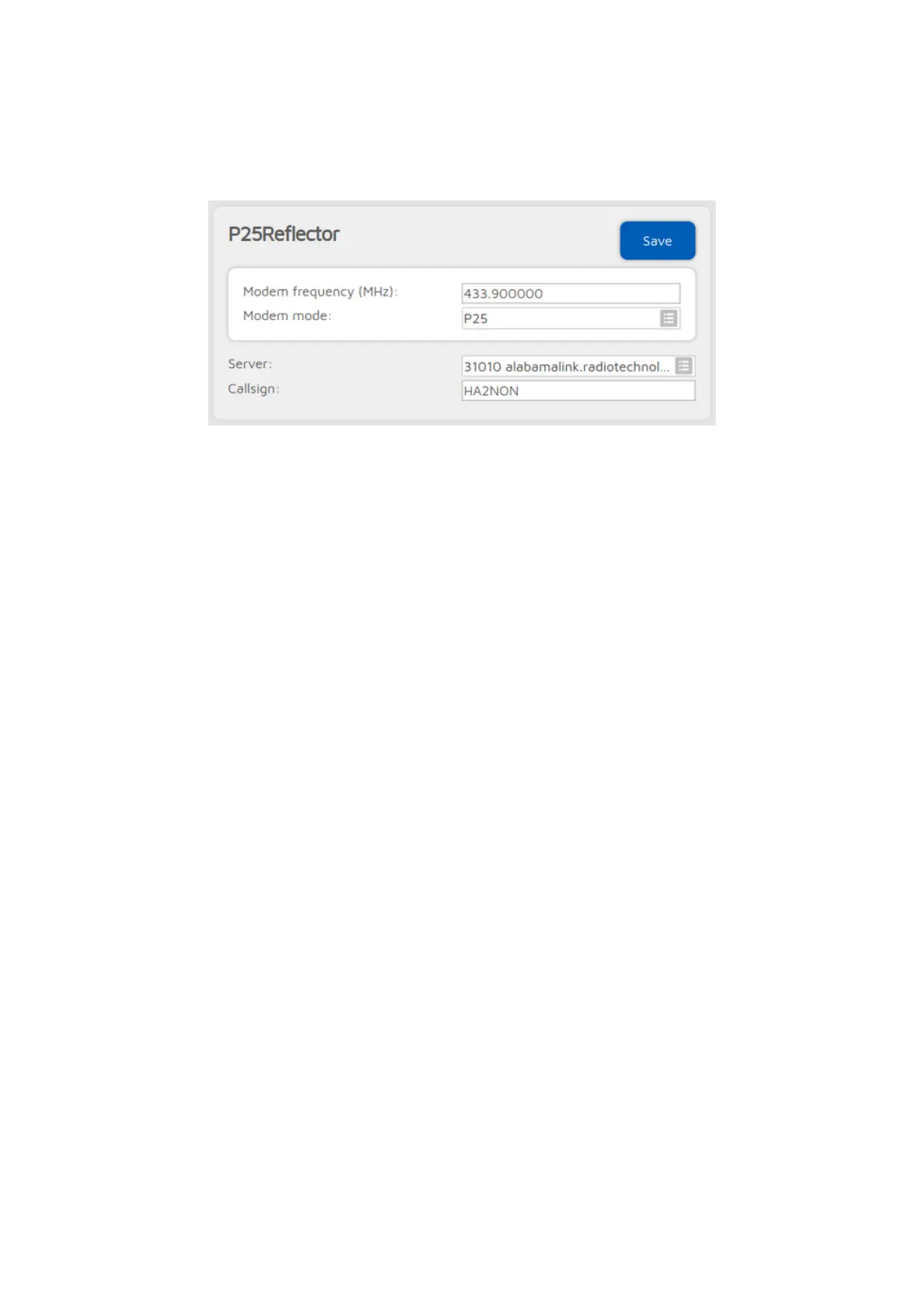
P25Reflector connector
You can use this connector to connect to a network which supports the
P25Reflector protocol, like P25Reflector servers.
The easiest way is to use the Quick setup to connect to these networks.
Talkgroup handling
P25Reflector servers handle only one talkgroup. You can find each server's
talkgroup ID in the server list, or if you enable
Advanced mode
, then the
talkgroup ID setting will be shown.
If the Enable group call rerouting setting is enabled (it's enabled by default),
then all calls from your P25 radio will be forwarded to the correct talkgroup ID,
and all calls from the network will be forwarded to talkgroup set at Reroute
group calls from net to ID to your radio. In this case, make sure you have this
talkgroup in your radio's selective call list (if SelCall is enabled), or set this
talkgroup as the TX contact for the radio's current channel, otherwise you won't
hear incoming calls on your radio.
Rerouting can be useful if you can't modify your radio's configuration (you don't
have a programming cable or software for the radio). In this case, keep
rerouting enabled, and set the Reroute group calls from net to ID to the
talkgroup you already have in your radio.
If the Enable group call rerouting setting is disabled, then you have to send
your calls to the correct talkgroup (the P25Reflector's TG ID), and incoming calls
will be sent to their original destination ID (the P25Reflector's TG ID).
If you use C4FM modem mode, then your calls will be automatically sent to the
P25Reflector's TG ID regardless of the Enable group call rerouting setting.
Switching P25Reflector servers using your radio
You can switch P25Reflector servers with your radio by calling the desired
server's ID with a private call. If the Allow server change with group calls
option is enabled (it is enabled by default), then starting a group call to the
desired talkgroup's ID performs a server switch.



 To Next Page