If you want to send received DMR SMS messages as POCSAG messages, check
the Handle messages to/from source ID checkbox, and set a POCSAG RIC to
send messages to.
You can simply use the ETSI format if you want to send messages through the
network. Note that the network must know about the location of your Source
ID. If you want to receive DMR SMS messages from the network, you have to
set the Source ID to the DMR ID you set at the connector settings, or if you
want to use another ID, then you have to start a short call from that DMR ID
with your radio, so the network will know that your custom DMR ID can be
reached through this openSPOT4.
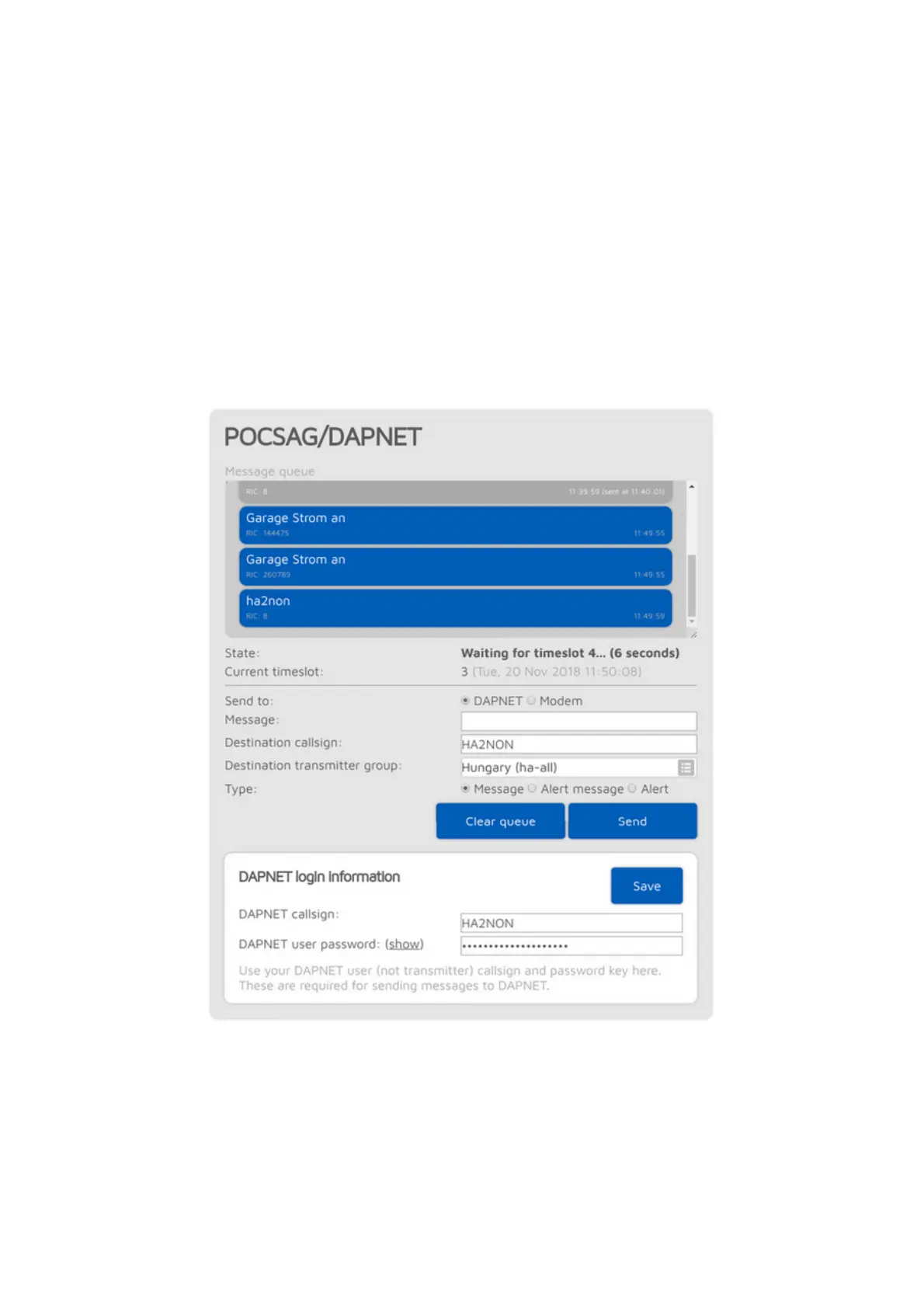
POCSAG/DAPNET
You can see the POCSAG message queue here. Queued unsent messages are
displayed with a blue background, sent messages are gray. All messages
receveid from DAPNET or sent from this interface are first placed in the
POCSAG message queue.



 To Next Page