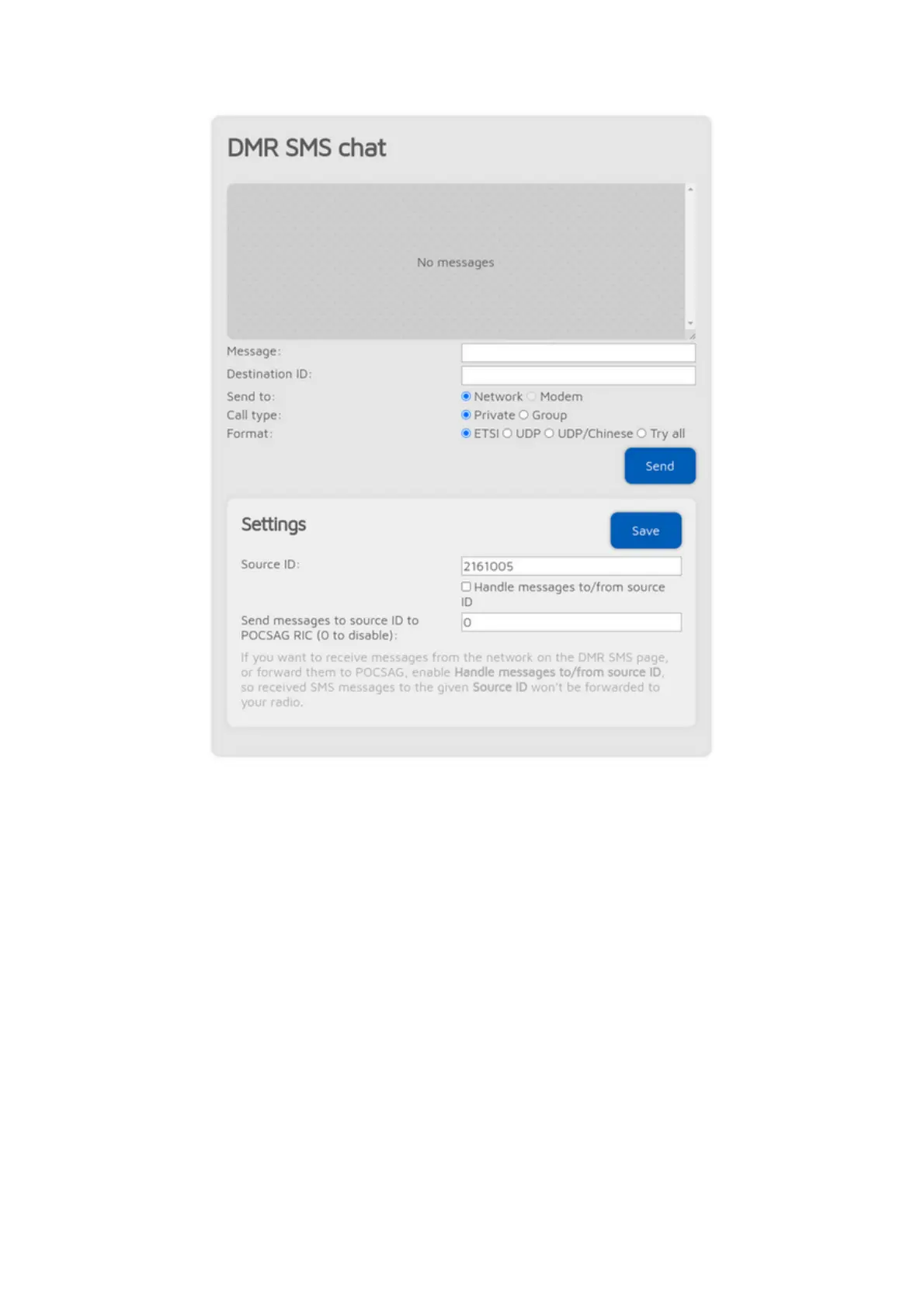
This feature is available when the modem is in DMR mode, or the currently
active connector supports DMR SMS sending.
Sent messages are displayed on the right, received messages are displayed on
the left of the chat box. You can click on each message for additional
information.
The modem radio button is disabled if the modem is not in DMR mode.
Messages sent to openSPOT4's DMR echo ID (it's 9999 by default) will be
echoed back to the sender. Note that the openSPOT4 only stores the last
received message, so you have to keep open this page in your browser to
receive more than one message at once.
Use ETSI format if you want to send a message to Hytera radios, UDP format
for Motorola radios, and UDP/Chinese format for other Chinese radios (Tyt,
Retevis, etc.).
If you want to receive messages from the network on the DMR SMS page, you
have to check the Handle messages to/from source ID checkbox. If it's
enabled, received SMS messages to the given Source ID won't be forwarded to
your radio.



 To Next Page