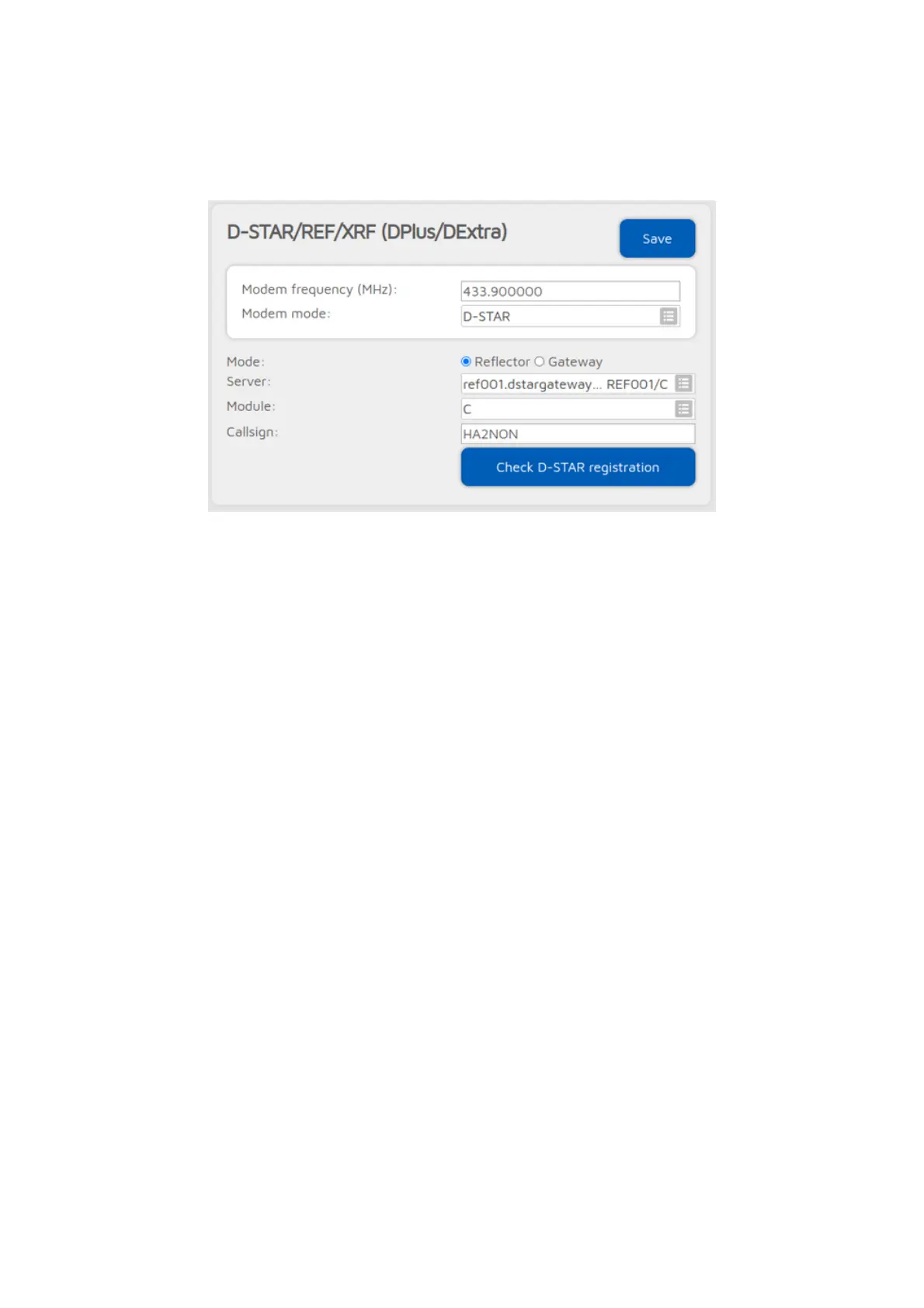
REF/XRF connector
You can use this connector to connect to a network which supports the Dplus
protocol like REF or XRF.
The easiest way is to use the Quick setup to connect to these networks.
If you want to use a reflector, set the URCALL on your radio to CQCQCQ, and
the local module to D in the openSPOT4. If you want to use a gateway, set the
URCALL to the gateway's callsign and remote module. Remote module should
be the last character of the URCALL. In this case, set the local module to a
space character in the openSPOT4.
Note that if you are connecting to a repeater, you have to set the
Reflector/gateway ID connector setting to the callsign of the repeater.
If the
Auto set URCALL to network
setting is enabled, and the REF/XRF
connector (list) is set to Reflectors mode, then the destination callsign (URCALL)
of calls coming from your transceiver will be automatically set to CQCQCQ. If
the REF/XRF connector (list) is set to Gateways mode, then the URCALL will be
automatically set to the gateway's callsign and remote module.
Some (classic) REF and XRF servers need a valid D-STAR® registration. If you
connect to such a server with an invalid callsign registration, then the server
may only serve a read only connection, which means you won't be able to
transmit to the server. A warning notification will be shown on the openSPOT4's
web interface, and also you'll see a warning at the
Connected to
field on the
Status page.
You can check your callsign's registration by clicking on the Check D-STAR®
registration button. Make sure you have registered your local module on the D-
STAR® gateway registration system. If you have a registration, you have
probably registered the "space" local module, in this case set your openSPOT4's
local module to a space (empty) character.



 To Next Page